You'll learn how to: Open My Coaching from the top bar, see your coaching status, and book a time to talk about coaching.
Time: 2 minutes.
Prereqs: A Nynch account. You can open the page from any screen.
Open My Coaching
- Look at the top bar, across the top of the screen.
- Click My Coaching, next to the speech bubble icon.
- The My Coaching page opens. A small window titled 1:1 coaching may also open over it.
Read the page
- The page says Coaching is invitation-only.
- If your coach has added you, your invitation appears on this page.
- If you do not have an invitation yet, the page tells you that it will appear here when your coach adds you.
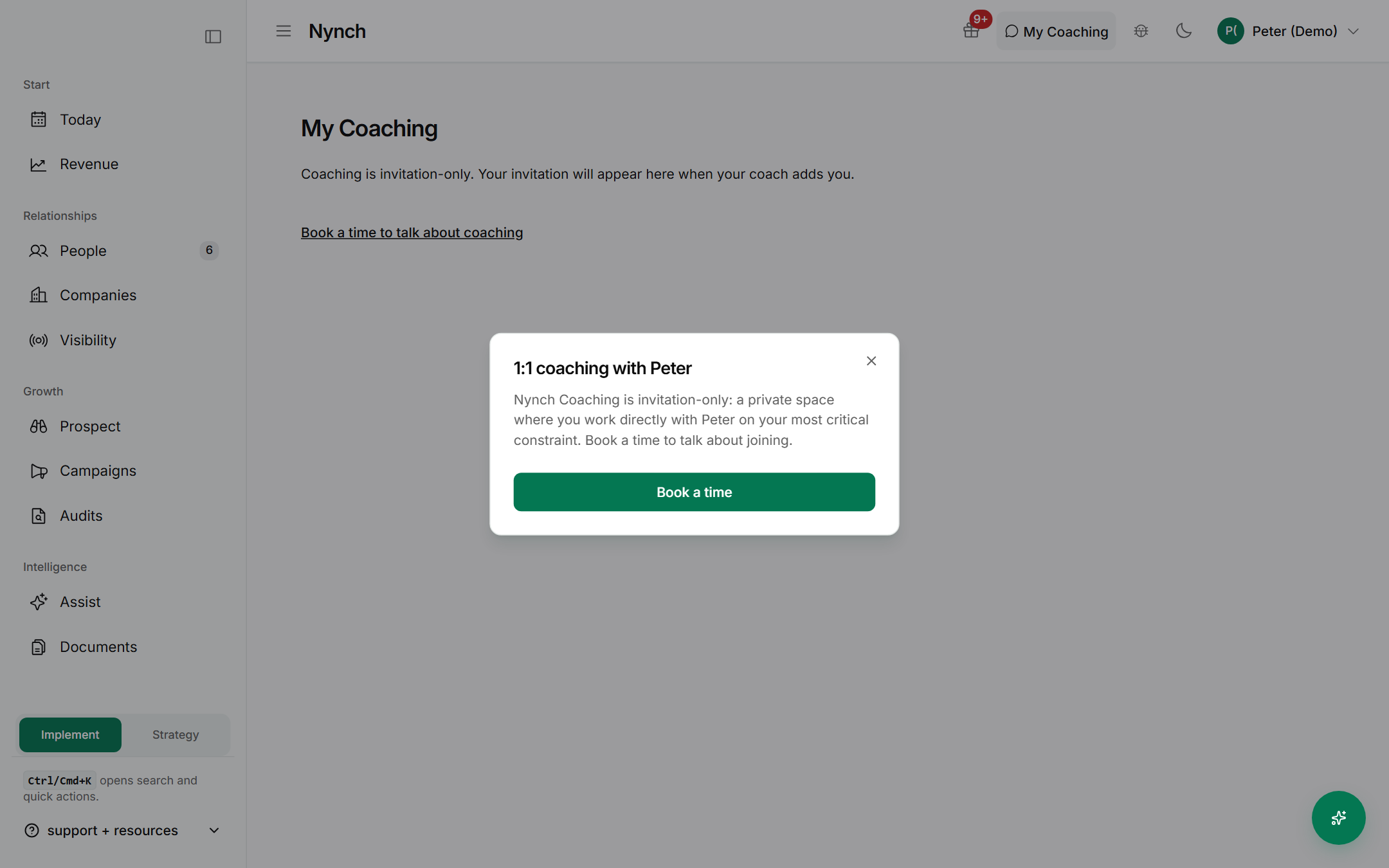
Book a time to talk about coaching
- Click Book a time to talk about coaching on the page, or Book a time in the 1:1 window.
- Choose a time on the booking page.
Booking a time only books a conversation about joining. It does not give you access to coaching by itself.
Close the page
- Click Close in the window, or press Esc.
- Use the sidebar to return to any screen, such as Today.
FAQ
Q: How do I get coaching? Coaching is invitation-only. Book a time from the My Coaching page to talk about joining. Your coach adds you, and your invitation then appears on the page.
Q: Why does the page say there is nothing to see? Your coach has not added you yet, so there is no invitation to show. Booking a time is the way to start that conversation.
Q: What does booking a time give me? A conversation about joining coaching. Booking does not give you access to coaching by itself. Your invitation is what opens it.
If something goes wrong
- Symptom: My Coaching does not open. → Fix: Reload the page. If it still does not open, sign out and back in.
- Symptom: The booking page does not open. → Fix: Check that your browser has not blocked pop-ups, then click Book a time again.
Related: Today: the daily feed, Your daily briefing, Set up time blocking, Command palette and slash commands