You'll learn how to: Add a free-form tag to one contact or many contacts at once.
Time: 15 seconds.
Single contact
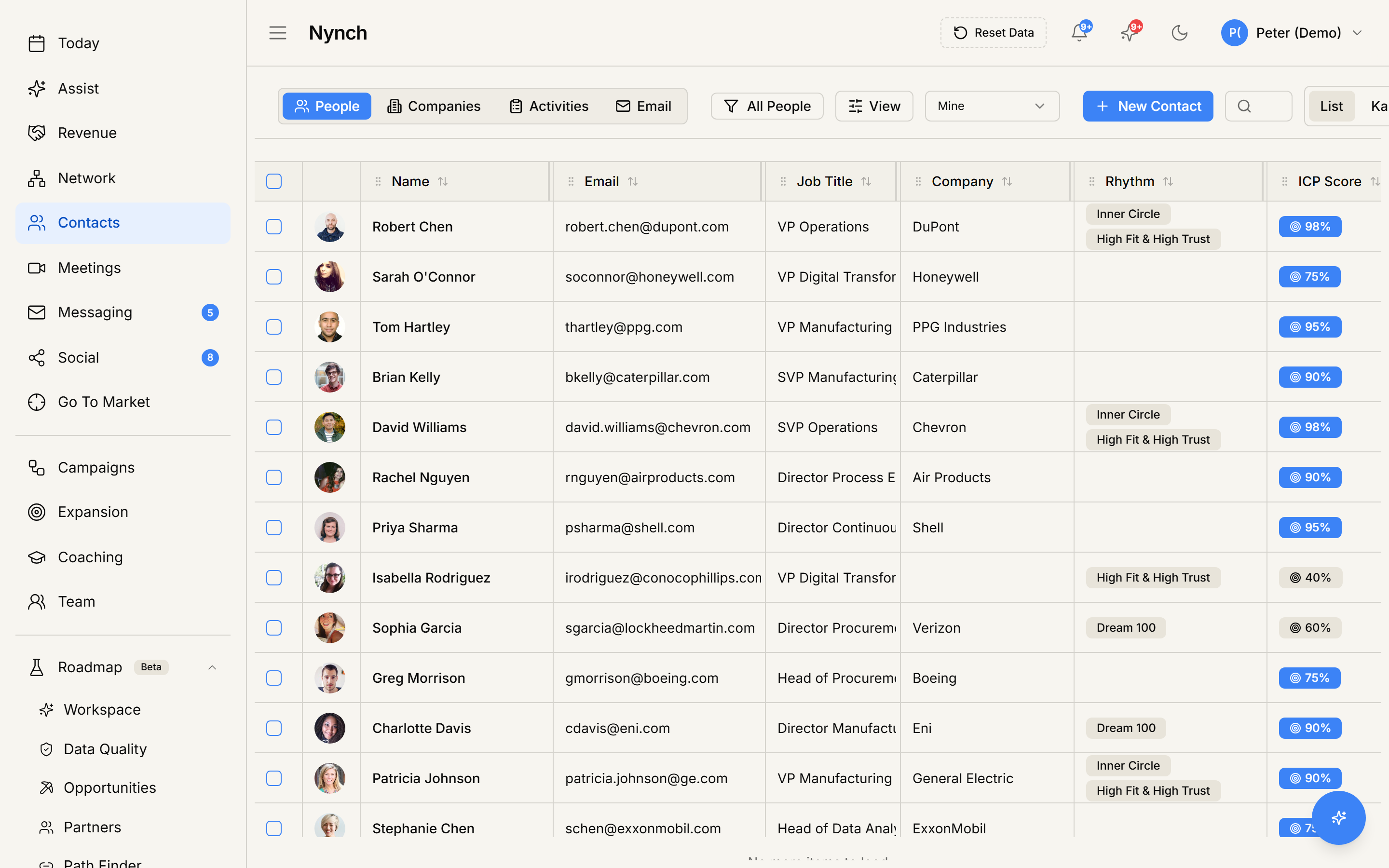
- In the People table (People section, People tab), click the contact's avatar to open their profile.
- The contact profile overlay opens on the Details tab.
- Find the Tags field.
- Type your tag. Existing tags auto-suggest as you type. Pick one or press Enter to create a new one.
- The tag saves immediately. You can add multiple tags to the same contact.
To remove a tag, click the X next to it.
Many contacts at once
- In the People table, tick the checkboxes for every contact you want to tag.
- The bulk-action toolbar slides up from the bottom of the screen.
- Click Edit Fields.
- Pick the Tags field from the dropdown.
- Choose Add (append the tag without removing existing tags) or Replace (overwrite the entire tag list).
- Type the tag and confirm.
Every selected contact now has the tag.
Use tags well
Tags are the lightest-weight organisation tool in Nynch. They're free-form, so they're easy to misuse. Patterns that work:
- Event-based:
event:saastr-2025,event:webinar-q3. - Relationship state:
dormant,recent-hire,decision-maker. - Source:
from-twitter,from-referral,cold-list. - Project:
project:vmac-pipeline,project:abm-q1.
Patterns that DON'T work:
- Generic adjectives like
interested,warm,hot(use rhythms or ICP scores instead). - Job titles (already a field).
- Industry (already a field via company).
Search and filter by tag
Tags are first-class filter values. Open View → Filter, pick the Tags field, choose contains, and type your tag.
Save the filtered view (see Save a custom view) to come back to the same tag-filtered slice with one click.
If something goes wrong
- Symptom: "Tag field doesn't appear on the profile." → Fix: Some profile templates hide it. Edit Fields on the bulk toolbar still works to add tags. The visible profile layout is configurable. check Settings or the profile's edit-fields menu.
- Symptom: "I added a tag with a typo and want to fix it across many contacts." → Fix: Use the bulk Edit Fields with the Replace strategy after filtering to the typo'd tag. Or in Settings, find the tag management page (where workspaces with tag taxonomy can rename a tag everywhere).
- Symptom: "Tag won't save." → Fix: Some workspaces restrict who can create new tags. If only certain teammates can create new tags, you can pick from existing ones but can't add new. Ask an owner to enable tag creation for your role.
FAQ
Q: How do I add a tag to a contact? Add a free-form tag to one contact or many contacts at once.
Q: Where do I start in Nynch? In the People table (People section, People tab), click the contact's avatar to open their profile.
Q: How long does this take? About 15 seconds.
Q: Tag field doesn't appear on the profile? Some profile templates hide it. Edit Fields on the bulk toolbar still works to add tags. The visible profile layout is configurable. check Settings or the profile's edit-fields menu.
Q: I added a tag with a typo and want to fix it across many contacts? Use the bulk Edit Fields with the Replace strategy after filtering to the typo'd tag. Or in Settings, find the tag management page (where workspaces with tag taxonomy can rename a tag everywhere).
Related: Manage your contacts and companies | Save a custom view.