01Choose your groups
Make the structure match your network.
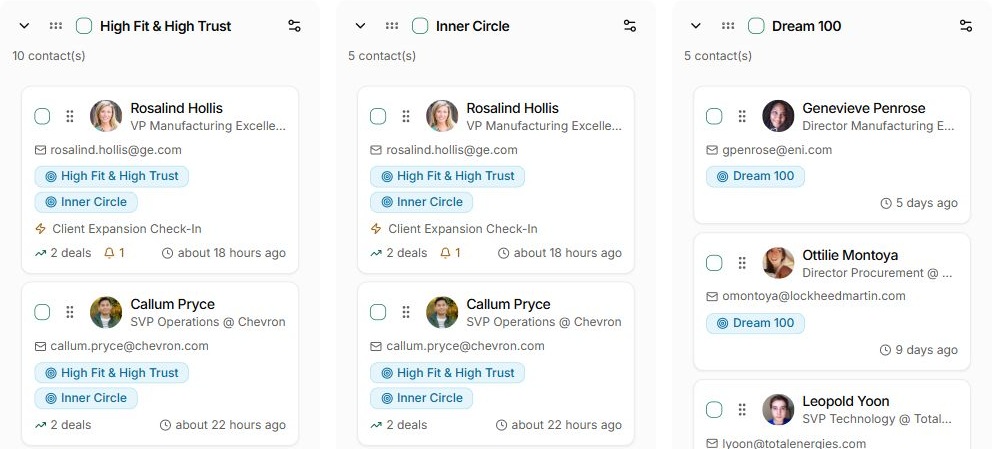
Use groups to distinguish close relationships, high-fit prospects, partners and people you want to reconnect with.
Keep the grouping useful enough to guide an actual decision.
Relationship Groups
Organise clients, partners and future buyers into groups with their own contact rhythms. See who needs attention before the relationship goes quiet.
Relationship management for consultants, inside the complete Nynch business development platform.
See how it works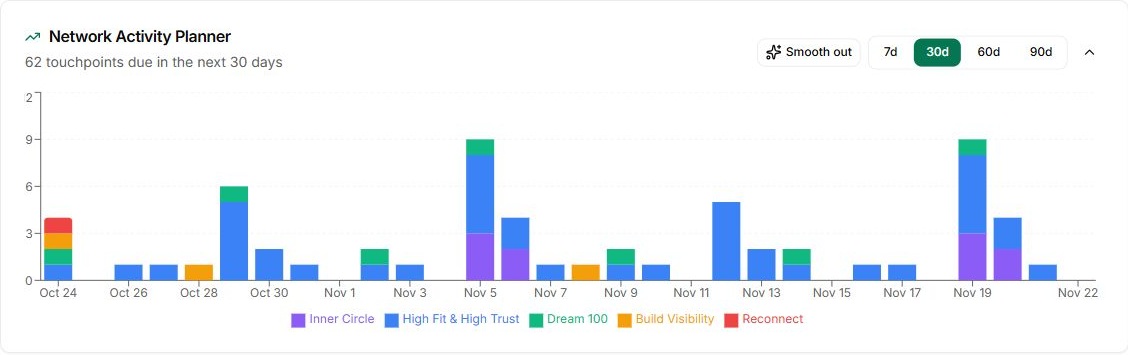
What gets in the way
You know some people need regular contact and others only an occasional conversation. A flat list leaves you to remember the difference.
Your closest clients sit beside people you barely know.
You remember to reconnect when a name happens to come up.
A generic cadence creates more work than you can sustain.
How Relationship Groups works
Choose a group and cadence that reflect the person, then review the workload.
Use groups to distinguish close relationships, high-fit prospects, partners and people you want to reconnect with.
Keep the grouping useful enough to guide an actual decision.
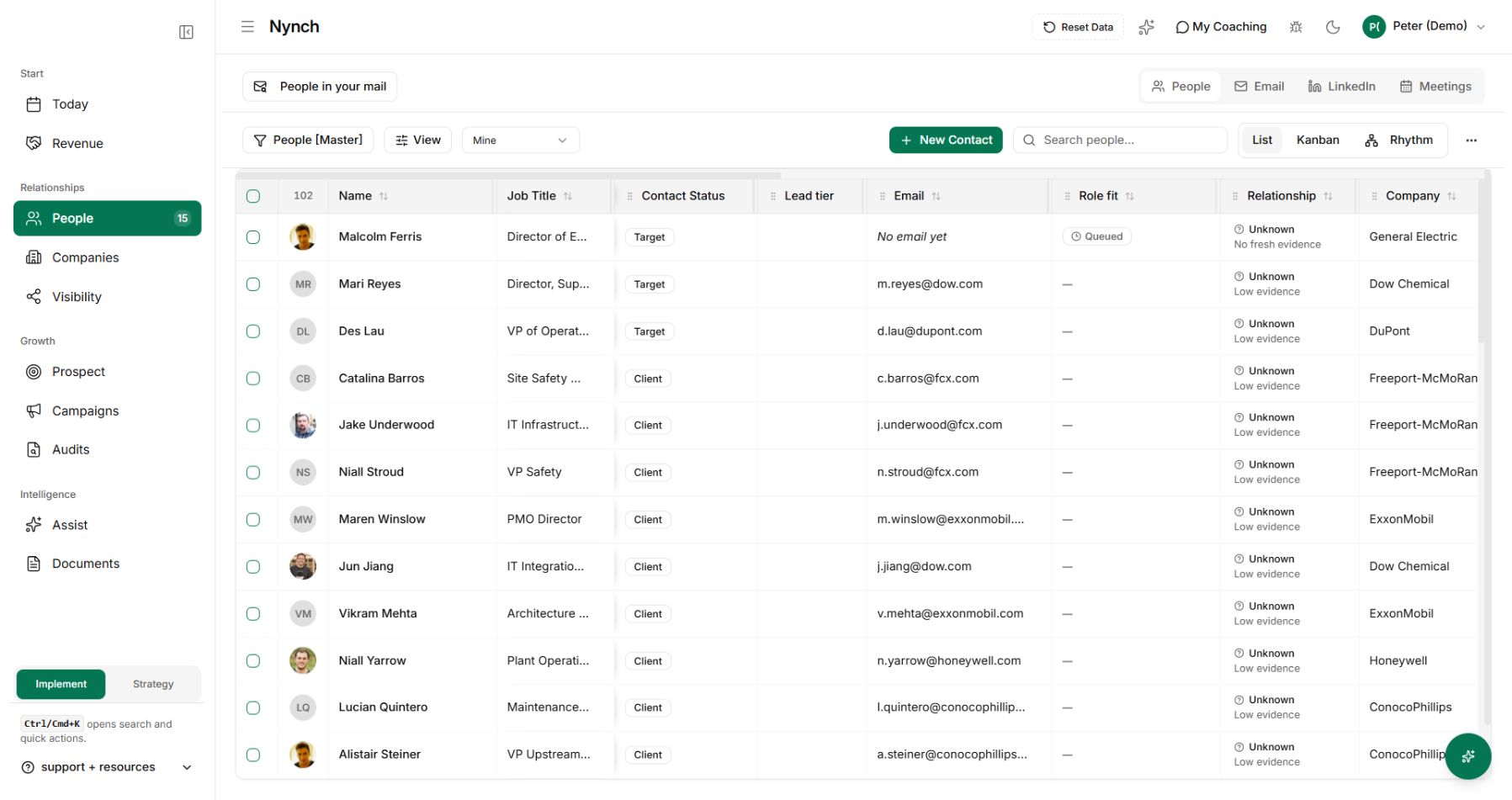
Review the contact and choose the group that reflects the relationship you have and want to build.
Revisit the choice as the relationship changes.
Review upcoming touchpoints across the groups and see where the work is concentrated.
Spread the work across the time you actually have.
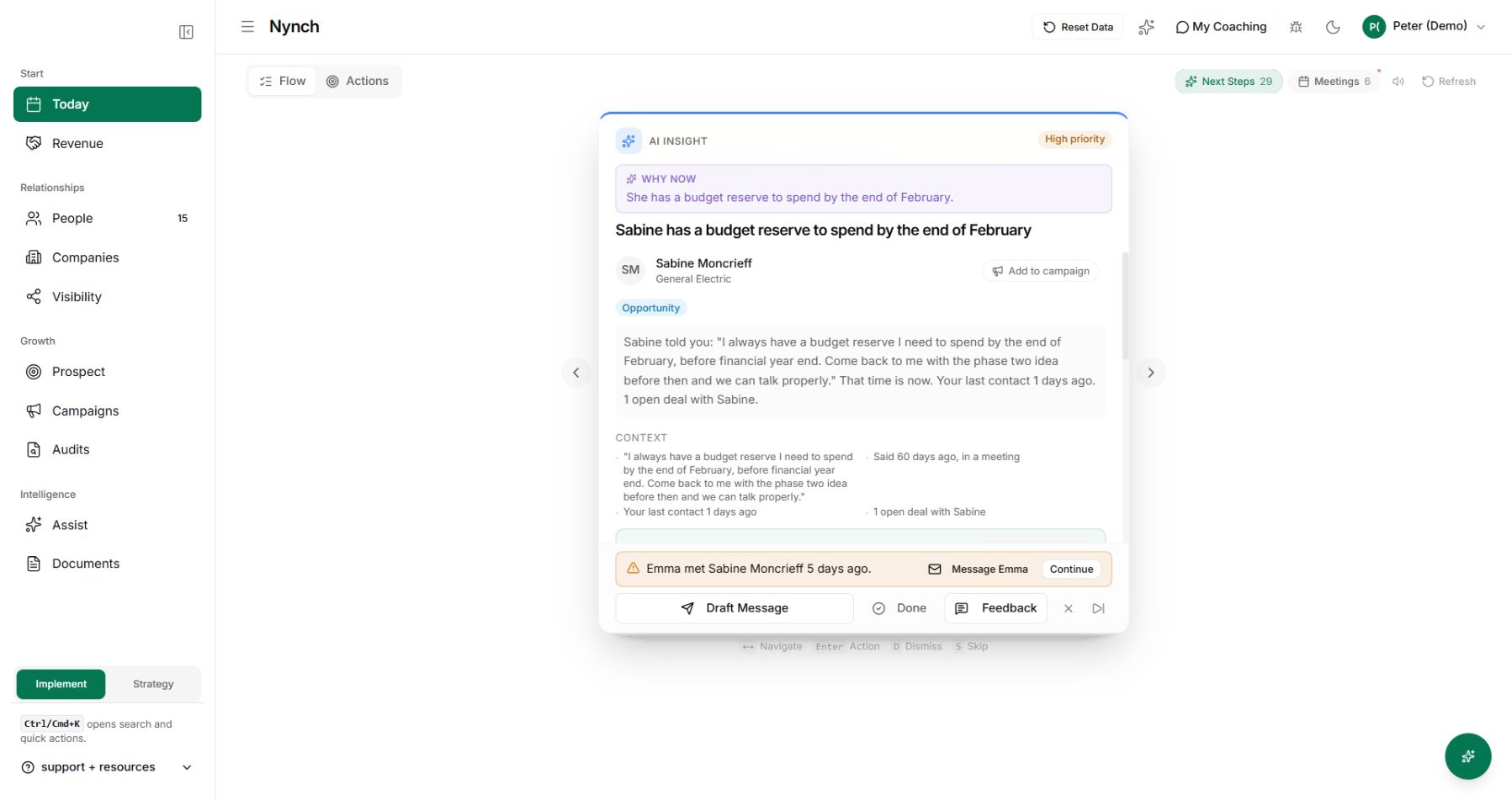
Use Today to work through relationships due for attention, with context for the next conversation.
A reminder is a prompt to think, not a reason to send a generic message.
What Nynch decided, and why
A group is only as useful as the record behind it. These are the rules that decide what counts as contact and what a rhythm is allowed to change, and why each would be hard to keep straight by hand.
A campaign or drip sent by the platform does not move “last contacted”, restart a rhythm or clear a reminder. An email you send from your own mailbox counts as contact, including a campaign email you approved. Without that split, one bulk send would make everyone look recently contacted, and people who have really gone quiet would drop out of view.
Doing it yourself: You would need to check, before each reminder, whether every message sent to that person was really a conversation.
When someone joins a rhythm that carries a status, that status is applied unless you have already chosen one for them, and the change is recorded as coming from the rhythm. A status you set stays until you change it. A person in a rhythm still moves on their own evidence, such as filling in a form or replying to a campaign.
Doing it yourself: You would need to remember which statuses you set yourself, and check every group change against that list before you made it.
One connected Nynch platform
Prospecting, relationships, meetings, proposals, Deal Rooms and client growth work together in Nynch. Start with the job you need to do today. Keep the context as the relationship develops.
Relationship rhythms work alongside meeting history, timely signals and your next commercial conversation.
The details
A group organises people around how you want to maintain the relationship. It combines a set of contacts with a contact rhythm so you can plan attention deliberately.
Use groups that make sense for your business rather than forcing your network into a generic sales funnel. The important distinction is how you intend to keep in touch.
Choose a rhythm appropriate to the relationship and the value of a conversation. Close collaborators may warrant frequent contact while a wider network needs a lighter approach.
No. Review the relationship and decide what is useful. A due touchpoint helps you notice the person, but it does not replace having a reason to contact them.
Yes. Review the grouping as the relationship develops, such as when a prospect becomes a client or a former client becomes a referral partner.
The planner shows upcoming relationship work across your groups. Use it to see busy periods and keep the planned cadence manageable.
See how groups turn your network into manageable relationship work.