01Before the meeting
Remember what matters before you join.
Review the upcoming meeting and the available context about the people attending.
Check open commitments and recent developments.
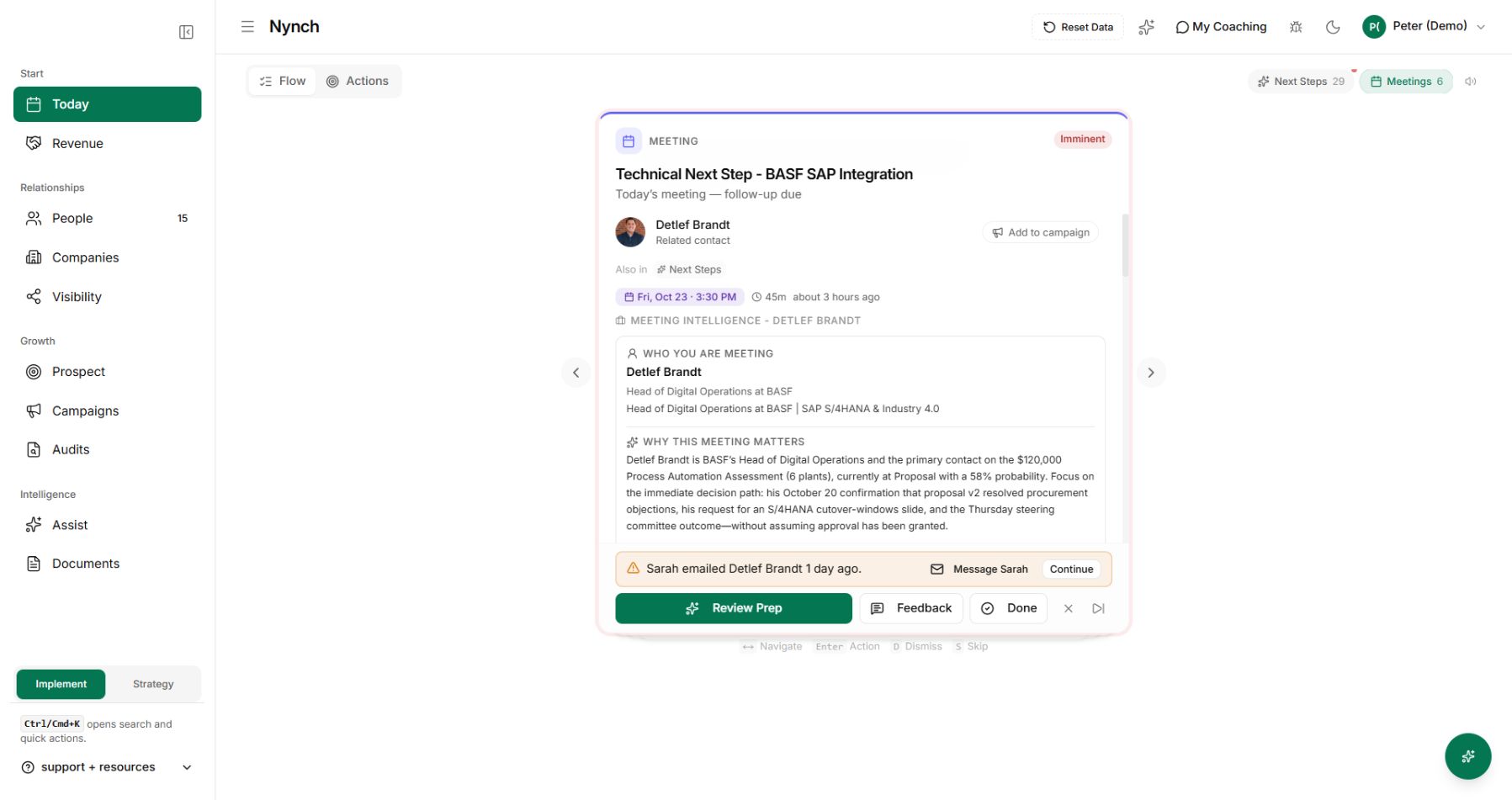
Meeting Intelligence
Prepare for important meetings with the relationship history in view. Bring the conversation back into Nynch so promises and follow-up stay connected to the people involved.
Meeting and conversation intelligence, inside the complete Nynch business development platform.
See how it works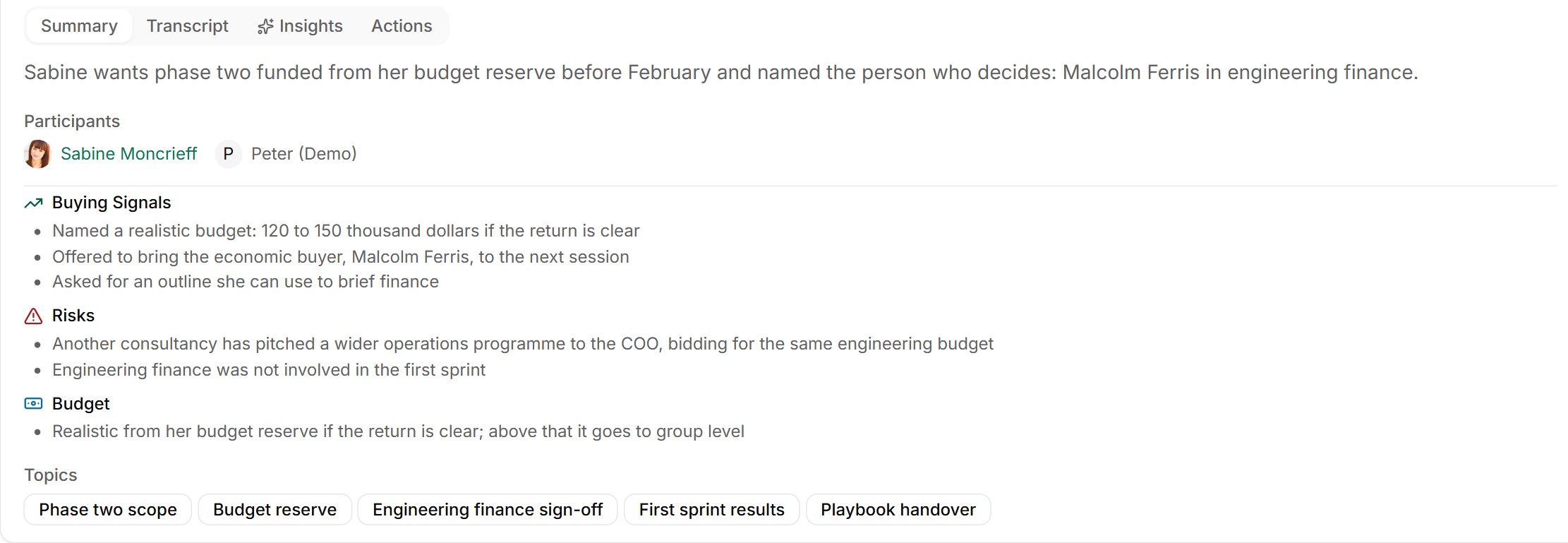
What gets in the way
Before the call, you search for the last conversation. Afterwards, you turn notes into actions while the next meeting is already starting.
You reopen emails and notes just before the call.
The useful question or promised introduction gets buried in a long recording.
A clear next step becomes another task to reconstruct later.
How Meeting Intelligence works
Keep the relationship context with the meeting from the first brief to the next conversation.
Review the upcoming meeting and the available context about the people attending.
Check open commitments and recent developments.
Review the meeting summary, buying signals, risks and budget context together.
Return to the source conversation when you need to check a detail.
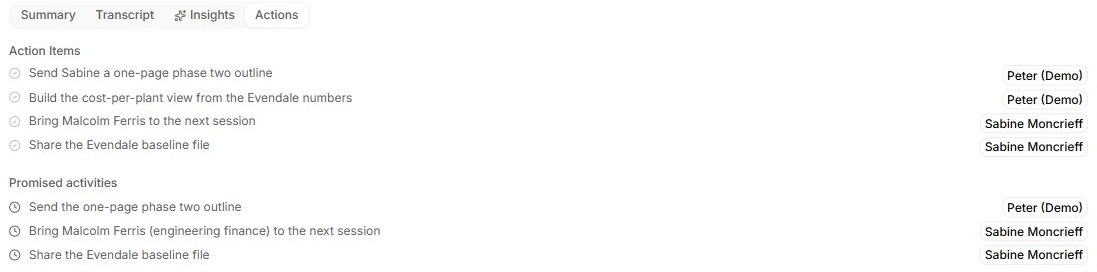
Review the meeting context and identify the commitments and questions that need follow-through.
Check names, owners and dates against the conversation.
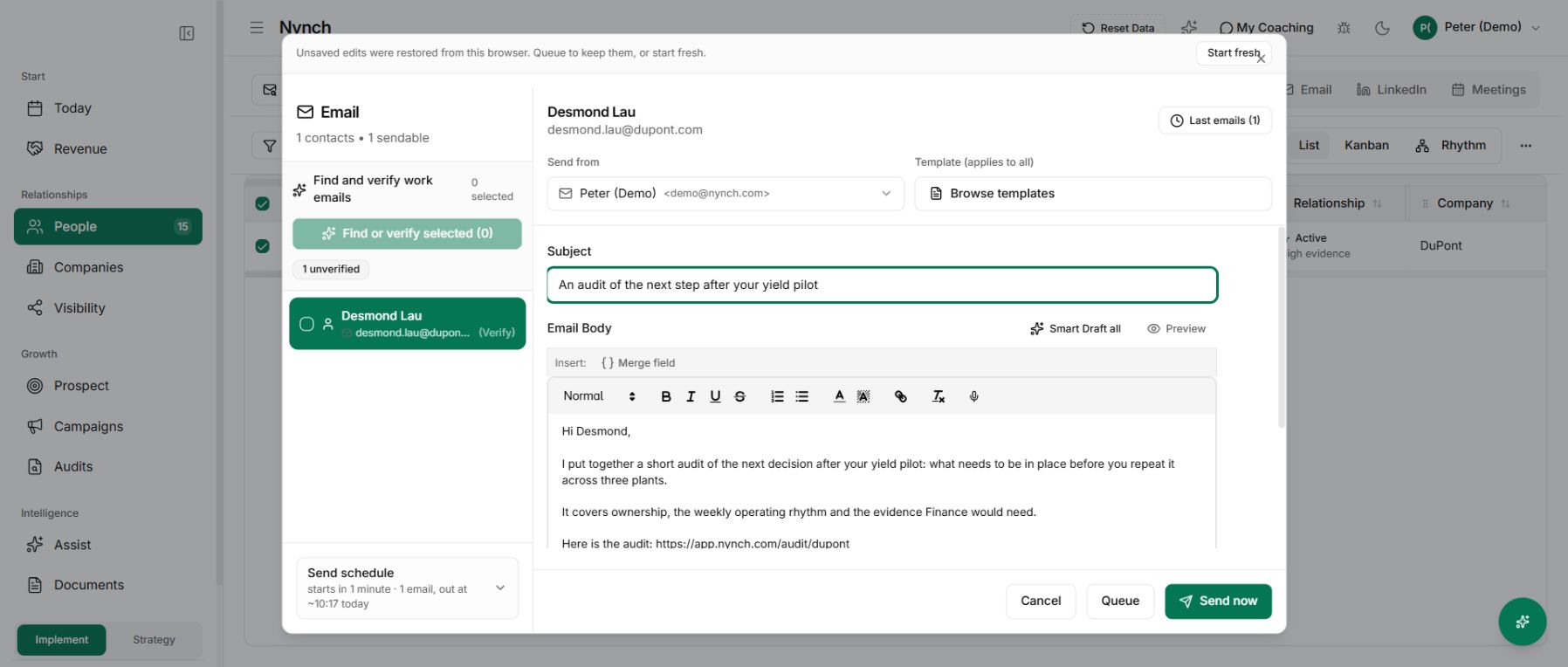
Prepare the follow-up while the meeting context is available, then review the draft before sending.
Keep the agreed next action with the relationship or opportunity.
What Nynch decided, and why
Nynch prepares a brief before an outside meeting and writes a follow-up from the call itself. These are the rules that decide what goes into each, and why each would take real effort to keep by hand.
Nynch checks your calendar every five minutes and sends the brief once a meeting is between two and forty minutes away. An internal meeting gets none, because the brief is for the people in the room you have not yet spoken to. It goes to your own address and your app, and both stay on until you switch them off.
Doing it yourself: You would have to open each invite, find the outside guests and pull their recent history together within the same half hour.
A long thread can bury the one message that matters, so the brief takes only the latest exchanges from the last two months. An open deal appears only if it is a real one, so a practice deal does not read as live pipeline in front of a client.
Doing it yourself: You would search each guest in your inbox, sort the results by date and decide yourself which open deal counts.
A news search can return a job advert, a directory listing or a firm with a similar name, and a brief that repeats one of those looks careless. Nynch keeps only items served from the company’s own domain that read as news, and it never searches personal email providers. If nothing passes that test, the news section stays empty rather than guessing.
Doing it yourself: You would open each company’s own news page and check the date and the source of every item before the call.
The follow-up is assembled from complete sentences in the transcript, up to three for each of six areas, from the current situation to the next steps. An area the call did not cover reads “Not discussed”. A sentence that cannot be matched to the call stops the draft, so a figure nobody said cannot reach an email.
Doing it yourself: You would replay the recording and check each sentence of your summary against what was actually said.
The draft lands in the same composer you use for any email, so you can edit it, change who it goes to and decide when to send. Nynch does not send it on your behalf after the call. Keeping the send as your own action is what makes the follow-up safe to use with a client.
Doing it yourself: You would write the follow-up from memory in a separate document and then copy it across.
One connected Nynch platform
Prospecting, relationships, meetings, proposals, Deal Rooms and client growth work together in Nynch. Start with the job you need to do today. Keep the context as the relationship develops.
A meeting builds on the relationship history. Its priorities and commitments inform your opportunity, proposal and next client conversation.
The details
Available relationship history, meeting details and opportunity context help you prepare. Check the brief against recent changes and decide which questions matter for this particular conversation.
A transcript gives post-meeting analysis more detail to work from. Preparation can still use existing relationship context, and manually recorded notes remain useful when no transcript is available.
Check the current integrations available in your Nynch account for supported transcript sources. Connection and source availability determine which meeting material can be brought into the workspace.
Review them first. Confirm who made the promise, what was agreed and whether there was an actual deadline. An interpretation of a conversation is not the same as confirmation from the person.
Preparing a follow-up and sending it are separate steps. Review the message, recipients and next actions before sending through your connected workflow.
Keep the relevant people and conversation associated with the opportunity so future preparation and deal review can use the same context.
See preparation and follow-through together in Nynch.