B2B Proposal Software for Consultants | Nynch Skip to content
Product overview
Explore all 15 product areas1. Services and Offer2. Ideal Client Profile3. Find Prospects4. LinkedIn Network5. Relationship Management6. Relationship Intelligence7. Value Audits8. Personalised Outreach9. Authority and Content10. Meeting Intelligence11. Pipeline and Opportunities12. Proposals13. Deal Rooms14. Client Management15. Grow Existing Accounts
Use cases Pricing In Person Workshop Resources Sign in Book a call
Product / 12. Proposals

Proposals

Turn the conversation into a proposal worth saying yes to.

Make the client problem, recommended work and investment clear. Prepare your consulting proposal alongside the opportunity, then give the buyer a Deal Room for the decision and agreed next steps.

Book a call

30 minutes. On your real data. Not generic slides.

B2B proposal software for consultants, inside the complete Nynch business development platform.

See how it works
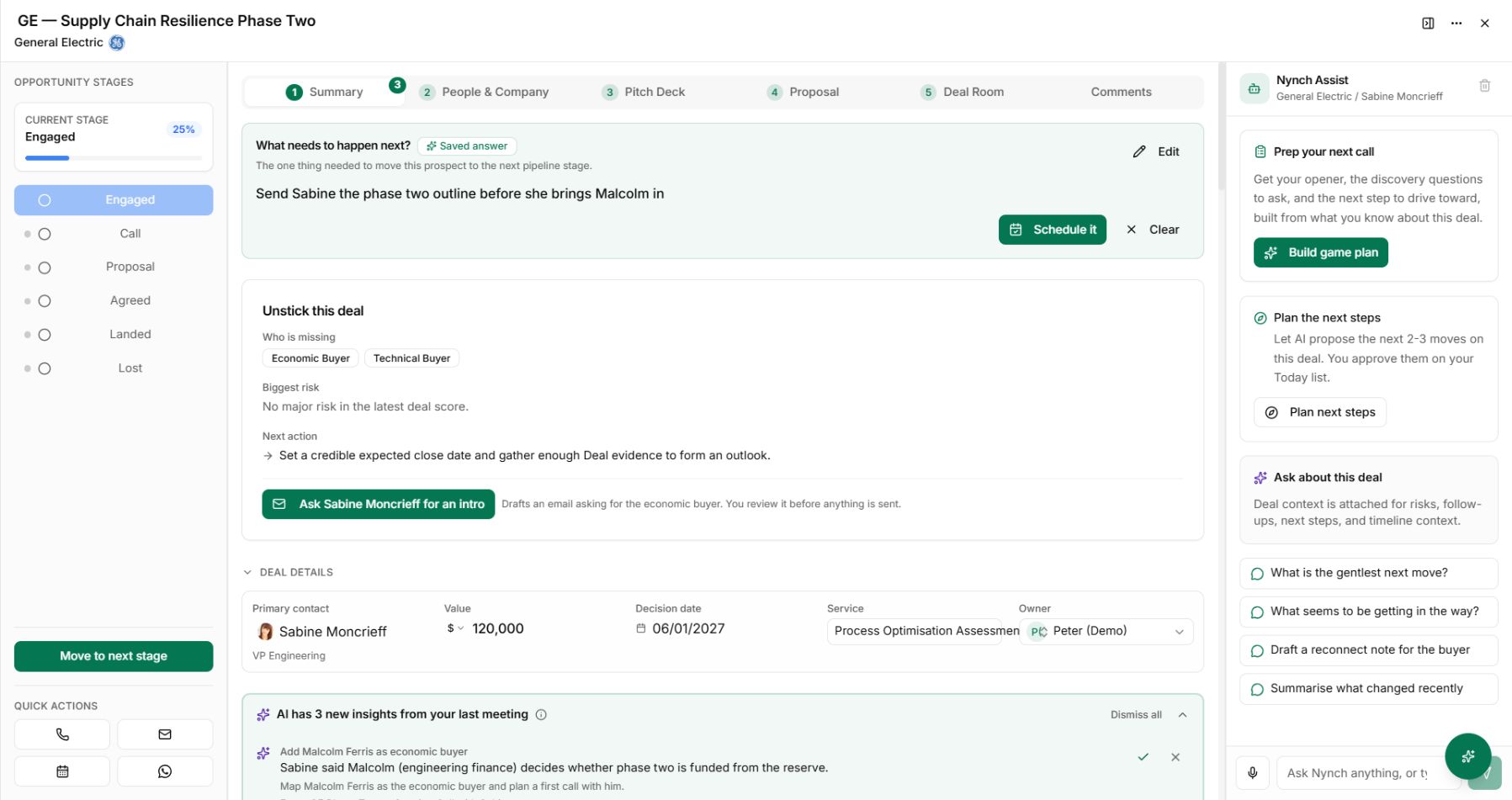
The fictional GE opportunity canvas with buyer gaps and a next step.
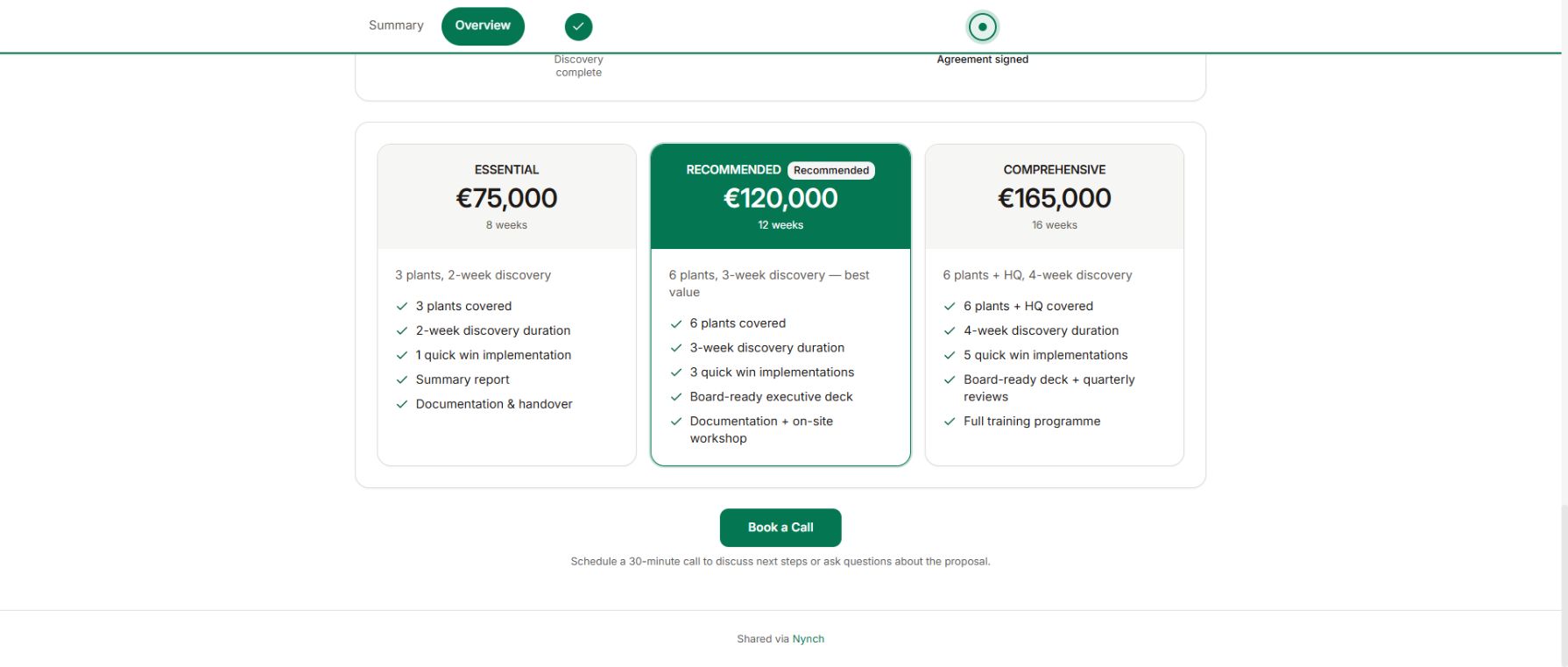
Investment options in a published fictional Nynch Deal Room.
The fictional GE opportunity canvas with buyer gaps and a next step. Demo workspace shown.

What gets in the way

Your proposal should build on the conversation you already had.

The buyer needs to understand the work, why it matters and what happens next. Pulling those answers from disconnected notes makes every proposal harder to prepare and explain.

The client problem gets lost.

A standard document describes your services without explaining why this buyer needs them.

Scope and price drift apart.

Changes to the approach leave the deliverables and investment telling different stories.

The document becomes a dead end.

You send the proposal without a shared plan for questions, review and a decision.

How Proposals works in Nynch

Turn the conversation into a proposal worth saying yes to.

Make the client problem, recommended work and investment clear. Prepare your consulting proposal alongside the opportunity, then give the buyer a Deal Room for the decision and agreed next steps.

01Opportunity context

Start with the decision the buyer needs to make.

Review the opportunity, people and open questions before preparing the proposal. Bring the conversation back to the problem and the work needed.

Resolve gaps in the buyer’s need and decision process before treating assumptions as agreed scope.

The fictional GE opportunity canvas with buyer gaps and a next step.
The fictional GE opportunity canvas with buyer gaps and a next step. Demo workspace shown.
02Services and scope

Make the work clear.

Use your services and commercial approach to describe the recommended work, deliverables and investment.

Review the scope and fees together so the proposal reflects what you can deliver.

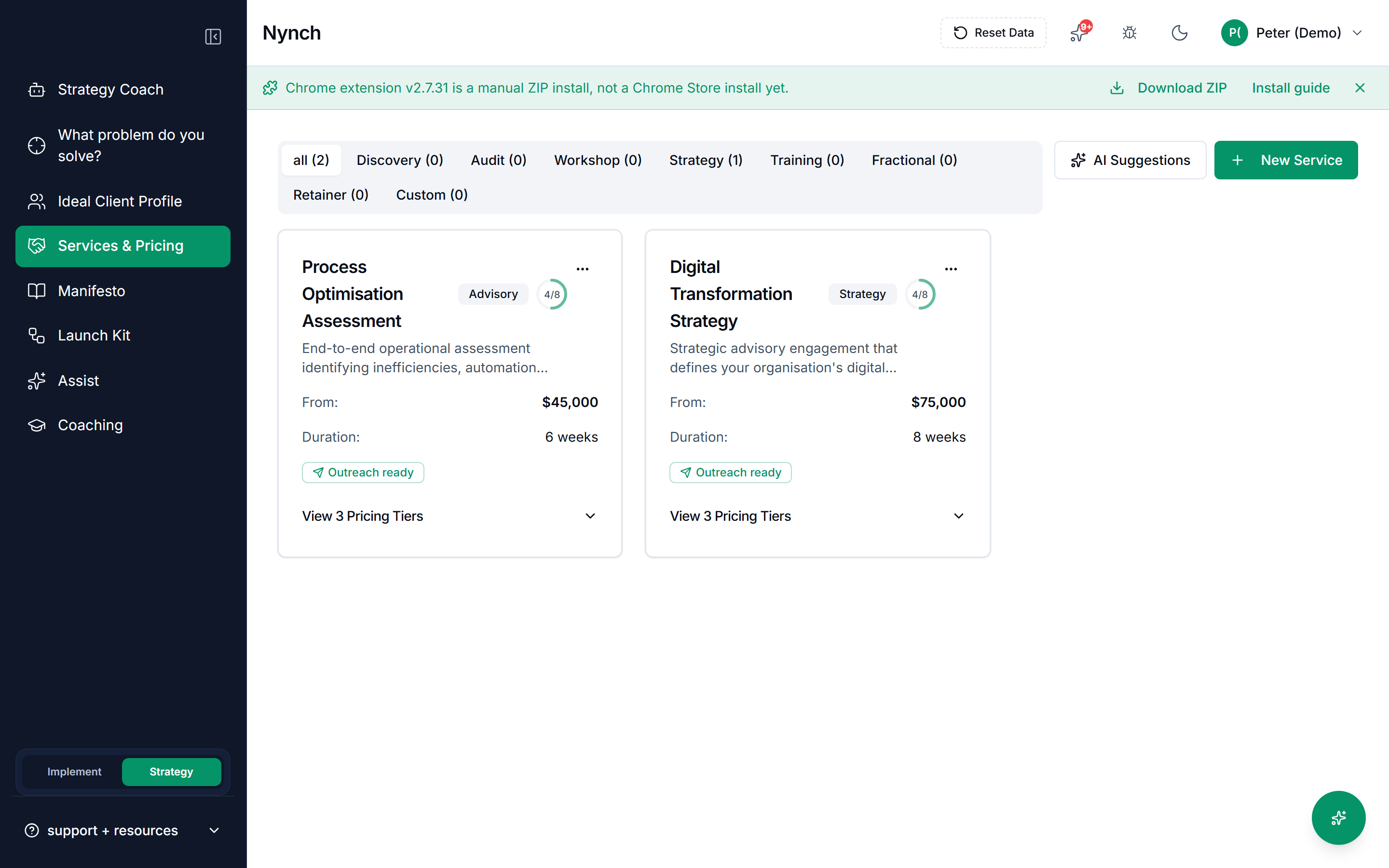
Consulting services with scope, duration and pricing in Nynch Strategy.
Consulting services with scope, duration and pricing in Nynch Strategy. Demo workspace shown.
03Investment options

Help the buyer understand the choice.

Present the commercial options with a clear explanation of the work behind each one.

The published demo shows investment options inside a Deal Room.

Investment options in a published fictional Nynch Deal Room.
Investment options in a published fictional Nynch Deal Room. Demo workspace shown.
04Buyer review

Give the proposal somewhere to progress.

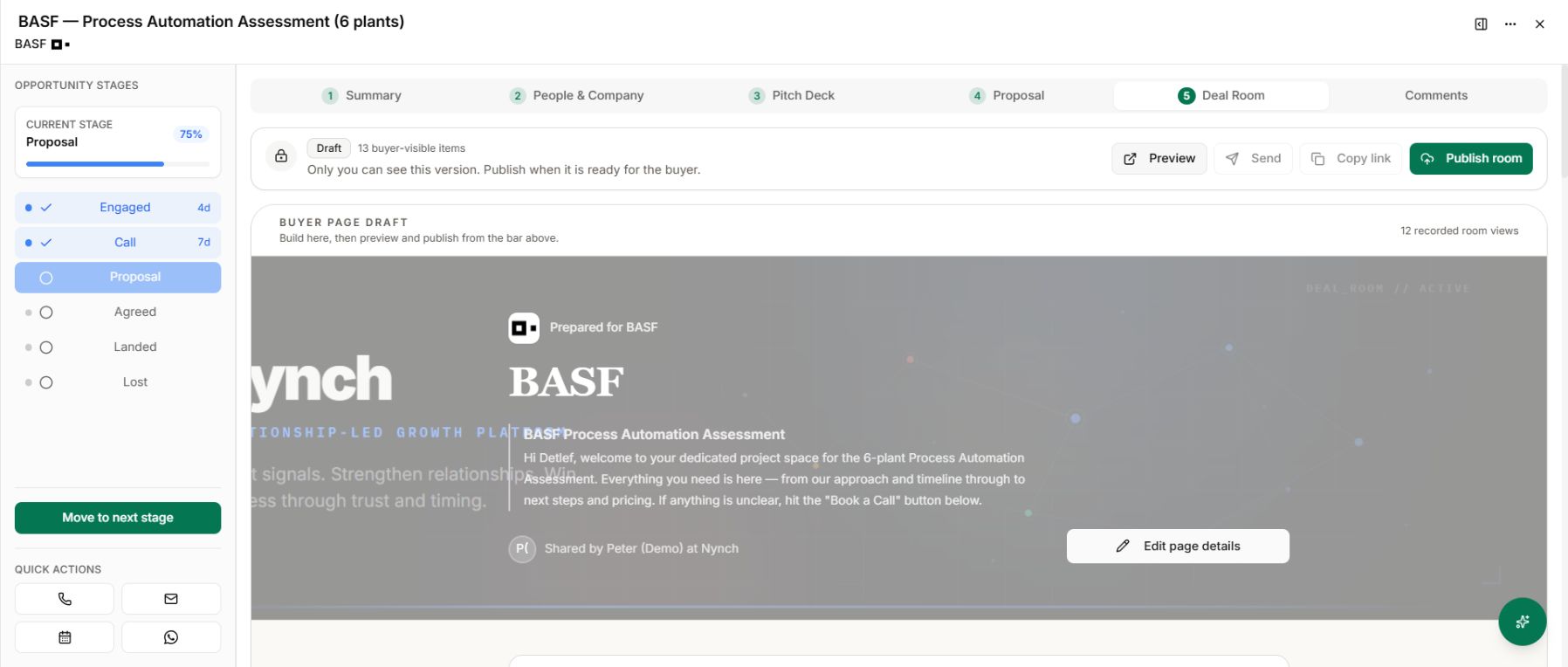
Bring the proposal into the opportunity’s Deal Room with supporting material and shared next steps. Preview and publish the version you want to share.

Keep proposal review, agreement and kickoff visible alongside the case for the work.

The real Nynch Deal Room editor inside an opportunity, with Draft status and Preview and Publish room controls.
The published buyer page showing the investment options prepared in the demo room.
Preview the buyer’s version before you publish it.

One connected Nynch platform

From finding the right people to winning their next piece of work.

Prospecting, relationships, meetings, proposals, Deal Rooms and client growth work together in Nynch. Start with the job you need to do today. Keep the context as the relationship develops.

Your proposal belongs to the opportunity. Bring it into a Deal Room, then keep the client relationship moving after the decision.

The details

Questions about
Proposals.

How do proposals fit into Nynch?

Proposals sit within the wider business development workflow. Review the opportunity and client context, prepare the case for the work and use a Deal Room to share buyer-facing material and next steps.

What should I review before sharing a consulting proposal?

Check the client problem, recommended approach, scope, deliverables, investment and next steps. Confirm that the wording reflects the conversation and that you can deliver the work described.

Can I present more than one investment option?

The Deal Room supports pricing tables and investment options, as shown in the published demo. Make the differences in scope and value clear so the buyer can compare them.

Is a proposal the same as a Deal Room?

The proposal explains the work and commercial offer. The Deal Room is the shared buyer space around it, including resources, actions and milestones. Both belong to the same Nynch opportunity workflow.

Can I review the buyer’s version before it goes live?

Yes. Preview the Deal Room and publish when the content is ready. Changes to a published room remain in draft until you publish the updated version.

Does opening the proposal mean the buyer has accepted?

No. Recorded room activity is context for follow-up. An open does not establish agreement, verified identity or payment. Confirm commercial acceptance through the agreement process you have chosen with the client.

What happens after the proposal is agreed?

Continue managing the people, conversation history and future opportunities in Nynch. The client relationship carries on beyond the proposal and the initial decision.
See Proposals as part of the whole Nynch platform.

Walk through the work from the first relevant conversation to the next client engagement.

Book a call

30 minutes. On your real data. Not generic slides.