You'll learn how to: Set your brand colours and logo, build a Point of View Model, and export it as a slide or a deck.
Time: 15 minutes for a first model. Brand colours take 2 minutes.
Prereqs: You have written your Manifesto or have your problem statement ready. The draft builder uses both.
What the Point of View Model is
The Point of View Model is your point of view on one slide. It shows the goal your client wants most, and the three outcomes that get them there. The slide is built in rings: the goal sits in the centre, the outcomes sit around it, and each ring names what your client feels going wrong and what you promise instead.
The Launch Kit builds its presentations from this model, so set it up before you make those assets.
Steps
- Click Strategy at the bottom left of the sidebar.
- Under Growth, click Point of View Model.
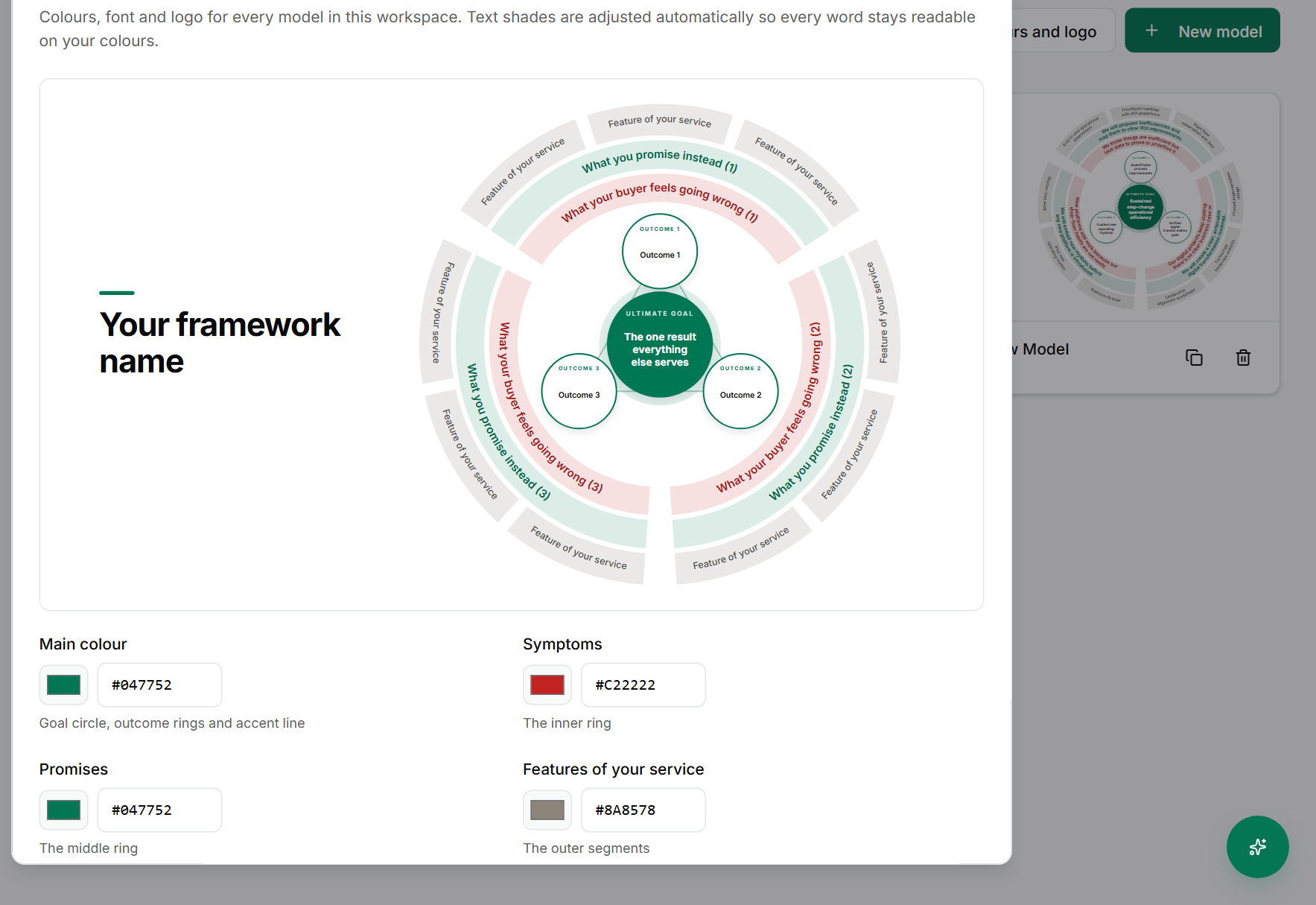
- To set your look first, click Colours and logo. The Brand kit dialog opens. Choose your colours and font, click Upload logo if you have one, then click Save brand kit. Click Cancel to leave without saving.
- To make a model, click New model.
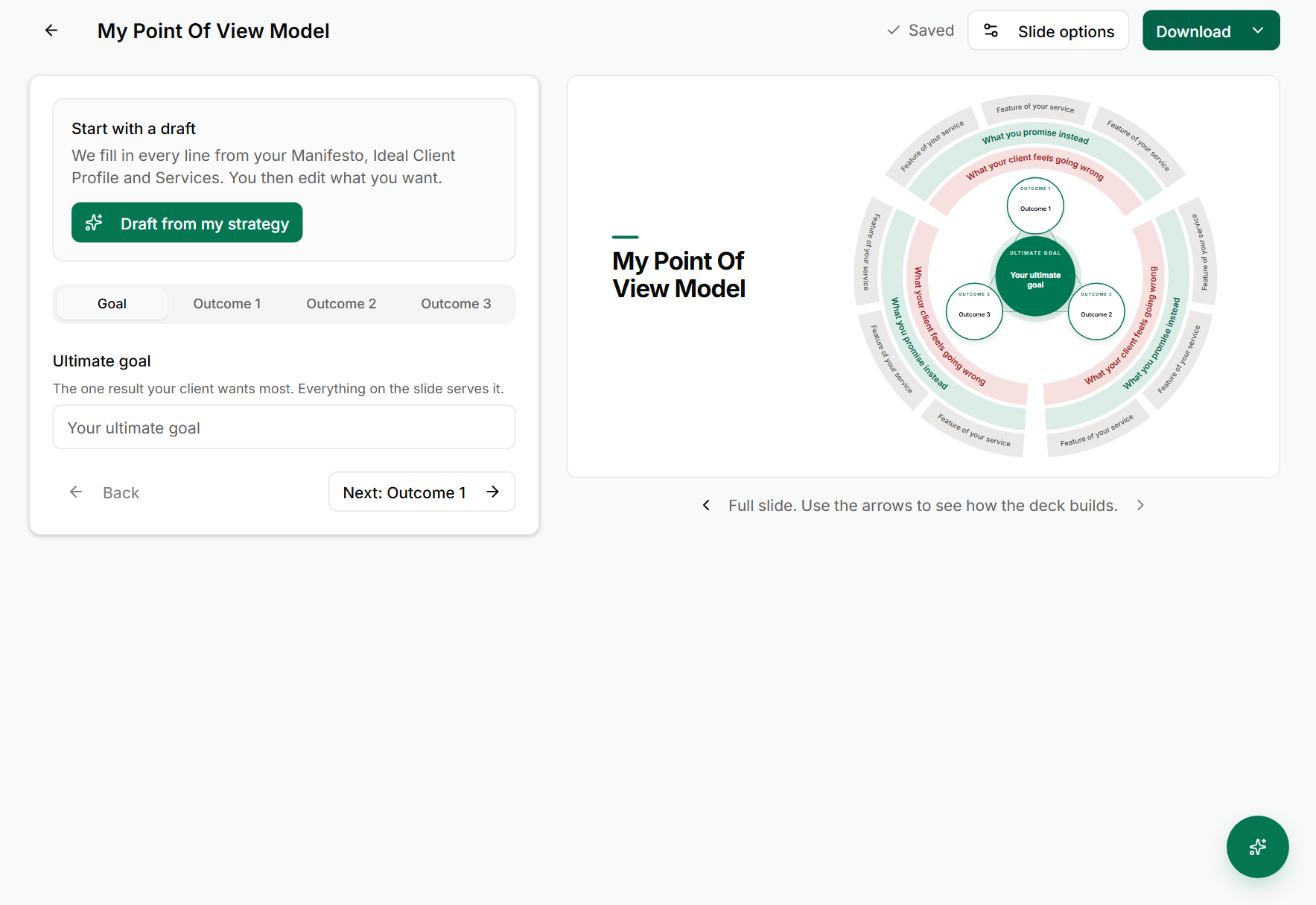
- Click Draft from my strategy to fill every line from your Manifesto, Ideal Client Profile and services. Then edit what you want.
- Type your Ultimate goal: the one result your client wants most. Every part of the slide serves it.
- Click Next: Outcome 1, then fill in Outcome 1, Outcome 2 and Outcome 3. Use Back to return to the step before.
- Check the slide on the right. Use Previous build step and Next build step to see how the deck builds from one step to the next.
- Click Slide options to change how the slide looks, including the background.
- Click the Download menu and choose one of the export formats:
- Slide deck (PowerPoint) for a presenter deck you can edit.
- Image (PNG) for a single picture of the slide.
- A vector image (SVG) for a file that stays sharp at any size.
- Click All models to go back to your list.
Manage your models
On each model card on the Point of View Model page there are three icon buttons, named for the model:
- Open the model to edit it. Its name appears on the card, such as Open My Point Of View Model.
- Duplicate the model to start a second version from it.
- Delete the model. Deleting removes it from your list, so export or duplicate it first if you want to keep it.
If something goes wrong
- Symptom: The model has no outcomes, or the slide looks empty. → Fix: Fill in the Ultimate goal and all three outcomes. The slide only fills in as you write.
- Symptom: Download does not produce a file. → Fix: Wait for the export to finish. The button shows its progress while it works. Try again if the browser blocks the download.
- Symptom: Your colours do not show on the slide. → Fix: Click Save brand kit in Colours and logo, then open the model again.
FAQ
Q: Do I have to write the model from scratch? No. Click Draft from my strategy and edit it. The draft uses your Manifesto, Ideal Client Profile and services.
Q: Can I have more than one model? Yes. Click New model for each one, or use Duplicate on a card to start from an existing model.
Q: What is the difference between the slide and the deck? The slide is one picture of your point of view. The deck is the same content built step by step, for presenting. Choose Slide deck (PowerPoint) for the deck.
Q: Where does the model get used? The Launch Kit builds its presentations and sales assets from it.
Related: Write your Manifesto | Build your launch kit | Define the problem you solve | Use the Strategy Coach