You'll learn how to: Reassign 5 to 5,000 contacts (or companies, or deals) from one owner to another in a single action.
Time: 1 minute.
Prereqs: You're an Owner or Admin. Members typically can't reassign records they don't own.
When to use
- A teammate is leaving the workspace and their records need to move.
- Territory rebalancing (London accounts move to Sarah, US accounts move to Jamal).
- New hire onboarding (assign them a starter book of contacts).
- Consolidation after a CSV import where everything landed on you and should split among the team.
Steps
- Open People section, People tab (or Companies, or Deals).
- Filter the table to the slice you want to reassign:
- Use View → Filter → Owner to select the current owner (e.g. "Sarah").
- Optional additional filters (e.g. region = London, ICP score > 60).
- Tick checkboxes for every record to reassign. Or use the "select all matching" mode in the header to pick the entire filtered slice.
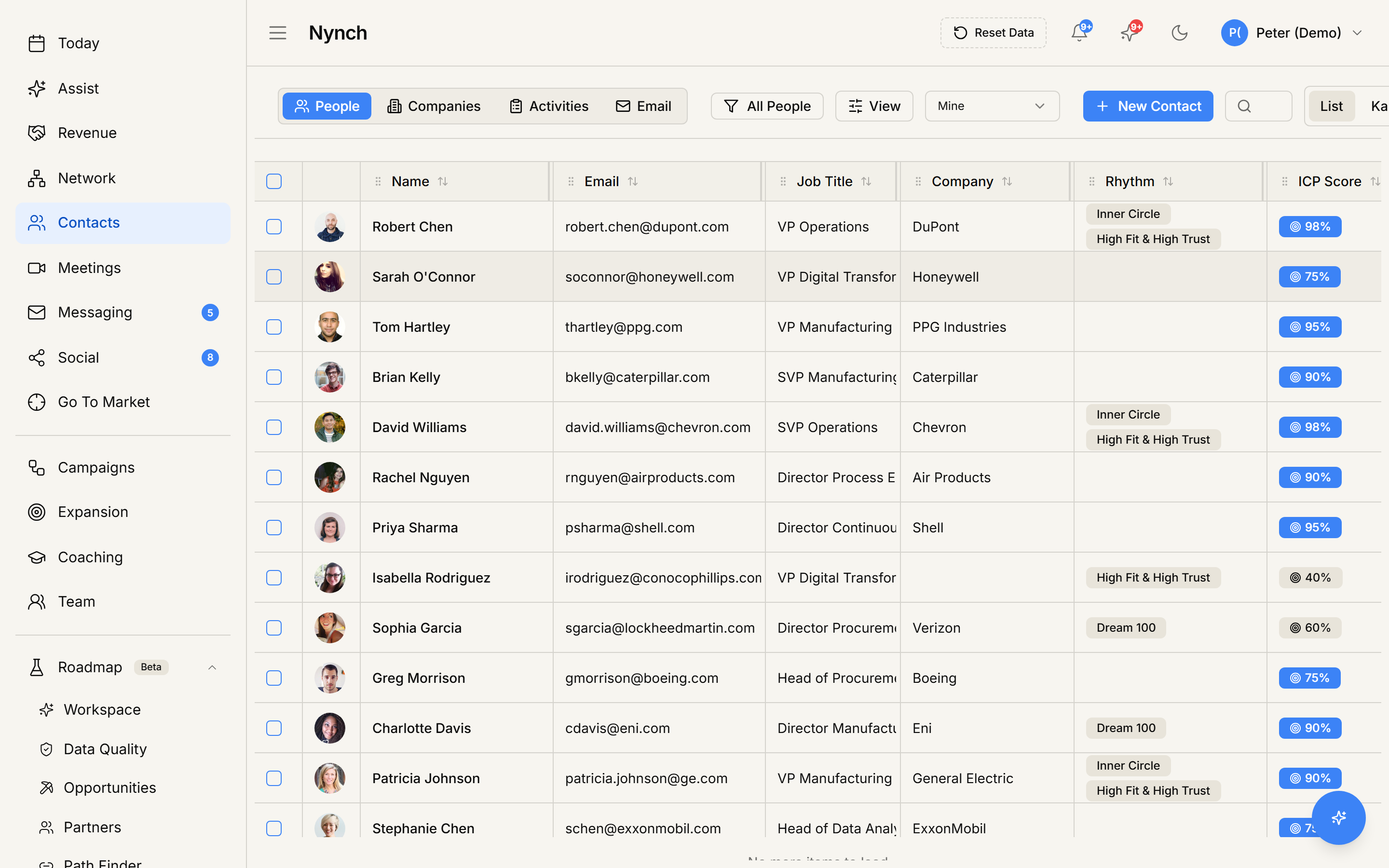
- The bulk-action toolbar slides up.
- Click Edit Fields.
- Pick Owner from the field dropdown.
- Pick the new owner from the user dropdown.
- Confirm.
The reassignment runs in the background. Records start showing the new owner immediately. Large batches (500+ records) can take a couple of minutes.
What changes after reassignment
- The Owner field updates on every reassigned record.
- The new owner sees the records under their Mine filter.
- The old owner no longer sees them under their Mine filter (but may still see them under All members).
- Activity timelines on each record log the reassignment with both names and a timestamp.
- Any rhythms / campaigns / pipelines the records were in stay the same. Only ownership changed.
Common gotchas
- Stage probability / pipeline are NOT auto-recalculated. A deal owned by a different person still has the same stage and value. You may want to follow up with a stage review.
- Pending action items linked to the old owner stay linked to the old owner. To reassign action items separately, use the same bulk pattern on the Activity tab.
- Notes stay attributed to the original author. Reassigning ownership doesn't rewrite history.
Reassign a single record
If you only need to change one record's owner:
- Open the record.
- Find the Owner field on the profile / canvas.
- Click it and pick a different teammate.
No need for the bulk toolbar.
If something goes wrong
- Symptom: "Edit Fields > Owner is greyed out." → Fix: Your role doesn't permit reassignment. Ask an Owner / Admin. Or you've selected the All-Matching mode beyond a plan-defined cap.
- Symptom: "User dropdown doesn't show the person I want to assign to." → Fix: They're not a teammate in this workspace, or their account is deactivated. Invite them first via Settings > Team.
- Symptom: "Bulk reassignment seemed to finish but some records still show the old owner." → Fix: Large batches commit in chunks. Refresh after a minute. stragglers should catch up. If still showing old owner, those specific records may have a per-record permission lock. check their individual edit history.
- Symptom: "I reassigned by accident." → Fix: Reassignment is reversible. Filter to the now-new owner, re-select, re-run Edit Fields > Owner to the original.
FAQ
Q: How do I bulk-reassign owners across many contacts? Reassign 5 to 5,000 contacts (or companies, or deals) from one owner to another in a single action.
Q: What do I need before I start? You're an Owner or Admin. Members typically can't reassign records they don't own.
Q: How long does this take? About 1 minute.
Q: Edit Fields > Owner is greyed out? Your role doesn't permit reassignment. Ask an Owner / Admin. Or you've selected the All-Matching mode beyond a plan-defined cap.
Q: User dropdown doesn't show the person I want to assign to? They're not a teammate in this workspace, or their account is deactivated. Invite them first via Settings > Team.
Related: Manage your contacts and companies | Filter the Contacts table by Owner | Team and workspace.