You'll learn how to: Delete many contacts at once. Soft-deletes survive for an undo window. after that they're hidden but recoverable by support within 24 hours.
Time: 10 seconds for the delete, 6 seconds to hit Undo if you change your mind.
Prereqs: You're an admin or owner. Members can't bulk-delete in team-shared workspaces.
Steps
- Open People section, People tab.
- Optional: filter the table to the slice you want to delete (e.g. "imported from
", "no email and no recent activity"). - Tick the checkboxes for every contact to delete. The bulk-action toolbar slides up from the bottom of the screen.
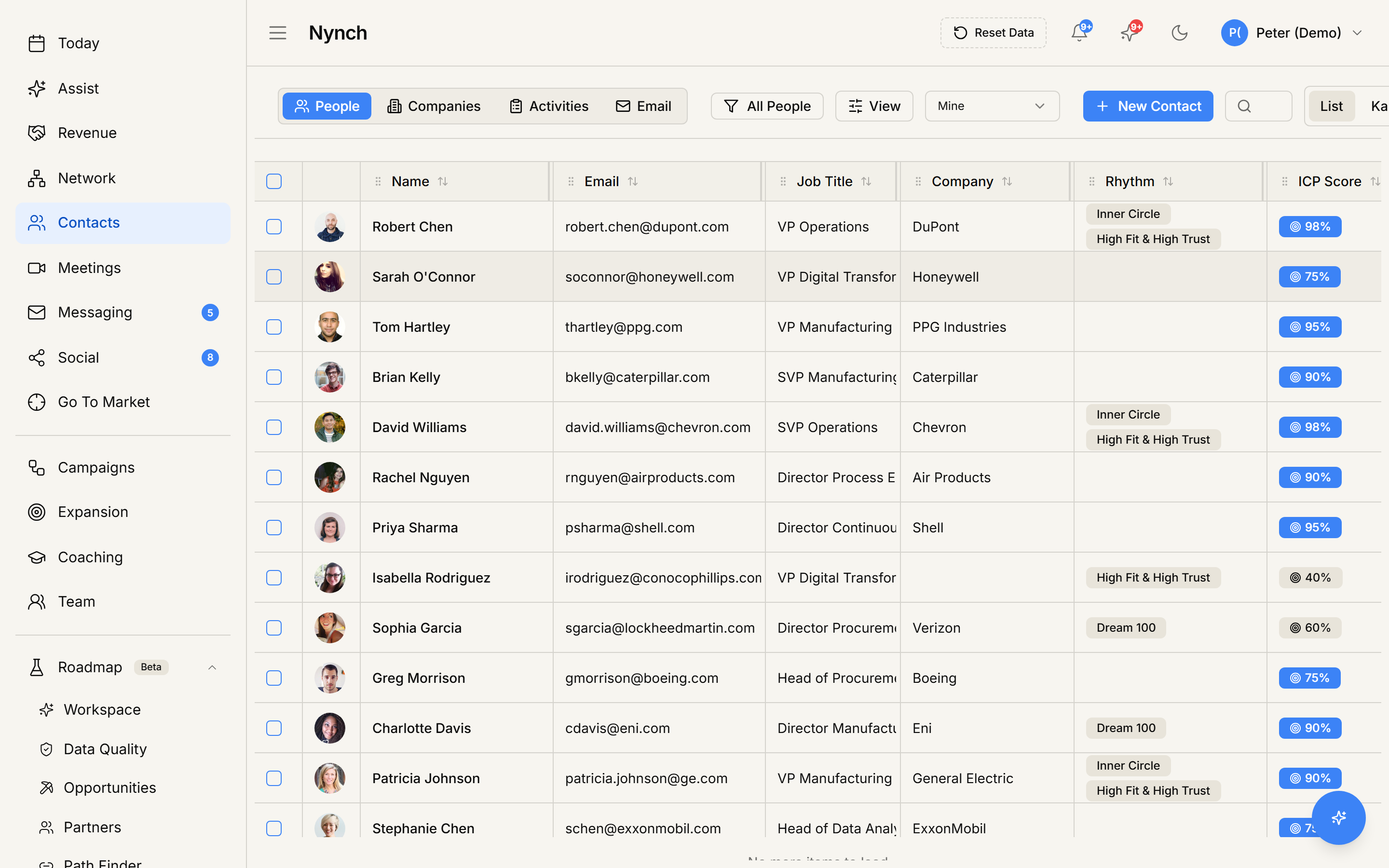
- Click the red Delete button on the far right of the bulk toolbar.
- The contacts disappear from the list immediately. A toast appears at the bottom showing "Deleted X contacts" with an Undo button.
- If you change your mind, click Undo within 6 seconds. All contacts are restored.
What happens after delete
- Contacts are soft-deleted: their
deleted_atcolumn is set to now. They no longer appear in the table or in any rhythm / pipeline view. - All their bucket / rhythm memberships are removed.
- Any pending nudges or AI suggestions for them are dismissed.
- The deleted contacts are added to a contacts blacklist with their email and LinkedIn URL, so they don't get re-imported via CSV by mistake. If you want to re-import them later, you'll need to remove them from the blacklist first.
- Linked deals and meetings keep their references but the contact is no longer surfaced as a participant.
After the Undo window
After 6 seconds, the soft-deleted contacts can't be brought back from the UI. They're still in the database with deleted_at set. Support can restore them within 24 hours via direct database access if you ask quickly.
After 24-72 hours, soft-deleted records are purged from the database. After that they're genuinely unrecoverable.
Deals do NOT soft-delete
The deal table uses hard-delete with a confirmation dialog (no Undo toast). Contacts and Companies use soft-delete with the Undo pattern.
If something goes wrong
- Symptom: "Delete button is greyed out." → Fix: Your role is Member and the workspace's sharing policy requires Admin / Owner for delete. Ask an Admin to do it, or get your role elevated.
- Symptom: "I clicked Delete and the Undo toast didn't appear." → Fix: A browser tab focus change can suppress toasts. The delete still happened. Check your sidebar for the contact count to verify, or look for the deleted contacts in your Settings to deletion history if available.
- Symptom: "I want to re-import a deleted contact and Nynch says they're blacklisted." → Fix: The blacklist is per-user. Remove them from your blacklist (Settings or via the blacklist admin page) before re-importing.
- Symptom: "I deleted by accident and the 6 seconds are up." → Fix: Contact support within 24 hours with the contact names or emails. They can restore from the soft-delete state.
Safer alternative for "I'm not sure"
If you want to remove contacts from view but stay safe:
- Filter to the slice you don't want, save it as a view called "Archive candidates".
- Untag those contacts and remove them from all rhythms (bulk Edit Fields).
- They stay in Nynch but won't surface in any daily flow.
- Review the Archive view monthly. Anything still there after 90 days gets hard-deleted with confidence.
FAQ
Q: How do I bulk-delete contacts? Delete many contacts at once. Soft-deletes survive for an undo window. after that they're hidden but recoverable by support within 24 hours.
Q: What do I need before I start? You're an admin or owner. Members can't bulk-delete in team-shared workspaces.
Q: How long does this take? About 10 seconds for the delete, 6 seconds to hit Undo if you change your mind.
Q: Delete button is greyed out? Your role is Member and the workspace's sharing policy requires Admin / Owner for delete. Ask an Admin to do it, or get your role elevated.
Q: I clicked Delete and the Undo toast didn't appear? A browser tab focus change can suppress toasts. The delete still happened. Check your sidebar for the contact count to verify, or look for the deleted contacts in your Settings to deletion history if available.
Related: Manage your contacts and companies | Find and fix duplicate contacts.