You'll learn how to: Check that tracking is healthy, copy the embed snippet for your website, add the domains Nynch should track, flag high-value pages, and decide on link click and email open tracking.
Time: 10 minutes. Most of it is pasting the snippet into your site.
Prereqs: You have a Nynch account and you've signed in. You can edit your website's <head> section, or you have someone who can. Read Settings, tab by tab for the full map.
What tracking does
When a contact clicks a link in an email you send from Nynch, and that link points to your website, Nynch can connect the visit to that contact. You then see their visits on their contact record.
Open the Tracking tab
- Click your avatar (top-right of the screen).
- Click Settings.
- Click the Tracking tab.
If the tab shows a single Enable Website Tracking button instead of the cards below, your workspace has no tracking set up yet. Click that button once to create it.
Check tracking diagnostics
Tracking Diagnostics is a health check for your setup, shown in a grid. Click the refresh icon (Refresh tracking diagnostics) to run it again after you've changed anything.
Copy the embed snippet
- Find Embed Snippet.
- Click the copy icon (Copy embed snippet).
- Paste the single line into the
<head>section of every page you want to track.
Your unique tracking ID appears under the snippet.
Add tracked domains
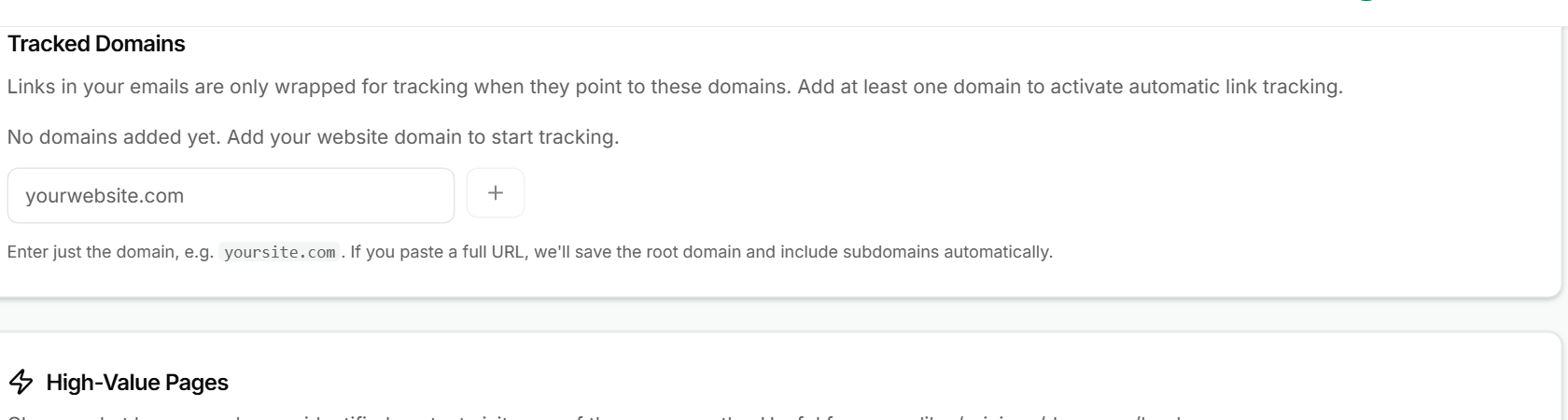
- In Tracked Domains, type your website domain in the box, for example
yoursite.com. - Click the + button (Add domain), or press Enter.
Links in your emails are only wrapped for tracking when they point to a tracked domain. Add at least one domain to turn on automatic link tracking. If you paste a full web address, Nynch saves the root domain and includes its subdomains. To remove a domain, click the x on its tag.
Flag high-value pages
In High-Value Pages, add the paths that matter most, such as /pricing, /demo or /book. Type the path and click Add high-value page.
Two switches decide what happens when an identified contact visits one of these pages:
- Show in-app Intelligence alerts shows the visit in the notification bell and your Today flow.
- Email me about high-value page visits sends you an email. It's off unless you turn it on, and it sends at most once per contact and page path each day.
Link click and email open tracking
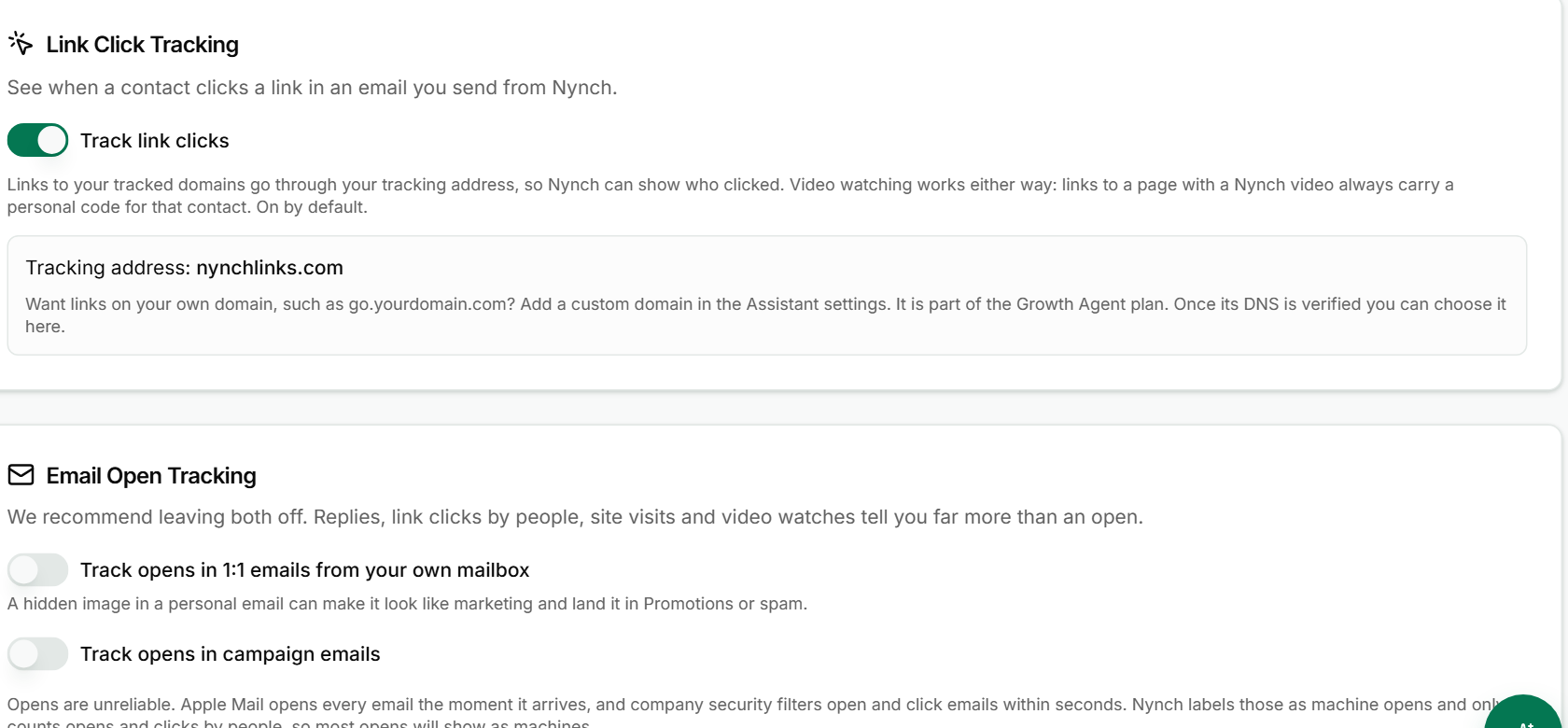
Link Click Tracking is on by default. With Track link clicks on, links to your tracked domains go through a tracking address, so Nynch can show who clicked. The card shows the address in use.
Email Open Tracking has two switches, both off. The card recommends leaving them off. Opens are unreliable: Apple Mail and company security filters open emails automatically. Nynch labels those as machine opens and counts only opens by people. Replies, link clicks and site visits tell you more.
If something goes wrong
- Symptom: "Diagnostics show a problem." → Fix: Read the item's detail line, then click Refresh tracking diagnostics. If the problem is a missing domain or snippet, fix that step and refresh again.
- Symptom: "Visits from my site don't show up." → Fix: Check that the snippet is on the page you're testing and that at least one tracked domain is added. Links only get tracked when they point to a tracked domain.
- Symptom: "The tracking address is not my domain." → Fix: The default tracking address is Nynch's. Your own domain for links is part of the AI Agent plan. See Explore the AI Agent.
- Symptom: "I turned on an alert and nothing arrived." → Fix: Email alerts only send when a contact visits a high-value page you've added, and at most once per day per contact and page.
FAQ
Q: Do I need to add the snippet to every page?
Only the pages you want to track. Add it to the <head> of each one. The snippet is the same on every page.
Q: Should I turn on email open tracking? Nynch recommends leaving it off. Opens are noisy, so judge your emails by replies and clicks.
Q: Can I track clicks without tracking opens? Yes. Link click tracking and the two email open switches are separate. Turn one on without the other.
Q: What do I need before I add a domain?
Only the domain itself, such as yoursite.com. You don't need to type https:// or a path.
Related: Settings, tab by tab | Explore the AI Agent | Set up a webhook