You'll learn how to: Find your group sends, and start a group email to several people from the People list.
Time: 5 minutes plus writing.
Prereqs: A mailbox is connected under Settings > Email & Calendar. See Connect Gmail to Nynch. The people you pick need email addresses.
Steps
- Click People in the left sidebar.
- Click the Email tab at the top right.
- Click Group sends at the top of the page.
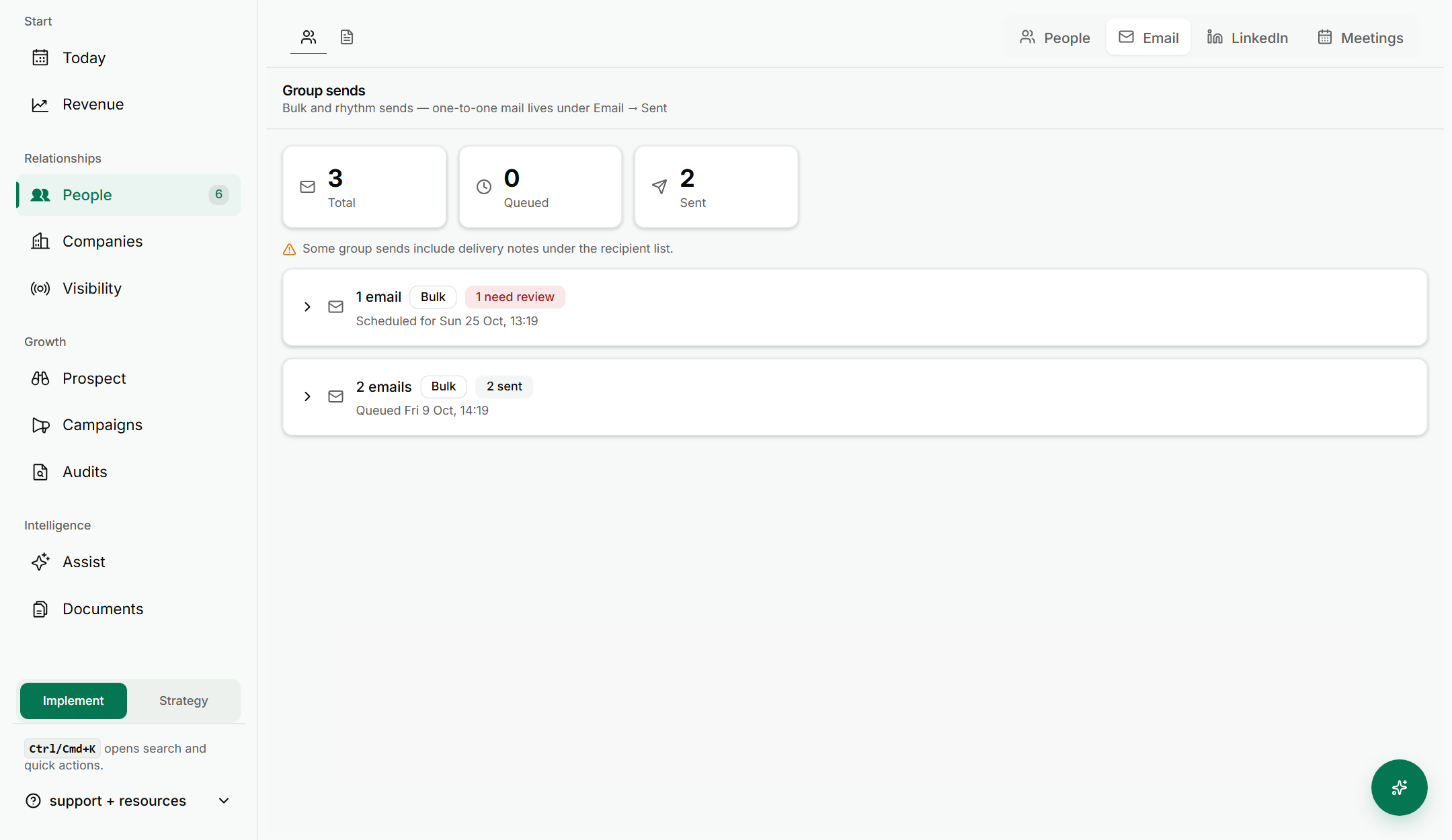
- Each bulk send is listed below with its status. Click the arrow beside one to open it. One-to-one email is not listed here.
- To start a new group email, click People at the top and tick the checkbox beside each person you want to email. A bar appears with the people you have picked.
- In that bar, click Email.

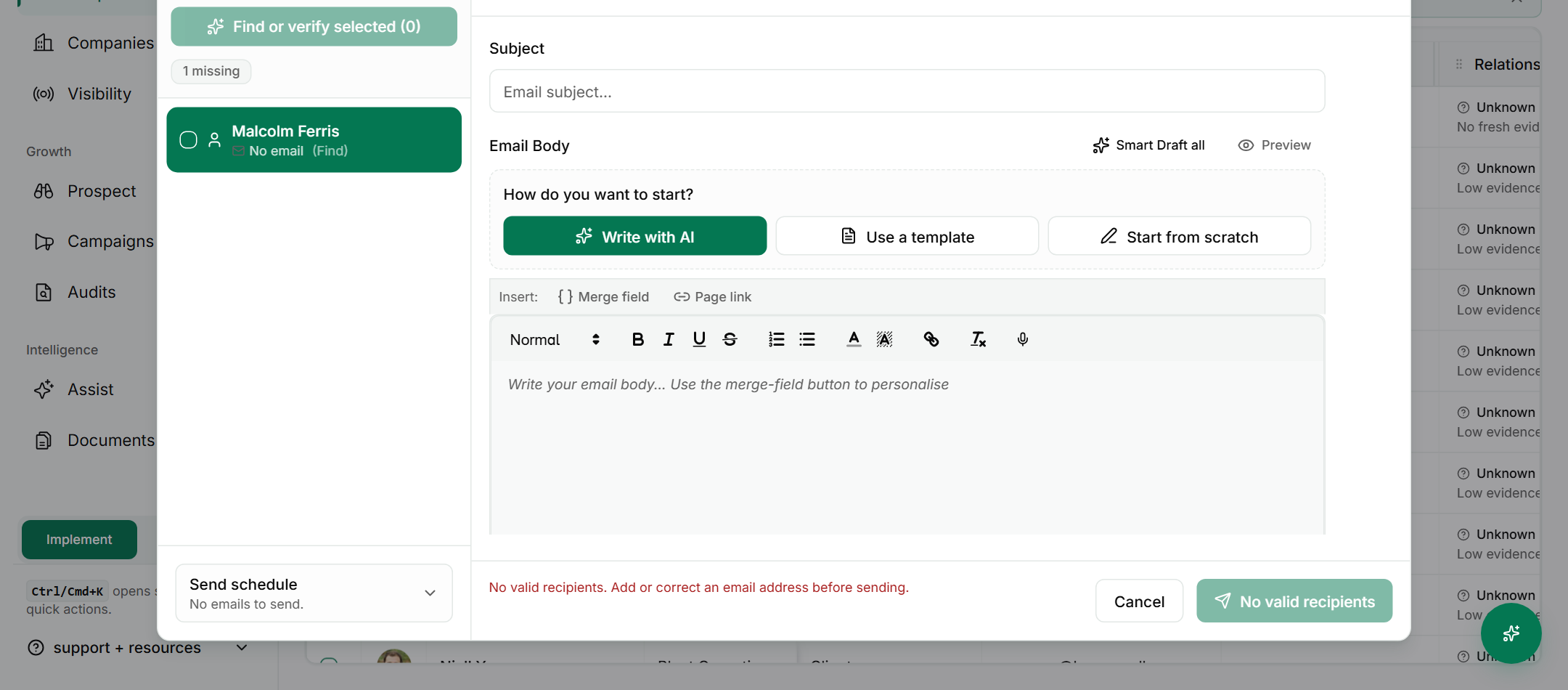
- The group window opens. Under How do you want to start?, choose Write with AI, Use a template or Start from scratch.
- Write the message. Use merge fields for each person's details. Each person receives their own email.
- Click Queue followed by the number of emails, such as Queue 4 emails. For ten people or fewer, you can click Send now instead. Queued emails go out inside your send window and within your daily limit.
If something goes wrong
- Symptom: The window says "Nobody in Ready to send yet." → Fix: None of the people you picked has an email address. Use "Find and verify emails", or add an address to each record.
- Symptom: The Email button is missing. → Fix: Tick at least one person. The bar only appears when someone is selected.
- Symptom: A person is left out of the send. → Fix: They have no email address. Add one on their record.
FAQ
Q: Does everyone see everyone else's address? No. Each person receives an email on their own, not one message with everyone copied in.
Q: Where do I find a group email I sent? Click People, then Email, then Group sends. Open the batch to see its emails.
Q: Can I reuse a message for a group? Yes. Click Browse templates in the group window. See Use email templates.
Q: Is there a way to send one email to one person? Yes. See Send a one-off email.
Related: Email one person, then a group | Bulk email selected people | Use email templates | Set up your email signature