You'll learn how to: Find the Comments tab on a deal, write a team note, and post it.
Time: 3 minutes.
Prereqs: The deal canvas with a deal open.
Open the Comments tab
- In the left sidebar, click Revenue.
- Click a card to open the deal canvas.
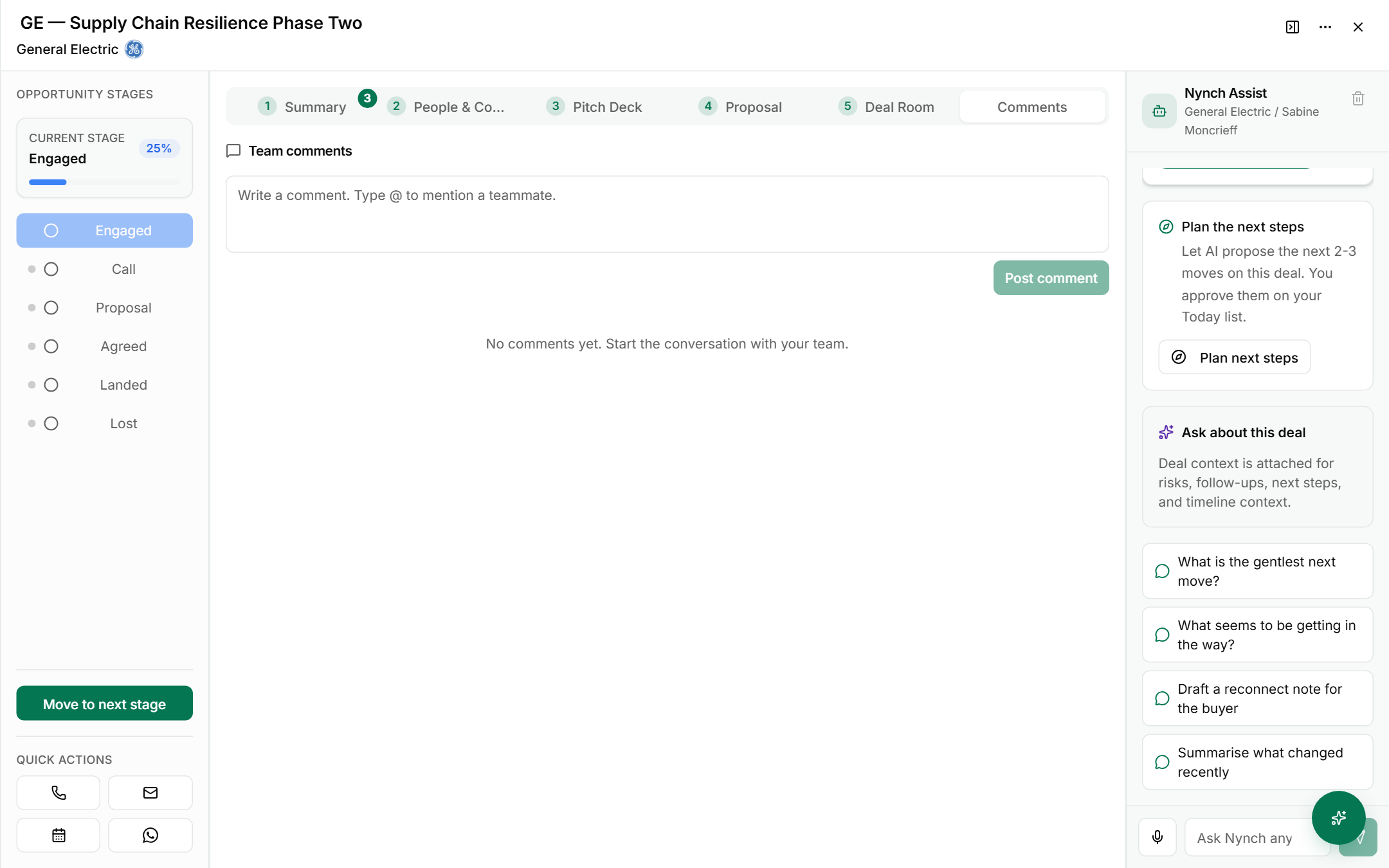
- Click the Comments tab. It is the last tab, after Deal Room.
Read the tab
- The heading reads Team comments. These notes are for your team on this deal.
- The box under the heading says Write a comment. Type @ to mention a teammate.
- Comments you post appear below the box. When there are none, the tab says No comments yet. Start the conversation with your team.
Post a comment
- Click the box and type your note.
- To mention a teammate, type @ and choose their name from the list.
- Click Post comment under the box.
Stop at this point if you only wanted to read the tab. Nothing is posted until you click Post comment.
FAQ
Q: Who can see a comment on a deal? The comments are team comments. Use them for notes your team should see about this deal, and keep private notes out of this box.
Q: How do I get a teammate's attention on a comment? Type @ in the box and pick their name. Use the mention when the note needs an answer from them.
Q: Is a comment the same as a next step? No. A comment is a note. To change the next step on the deal, use What needs to happen next? on the Summary tab.
If something goes wrong
- Symptom: Post comment is faded and does not respond. → Fix: The box is empty. Type your note first, then click Post comment.
- Symptom: A teammate does not see your comment. → Fix: Check you posted it on the deal you meant. Mention them with @ so the note is clear to them.
Related: The deal canvas, Deal canvas: Summary tab, Deal canvas: People & Company tab, Your opportunity board