You'll learn how to: Open a single campaign and read each of its tabs.
Time: 5 minutes.
Prereqs: You have a campaign with at least one person in it. See Create a new outreach campaign and Add contacts to a campaign.
For totals across all campaigns, see View campaign analytics. This article covers one campaign.
Steps
- Click Campaigns in the left sidebar.
- Click the campaign's name.
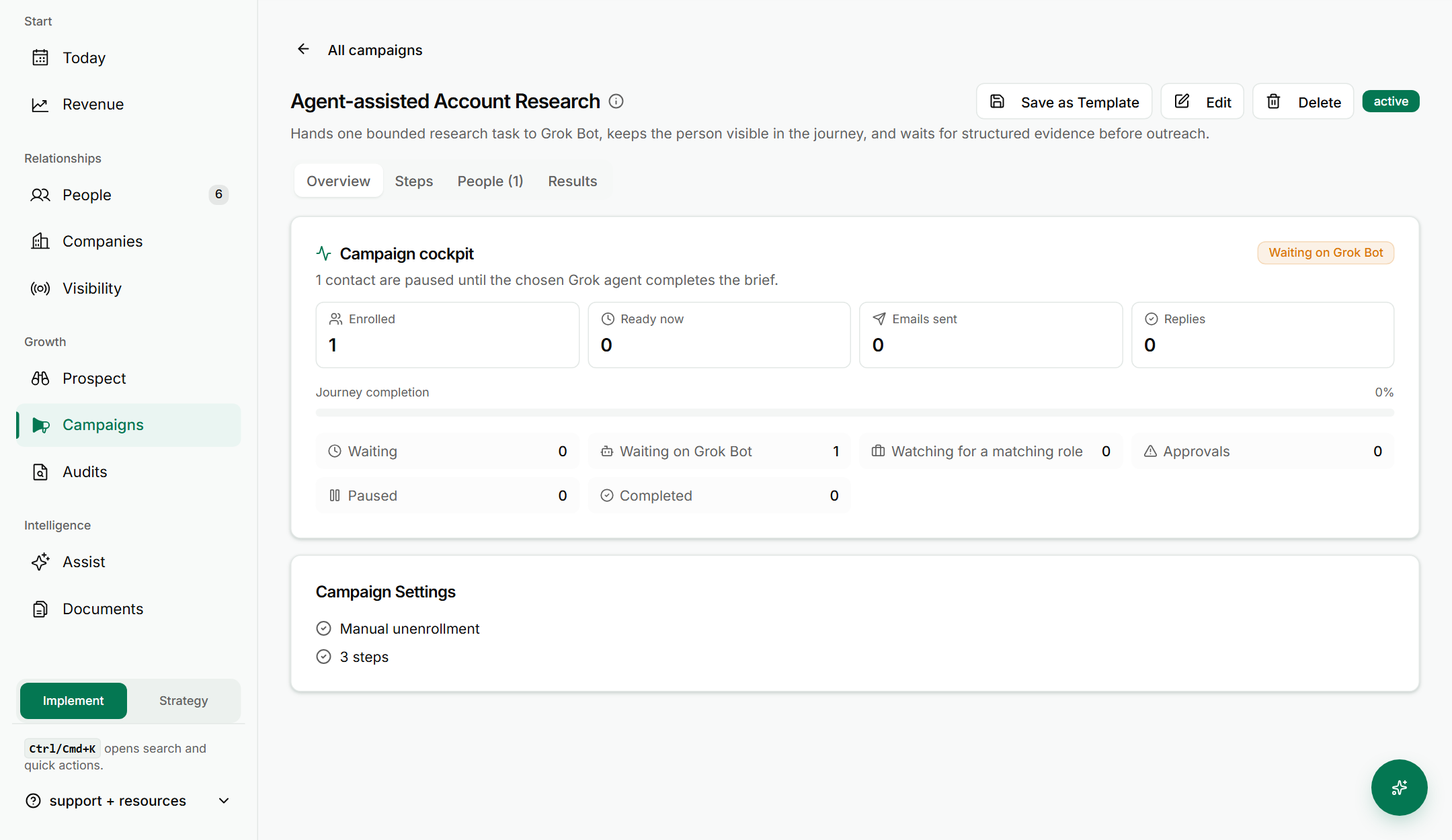
- Read the Overview tab. The Campaign cockpit shows Enrolled, Ready now, Emails sent and Replies. Below that, it shows where people are: Waiting, Waiting on Grok Bot, Watching for a matching role, Approvals, Paused and Completed.
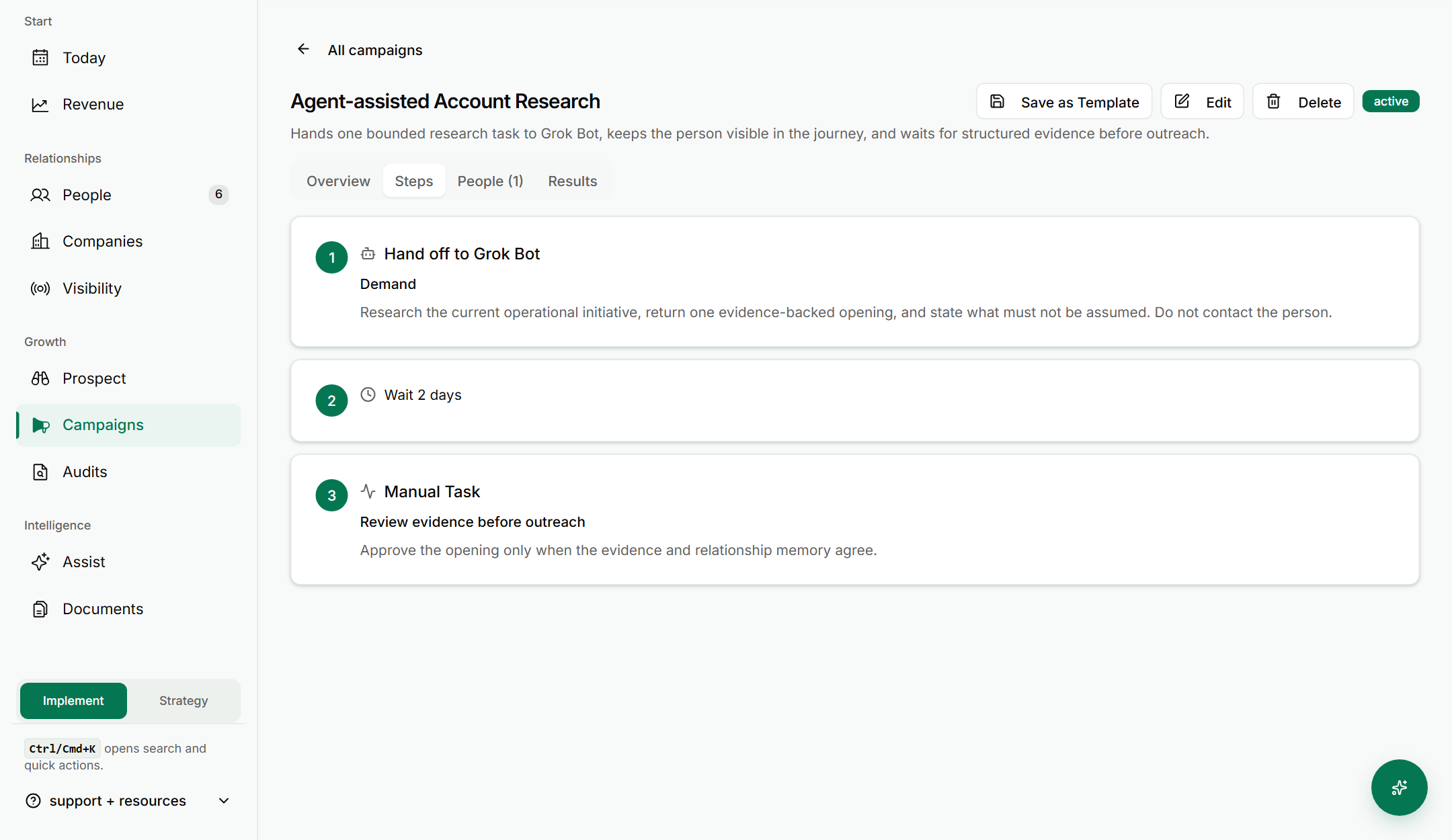
- Click the Steps tab to see the order of the campaign. Each step has a number, a name and a short note on what it does, such as a wait or a hand-off to Grok Bot.
- Click the People tab to see everyone enrolled. Use Show all contacts, Show in-progress contacts, Show paused contacts or Show finished contacts to filter the list.
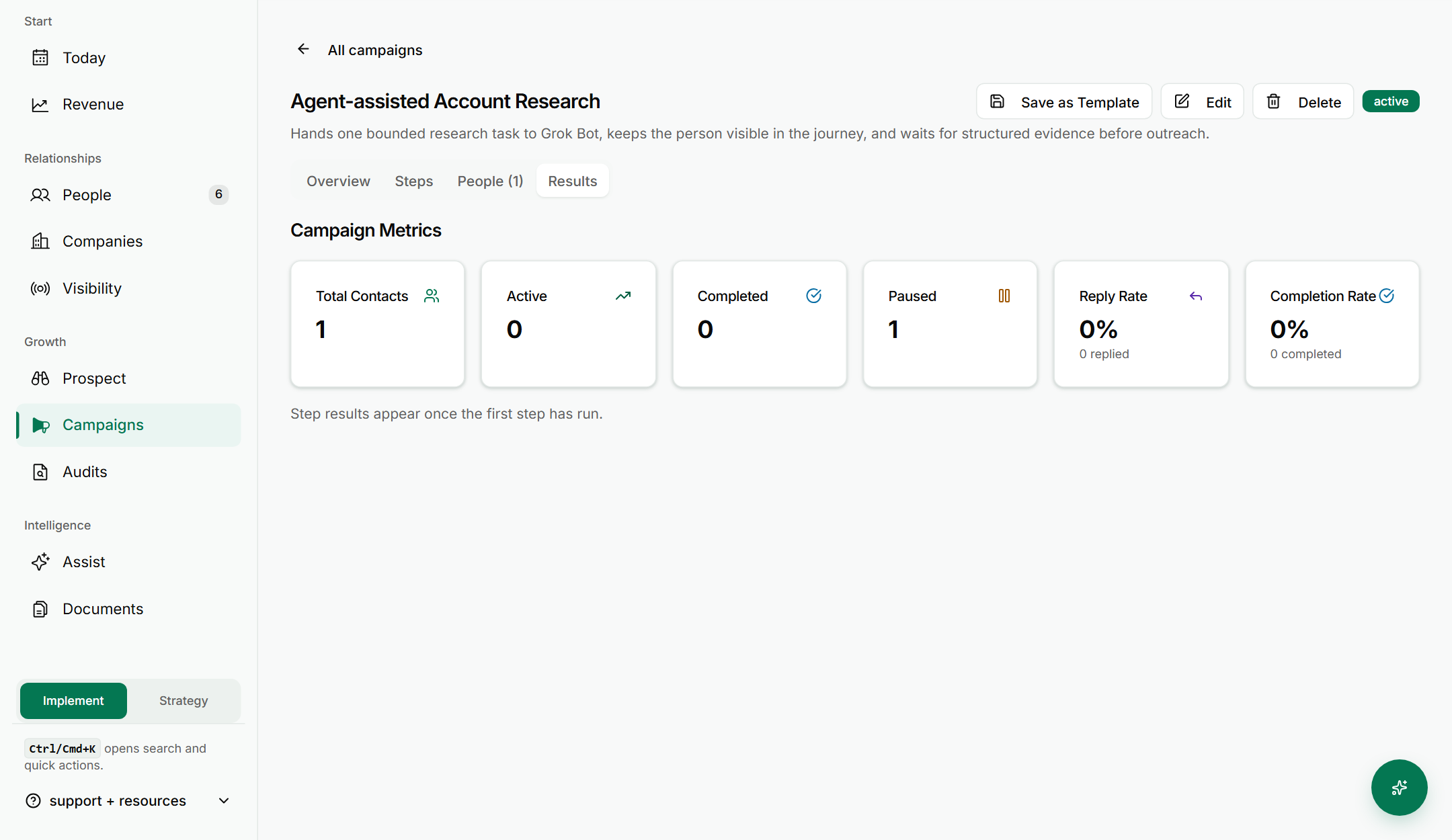
- Click the Results tab. Read Campaign Metrics: Total Contacts, Active, Completed, Paused, Reply Rate and Completion Rate.
If something goes wrong
- Symptom: "The Results numbers are all zero." → Fix: The campaign is new or has not sent yet. Wait for sends, then check again.
- Symptom: "A person is stuck in Waiting on Grok Bot." → Fix: Open the People tab and check that person. See Hand a campaign contact to Grok Bot.
- Symptom: "The People list is shorter than I expected." → Fix: The list is filtered. Click Show all contacts.
FAQ
Q: Where do I see one campaign's results? Open the campaign from the Campaigns list and click the Results tab.
Q: What is the difference between Overview and Results? Overview shows where people are right now in the journey. Results shows the totals and rates for the campaign.
Q: Where are the totals for all campaigns? On the Campaigns list, in the Performance section. See View campaign analytics.
Q: Can I change a campaign from these tabs? Yes. Edit, Save as Template and Delete sit in the header. To stop a campaign, see Pause or cancel a campaign mid-run.
Related: View campaign analytics | Add contacts to a campaign | Watch for a matching role