You'll learn how to: Define your services and pricing so Nynch can suggest relevant offerings when you create deals and draft proposals.
Time: 10-15 minutes to set up. Update anytime your offerings or pricing change.
Prereqs: You know what you sell and roughly how you price it.
Why services and pricing matter
When you create a deal in Nynch, the system suggests services and pricing based on what you've defined here. It also uses this information when drafting proposals, scoping discovery calls, and coaching you on deal structure.
Clear, specific service definitions make deal creation faster and more consistent.
Steps
- Switch to Strategy in the sidebar.
- Open Services & Pricing (under Strategy System).
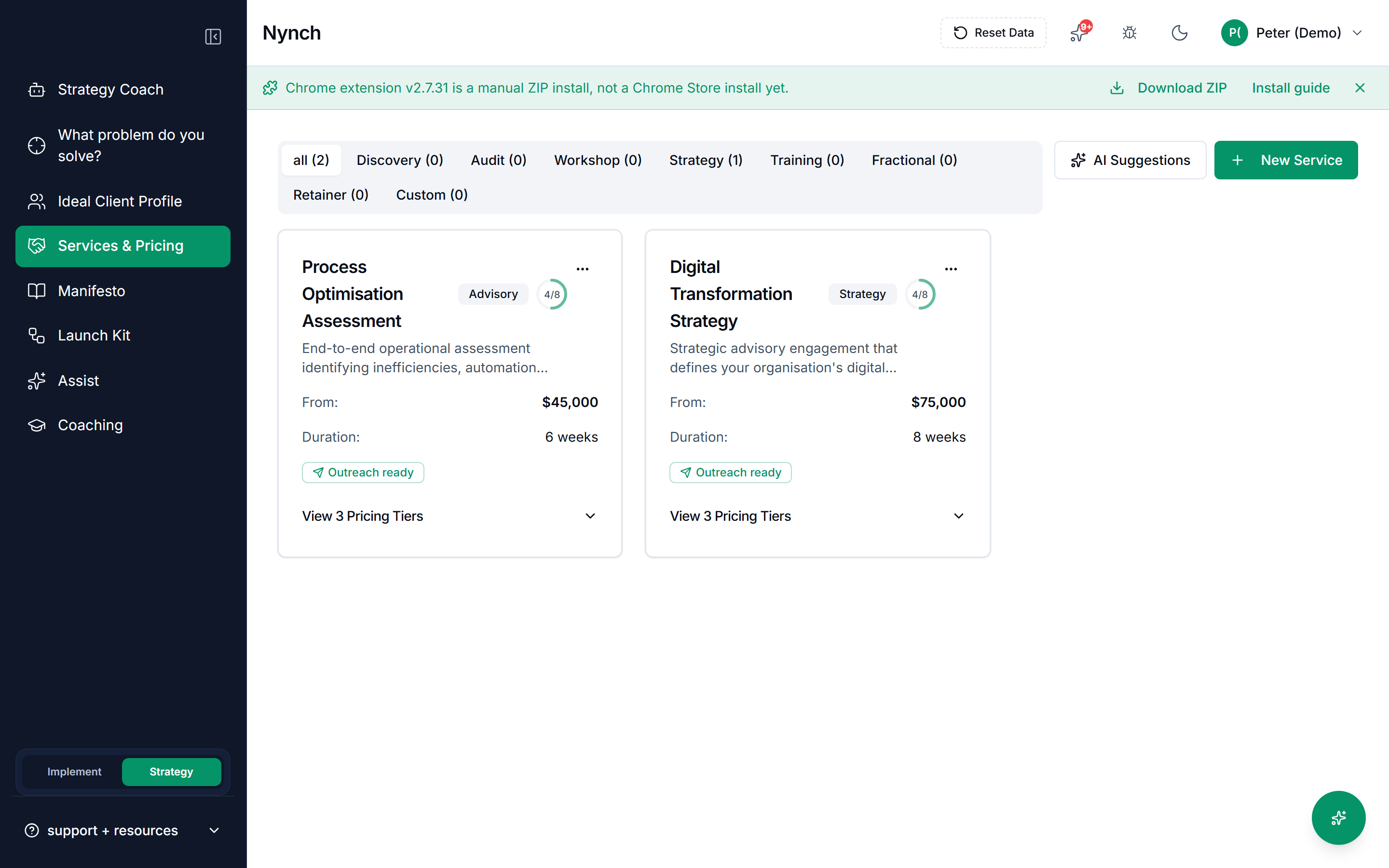
You'll see a list of your existing services (if any) and a button to add a new service.
Click + Add Service.
Fill in the service details:
- Service name: Short, clear label (e.g. "30-Day Launch Sprint", "Monthly Advisory Retainer", "Full Systems Implementation").
- Description: One or two sentences. What does this service include? What does the client get? (e.g. "Audit your current process, define your ideal client profile, build a 90-day pipeline plan. Includes 4 strategy sessions and email support.")
- Category: Discovery, Audit, Workshop, Strategy, Training, Fractional, Retainer, or Custom.
- Duration: How long does this service run? (e.g. "1 month", "3 months", "One-time project", "Ongoing")
- Price or pricing model: Enter your pricing. This might be:
- A flat fee ("$2,500")
- A range ("$3,000 - $7,500" depending on scope)
- A monthly retainer ("$1,500/month")
- Hourly rate ("$150/hour")
(Optional) Add a longer description or list the deliverables included in this service. This helps Nynch draft more detailed proposals.
Click Save Service.
Repeat for each service you offer. Most service businesses have 2-5 core offerings.
When all services are added, click Done or handle away to save.
Organizing your services
Group services in a way that makes sense to you:
- Package-based: "Starter", "Professional", "Enterprise" (each includes different levels of support or scope).
- Duration-based: "One-time audit", "90-day sprint", "Annual retainer".
- Role-based: "For founders", "For operations teams", "For sales leaders".
- Vertical-based: "SaaS implementation", "Agency setup", "Consulting firm scaling".
Pick the grouping that reflects how you actually sell.
How Nynch uses your services
When you create a deal:
- Nynch suggests services from this list.
- You can add multiple services to one deal.
- Pricing feeds into deal value estimation.
When you draft a proposal:
- Nynch includes the services and pricing you've defined.
- The language and tone align with your manifesto and positioning.
Update your services
Services and pricing change. To update:
- Return to Services & Pricing.
- Click the service you want to edit.
- Update the fields.
- Click Save.
To delete a service, use the more-actions menu (three dots).
If something goes wrong
- Symptom: "I added a service but it's not showing up when I create a deal." → Fix: Make sure you clicked Save Service and the service appears in the Services & Pricing list. If it does, refresh the page and try creating a new deal.
- Symptom: "My pricing doesn't fit a single price or range." → Fix: Use the description field to explain your pricing model. For example: "Custom pricing based on company size, scope, and duration. Typical range $5k-$50k. Let's talk."
- Symptom: "I have 20+ variations of my service." → Fix: Group them into 3-5 core packages. Nynch works better with simpler, clearer offerings. You can always customize a deal after you've created it using one of these packages.
- Symptom: "I updated a service but an old deal still shows the old pricing." → Fix: Old deals keep their pricing when they're created. Only new deals created after your update will use the new prices. To update an existing deal, open it and adjust the service pricing manually.
FAQ
Q: How do I define your services and pricing? Define your services and pricing so Nynch can suggest relevant offerings when you create deals and draft proposals.
Q: What do I need before I start? You know what you sell and roughly how you price it.
Q: How long does this take? About 10-15 minutes to set up. Update anytime your offerings or pricing change.
Q: I added a service but it's not showing up when I create a deal? Make sure you clicked Save Service and the service appears in the Services & Pricing list. If it does, refresh the page and try creating a new deal.
Q: My pricing doesn't fit a single price or range? Use the description field to explain your pricing model. For example: "Custom pricing based on company size, scope, and duration. Typical range $5k-$50k. Let's talk.".
Related: Use the Strategy Coach | Write Your Manifesto | Build Your Launch Kit