Most articles about CRM for consulting firms are really articles about sales CRM. They talk about pipeline stages, qualification workflows, and forecasting. Almost none of that applies.
A consulting firm is not a sales machine. You are not trying to maximise throughput. You are trying to keep everyone who matters in focus, know when they need help, and show up before a competitor does. The tools you need look different from what HubSpot and Salesforce sell.
This post is for the founder or principal of a 3 to 30 person consulting firm who has been using a spreadsheet, a Gmail label system, or nothing at all. You know you are missing work that should have come from people you already know. You also know that spending $25,000 a year on Salesforce would be mad for a firm your size. Here is what actually works, and the order to build it.
What a Consulting Firm Actually Needs From Its Relationship Layer
Strip away the marketing language and a consultancy CRM needs to do four jobs. If your stack does these, everything else is nice to have.
Capture institutional memory automatically. When a senior consultant leaves or goes on a long project, you lose everything they know about their relationships. A CRM that reads your email and calendar and captures context automatically means that knowledge stays in the firm. A client’s budget cycles, a referrer’s preferences, the real outcome of past work, all kept in one place.
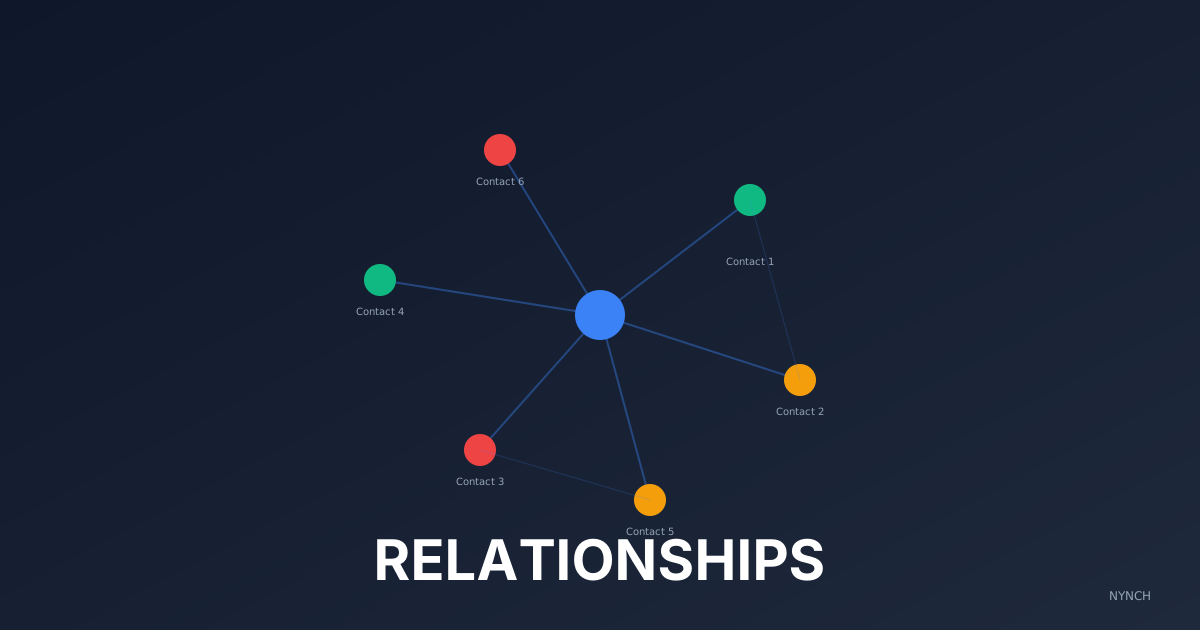
Map multi-stakeholder relationships. Sales CRMs assume one contact per company. Consulting is not like that. You might have relationships with the CEO, the CFO, the head of operations, and the board advisor at the same company. Each relationship is different. Each has different renewal timing. Your CRM needs to see them as separate threads, not as one deal.
Track partner referral chains. Most consultancies get 40% to 60% of new work from referrals. But you do not track those chains. You do not know which referrer actually drives which revenue. You cannot see patterns like “Dave refers tech companies, Sarah refers health systems.” A relationship CRM shows referrals as a graph, not a static list.
Surface decay before renewal. A client who used to call every month and now goes quiet. A referrer you have not checked in with in six months. A past engagement that should have renewed but did not. Your CRM should notice these gaps and surface them as prompts, not require you to scan a spreadsheet every Sunday by hand.
These four jobs are non-negotiable. Everything else is optimisation.
Why Traditional CRMs Fail Consultancies
Traditional CRM is built for one shape of business. High-volume outbound. Deal movement through stages. Quotas and forecasting. Salesforce, HubSpot, and Pipedrive all assume this shape.
A consultancy has a different shape.
Your sales cycle is not months. It is years. You might meet someone, help them with a small project, and come back three years later for a ten-month engagement. A pipeline stage called “Proposal” or “Negotiation” often does not exist in your world. There is a relationship. Sometimes it turns into work. Sometimes it does not.
Per-seat pricing hurts small firms. HubSpot starts at about $50 per user per month. Salesforce starts at about $165 per user per month. A 10 person consulting firm with five people on Salesforce is spending $9,900 a year. That is money better spent on delivery, hiring, or profit. The vendor assumes you have a sales operations person whose whole job is maintaining the system. You do not.
Pipeline language does not fit. When a Salesforce user asks “What stage is this client in?”, the honest answer is often “There is no deal. This is a relationship I want to keep warm.” Pipeline stages start to feel like a framework you are failing at, not a framework you chose.
The right CRM for a consulting firm looks different. It is built for relationship depth, not volume. It does not charge a per-seat tax that punishes small firms. It watches for signals you cannot track by hand. It surfaces the right person at the right moment without requiring you to set up a campaign or a sequence.
That tool is purpose-built for how you actually work.
The 4-Tool Consultancy CRM Stack (In Deployment Order)
If you are building this stack from zero, deploy in this order. Each layer builds on the previous one.
Tool 1: Email and Calendar Capture
Start with what you already have. Gmail or Outlook. Google Calendar or Outlook Calendar. Every relationship you have is buried in your email and your calendar. A contact you have not reached out to recently is just a thread you have not opened.
The point of this layer is to make your email and calendar your data source. You do not need to enter contacts by hand. You do not need a new login. Your CRM should read what is already there.
Why? Because you are already doing the work. Every meeting is on your calendar. Every conversation is in your inbox. If a CRM makes you duplicate that work, you will abandon it in six weeks.
Deploy this first because it costs nothing and solves the biggest problem: data entry friction.
Tool 2: Meeting Intelligence
Email tells you what was discussed in writing. Calendar tells you when you met. Neither tells you what was actually decided or promised in the room.
A meeting intelligence tool listens to calls and meetings, transcribes them, and surfaces key commitments. You say “I will send you that template by Friday.” The tool captures it. You discuss renewal timing. It notes it. A client mentions a problem they are solving next quarter. It flags it.
Tools like Fathom and Fireflies do this work. Some are free for a small firm. Some are $20 to $30 per month.
Why deploy this second? Because it fills a gap email cannot. Email is asynchronous. Phone calls and video meetings are where real decisions get made. If your CRM only reads email, you are missing half your signals.
Tool 3: Relationship Intelligence Platform
This is the brain of the stack. It reads everything else, pulls it together, and surfaces what matters.
It automatically pulls relationship history from email and calendar. It takes meeting notes from Fathom or Fireflies. It watches for signals like job changes, company news, and renewal decay. It maps stakeholder networks across clients. It tracks which referrers actually drive revenue.
This is where a consultancy CRM differs from sales CRM. You are not building a pipeline of strangers. You are building institutional memory that helps you show up at the right moment with the right context.
Nynch is built for this. It costs $950 per year ($79 per month equivalent), annual only. No admin overhead. It captures context from email and meetings automatically. It surfaces decay as calm prompts. It maps trust networks so you can see who refers whom and what actually comes from each source.
Tool 4: Proposal and Billing
Once you know who to reach and why, you need a way to turn conversations into contracts and revenue.
This is the least important layer for a small firm. A Google Doc template for proposals is fine. A spreadsheet for tracking hours and invoicing is fine. Some consultancies use Notion. Some use Guidepoint. Some use Proposify or PandaDoc for more polish.
The key is that this layer sits downstream of relationship intelligence. You do not decide to build a proposal system first. You build it after you know how to surface the right opportunities.
Deploy proposal and billing tooling last because it is the lowest-impact layer. You can win work without a fancy proposal tool. You cannot win work if no one knows you exist.
What’s Missing From Most Consultancy Stacks
Most small consulting firms have layers 1, 2, and 4. They have email. They have calendar. Some have meeting notes in Notion or a shared drive. They have a way to generate proposals and track hours.
What they do not have is layer 3. There is no system watching their network for opportunities. There is no prompt that says “You helped Jamie with strategy work in 2023. Jamie just changed jobs. Now is the moment to reach out.” There is no decay detection that says “You talked to Sarah every month for two years. It has been four months since you last spoke.”
That intelligence layer is the difference between reactive consulting and growing through relationships you already have.
Most consultancies know they should stay in touch. They are busy. They forget. A spreadsheet does not prompt them. An email label does not surface signals. Only a system that watches relationships automatically catches the moments that matter.
That gap is what relationship intelligence fills.
A 3-Week Deployment Plan
You do not need to rebuild your whole business to start seeing results. Here is how to deploy the stack in three weeks.
Week 1: Connect your data sources. Export your Gmail and Outlook contacts. Set up your calendar to sync with the relationship intelligence platform. Give the system read access to your email and calendar. This sounds technical but it is just OAuth. You click allow and you are done. By the end of week 1, your platform can read what you have discussed with people in your network.
Week 2: Import your network. The system turns email and calendar into a list of real relationships. You will see hundreds of people. Invite your partners to connect their email and calendar too. Now you have one shared view of the relationships in the firm. The system starts watching for signals. It surfaces the first alerts about people worth reaching out to.
Week 3: Train the team on execution. Set a simple weekly rhythm. Every week, the platform surfaces three to five people worth reaching out to, with context and a draft message in your voice. Show the team how to use the weekly priority list to see future work coming into view. Make it a Monday morning ritual. Five minutes. One coffee. Three names worth a message.
By week 4, the system is working. You are reaching out consistently. You are catching opportunities before competitors do. Renewal conversations are happening before renewal anxiety sets in.
The Economics of Relationship Neglect
Here is what staying in touch actually costs when you do not.
The average consulting firm loses one significant renewal per year because someone on the team did not show up. That is $50,000 to $200,000 on the table. Treat that as a rough range, not a measured industry average. A 10 person firm seeing one missed renewal per year is leaving between $500,000 and $2 million on the table across the firm per decade.
Nynch costs $950 a year. If it catches one missed renewal, you have paid for a decade of the tool.
Most consultancies find they catch two to three additional renewal conversations per year. Some uncover dormant referrer relationships that convert to revenue. Some realise a past client should have been checked in with months ago.
The maths is simple. The relationship intelligence layer pays for itself on the first renewal it saves.
What Comes After the Stack
Once you have the four-layer stack working, you can add downstream tools based on what is missing for your practice.
Some consultancies add Slack integration so decay alerts reach the team without leaving email. Some add automation so new referral sources are tracked without extra admin. Some add revenue attribution so you can see which relationships actually drive which projects.
These are optimisations. They are valuable. But they are optional until you have the foundation.
The foundation is this: know your relationships, notice when something has changed, show up at the right moment. Everything else is cosmetic.
Start With What You Have
You do not need permission to build this. You do not need a three-month budget process. Your email and calendar are already yours. Meeting transcription costs $20 to $30 per month. Relationship intelligence costs $950 per year.
For a firm with one million dollars in annual revenue, this stack costs less than one-tenth of one per cent of revenue. For a firm with five million dollars in annual revenue, it costs less than one-hundredth of a per cent.
If it helps you catch one additional opportunity per quarter, it is one of the highest-impact investments you will make in business development infrastructure.
The first step is simple. Make a list of your 50 most important relationships. Who are they? When did you last connect? What has changed in their world since then?
Once you have that list, you have a starting point. Everything else builds from there.
Build your stack with Nynch. Connect your email, pull in your network, and see the relationships that matter most.
Related Reading
- Why Your CRM Failed You (And What to Use Instead) covers why traditional CRMs break down for consultants in the first place.
- The consultant’s guide to relationship-led business development lays out the full framework for growing a practice through trust instead of throughput.
- Relationship intelligence vs. traditional CRM explains why the tools are fundamentally different.
- Compare Nynch to HubSpot for pricing and feature comparison.
- AI CRM for relationship management covers how AI layers relationship intelligence on top of manual tracking.
Read next
- Your CRM should not do more, it should pay attention, why most CRMs fail consultants and what relationship-led growth replaces them with.
- The Daily Relationship Review: How to Turn 1,000 Contacts Into a Prioritised Network, What David A.
- The best AI CRMs for consultants, a side-by-side comparison of every serious option for solo consultants and boutique firms.