01Daily priorities
See what needs your attention.
Start with the relationships, signals and commitments surfaced in your daily workspace.
Use the reason behind a card to decide whether it deserves attention now.
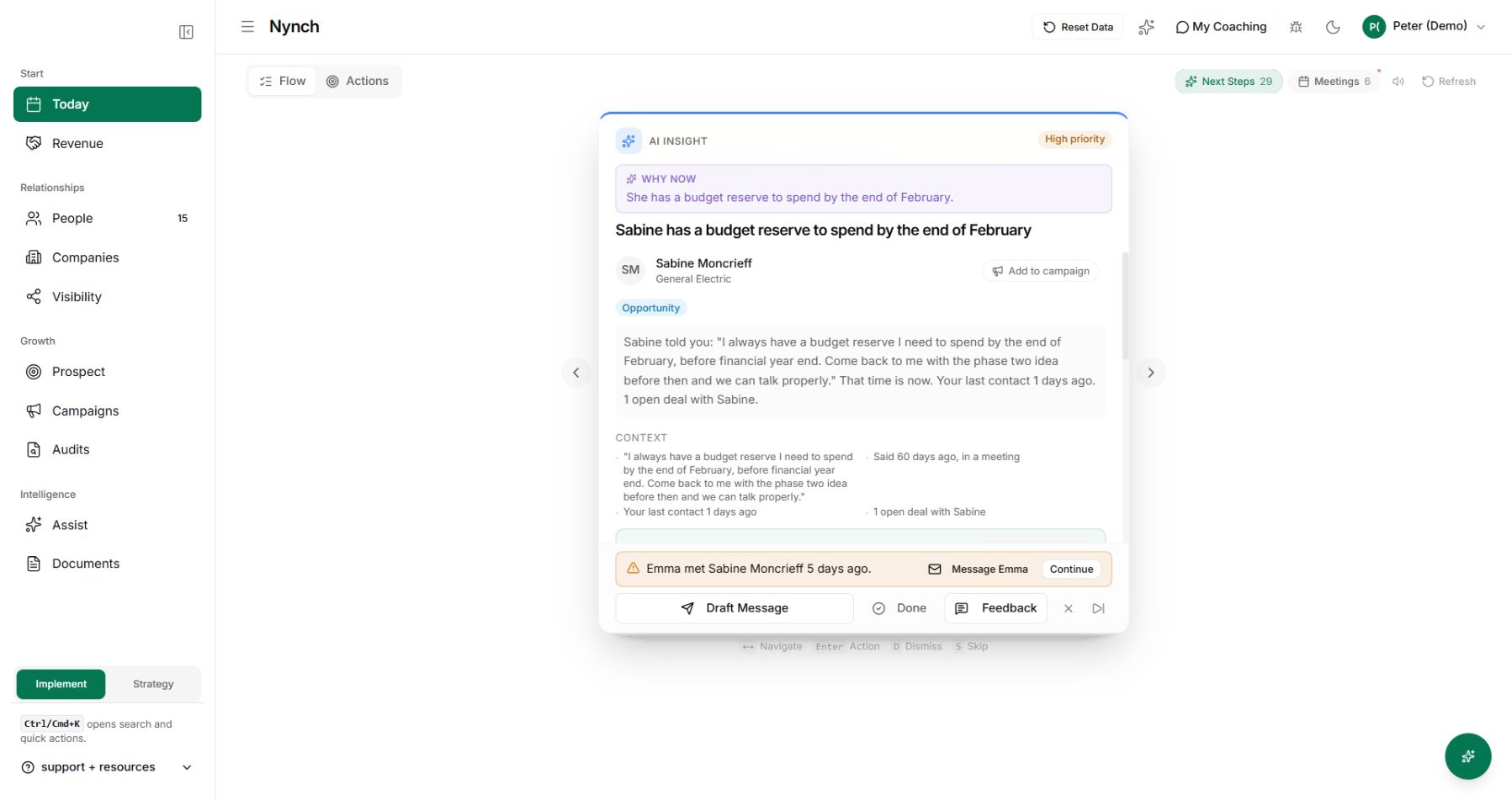
Relationship timing
Bring relationship signals, promises and upcoming meetings into one daily view. See the context, choose the next action and get on with the conversation.
See how it works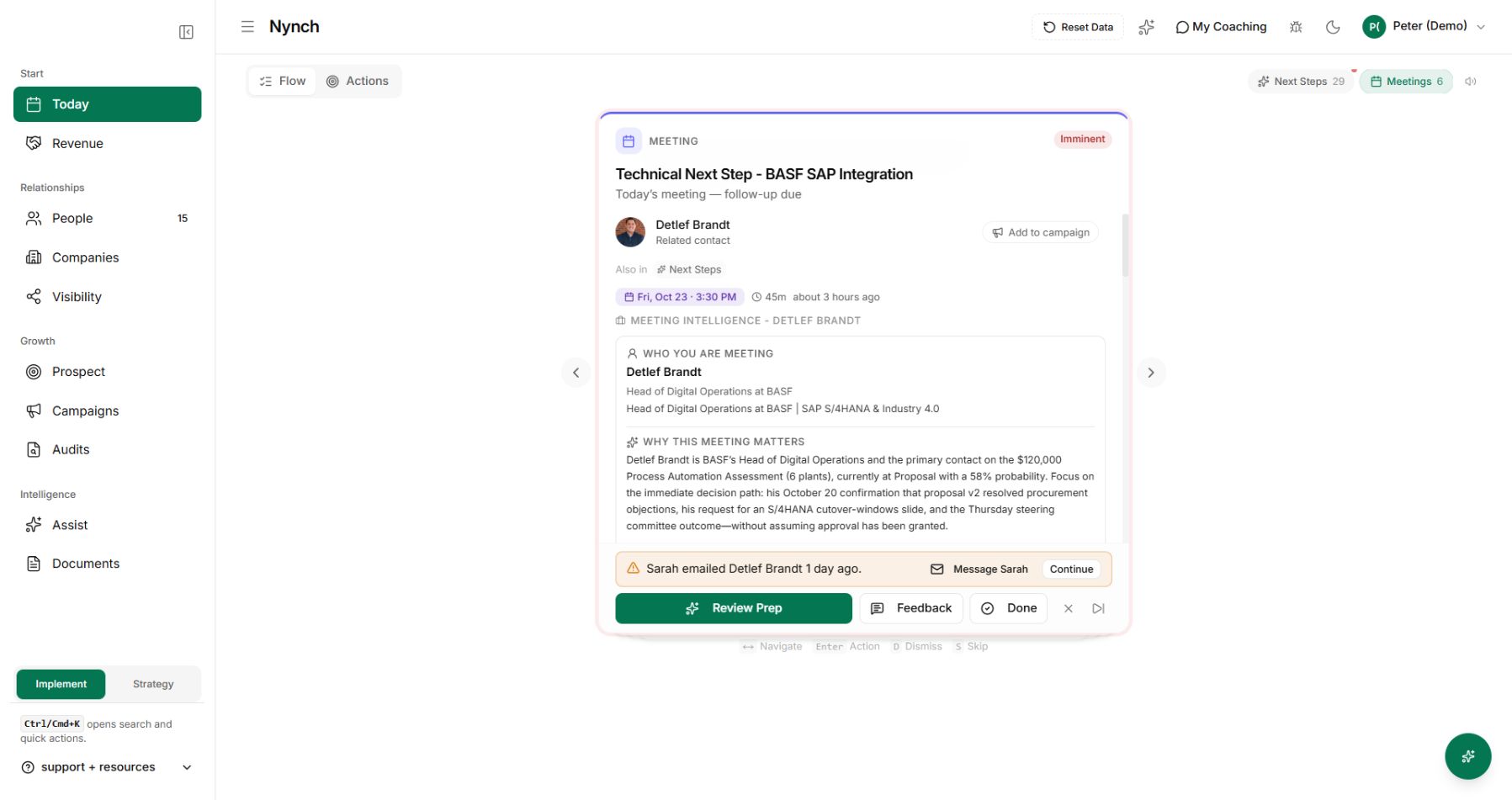
What gets in the way
You check your inbox, scan the calendar and try to remember who needs a reply. The person worth speaking to is easy to miss among the newest messages.
The most recent email wins attention even when another relationship needs it more.
A useful introduction or promised document gets lost between meetings.
You search for the last conversation just before joining the next one.
How Relationship timing works
Today brings the work into view, with the relationship context close enough to act on.
Start with the relationships, signals and commitments surfaced in your daily workspace.
Use the reason behind a card to decide whether it deserves attention now.
Review the history and the reason for reaching out before writing the next message.
Use Flow to work through the relationships you choose to contact.
See upcoming meetings alongside the context needed to reconnect with the people attending.
Check the latest information before relying on a prepared brief.
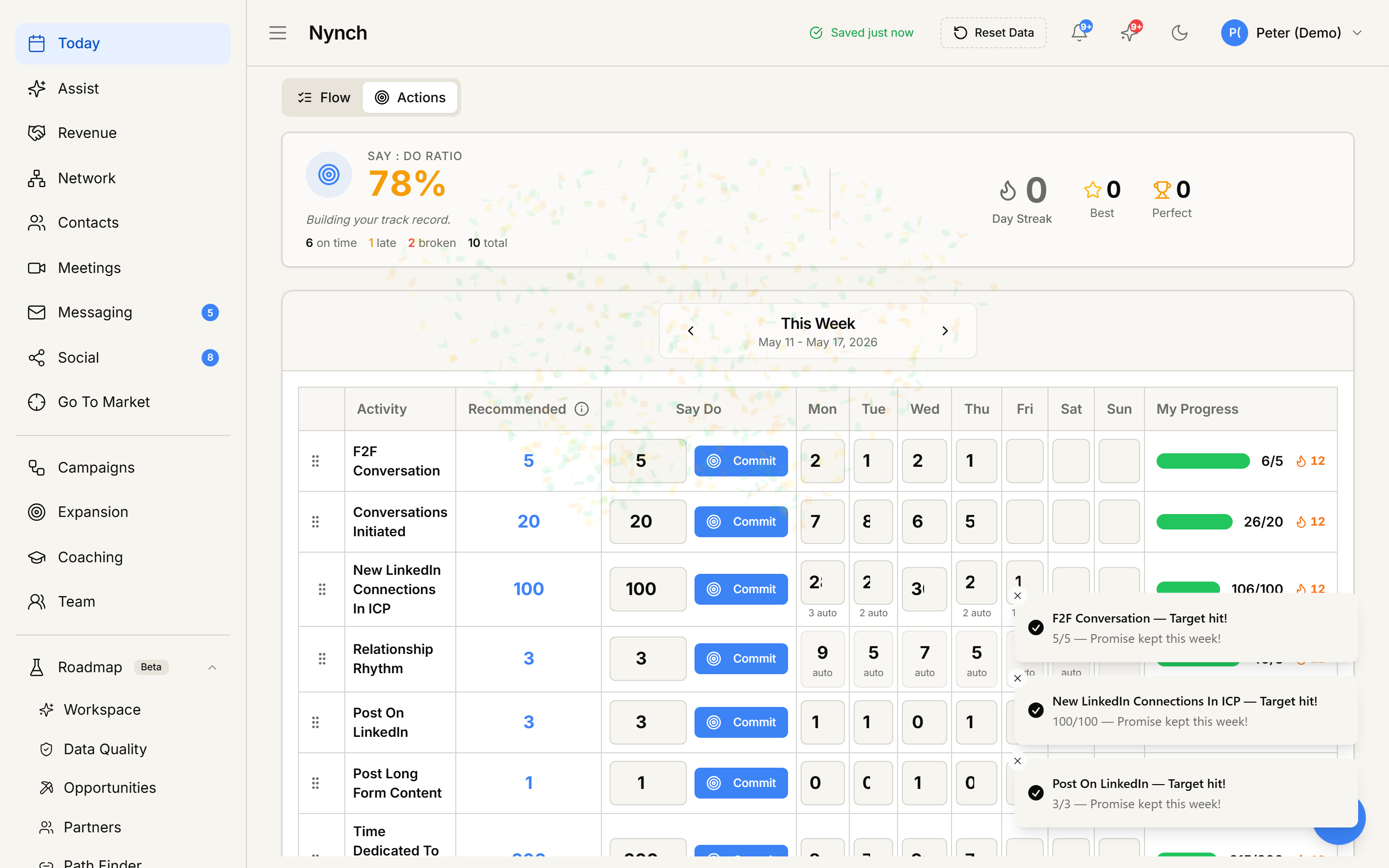
Plan the actions you want to take and review what has actually happened.
Adjust the rhythm to fit delivery, rather than waiting for an empty diary.
What Nynch decided, and why
A reason to get back in touch only helps if it arrives when the relationship has changed. These are the rules that decide when a person is flagged, how the flag responds to what you do and why each is hard to keep by hand.
Nynch works out the usual gap between conversations with each person, drawing on your emails, meetings and LinkedIn activity. A flag needs the silence to be at least twice that gap, at least seven days, and at least five days longer than usual. A weekly contact and a quarterly one get different alarms.
Doing it yourself: A fixed reminder of thirty days is too late for a weekly contact and too early for a quarterly one, so you would have to set each reminder yourself.
If at least 60% of your recent decisions, from five or more, were dismissals, Nynch waits longer, to about three times the usual gap, and raises at most one alert a day. If at least half were acted on, it raises alerts at about 1.75 times the usual gap. A person you dismissed is left alone for 30 days, and someone dismissed twice in the last 90 days is left out until those dismissals age out.
Doing it yourself: A reminder list does not learn from what you skip, so you would be dismissing the same people by hand each week.
When a campaign reads Nynch’s recent signals about a person or company, it uses only those detected in the last 90 days, and each keeps the date it was spotted. This reading is part of AI personalisation, so it applies only when that is switched on for the campaign. Without it, the note uses the wording you wrote.
Doing it yourself: You would have to date every signal on every contact and decide yourself which ones were still worth mentioning.
Nynch keeps every reason to speak to someone in one Signals list, with one count on every company, person and deal. A website change joins that list only when Nynch is at least 70% sure of it and it passes the same evidence check as any other signal. A reason you have dismissed or already used stops counting, so the number means something when you see it.
Doing it yourself: You would have to judge every page change yourself, and keep one list of what you had already acted on.
One connected Nynch platform
Prospecting, relationships, meetings, proposals, Deal Rooms and client growth work together in Nynch. Start with the job you need to do today. Keep the context as the relationship develops.
The details
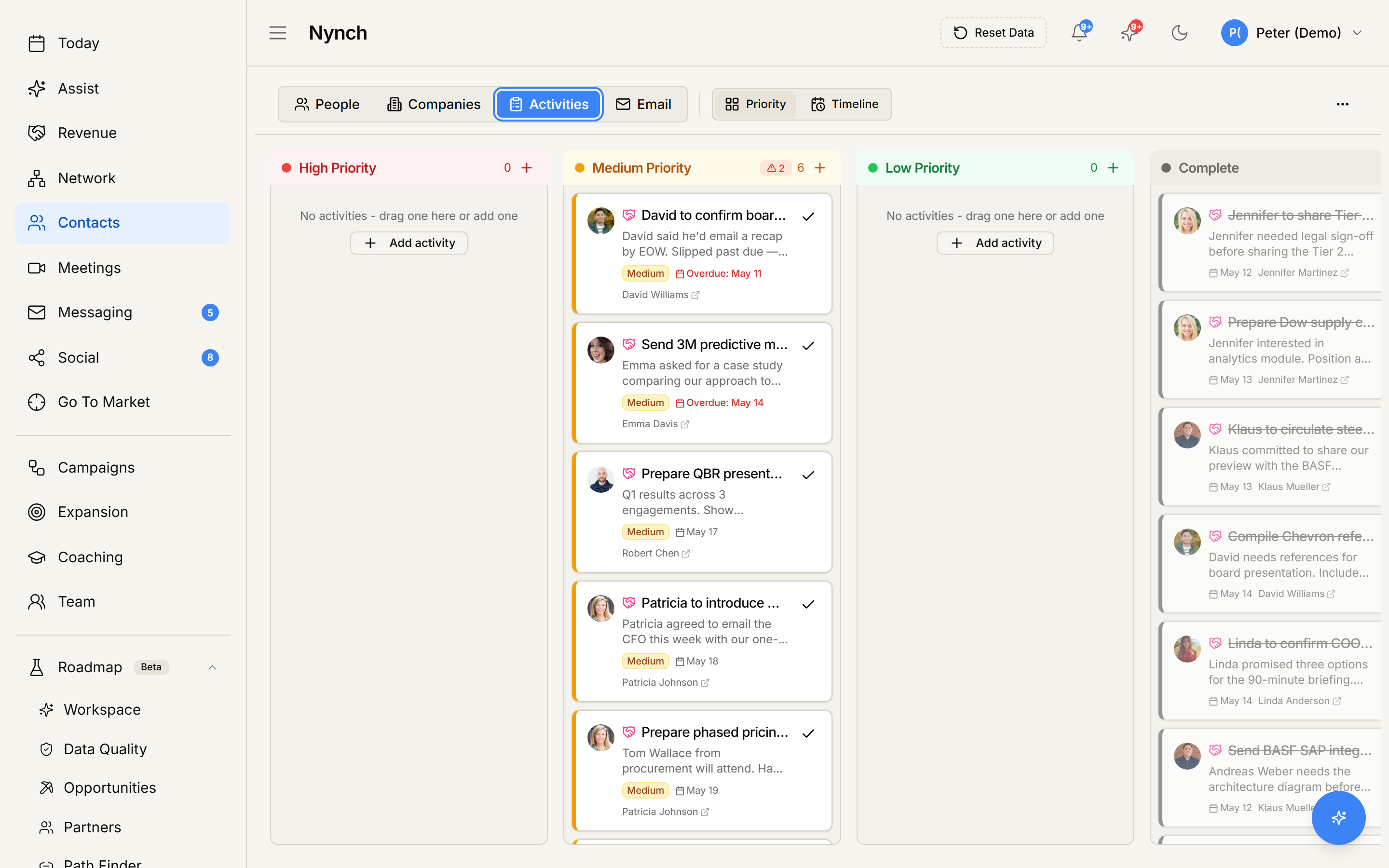
Today brings together daily relationship work, signals, commitments, meeting preparation and weekly actions. What you see depends on your connected information, saved relationships and current work.
Open the card and review the context behind it. A suggestion may relate to a conversation, a promise, a relationship rhythm or a current signal. Use that reason to judge whether now is the right moment.
Yes. The workspace helps you decide what deserves attention. You still choose who to contact, whether a suggested message is relevant and what the next step should be.
No. Review and edit the prepared message before choosing to send. A draft is not a completed conversation.
The meetings view puts upcoming calls and preparation together. Use it to revisit the relationship and open commitments before the call, then review the follow-up afterwards.
The daily view helps with the next conversation. The weekly actions view helps you maintain a manageable business development rhythm alongside delivery.
See a day of relationship work inside Nynch.