The most common AI chat tools are great at answers and terrible at deliverables.
You ask one to draft a proposal. It returns a wall of text. You ask it to refine paragraph three. It rewrites the whole proposal. You scroll back to compare. You lose the context. You give up and copy the text into a Google Doc. The AI helped at the start and then got in the way.
Founding users started doing this within the first week of launch. The chat surface was useful for short answers and unfit for the work consultants actually ship.
So Assist now opens a working canvas.
When you ask Assist to draft a deck, an account plan, an org chart, a proposal, or a sequence, the page splits. The canvas opens beside the chat with the work taking shape on the left. The chat stays on the right, but with a specific job: hold the plan steps, the context gaps, and the next actions for the work in front of you. Refine in the canvas. Steer in the chat. Neither side overwrites the other.
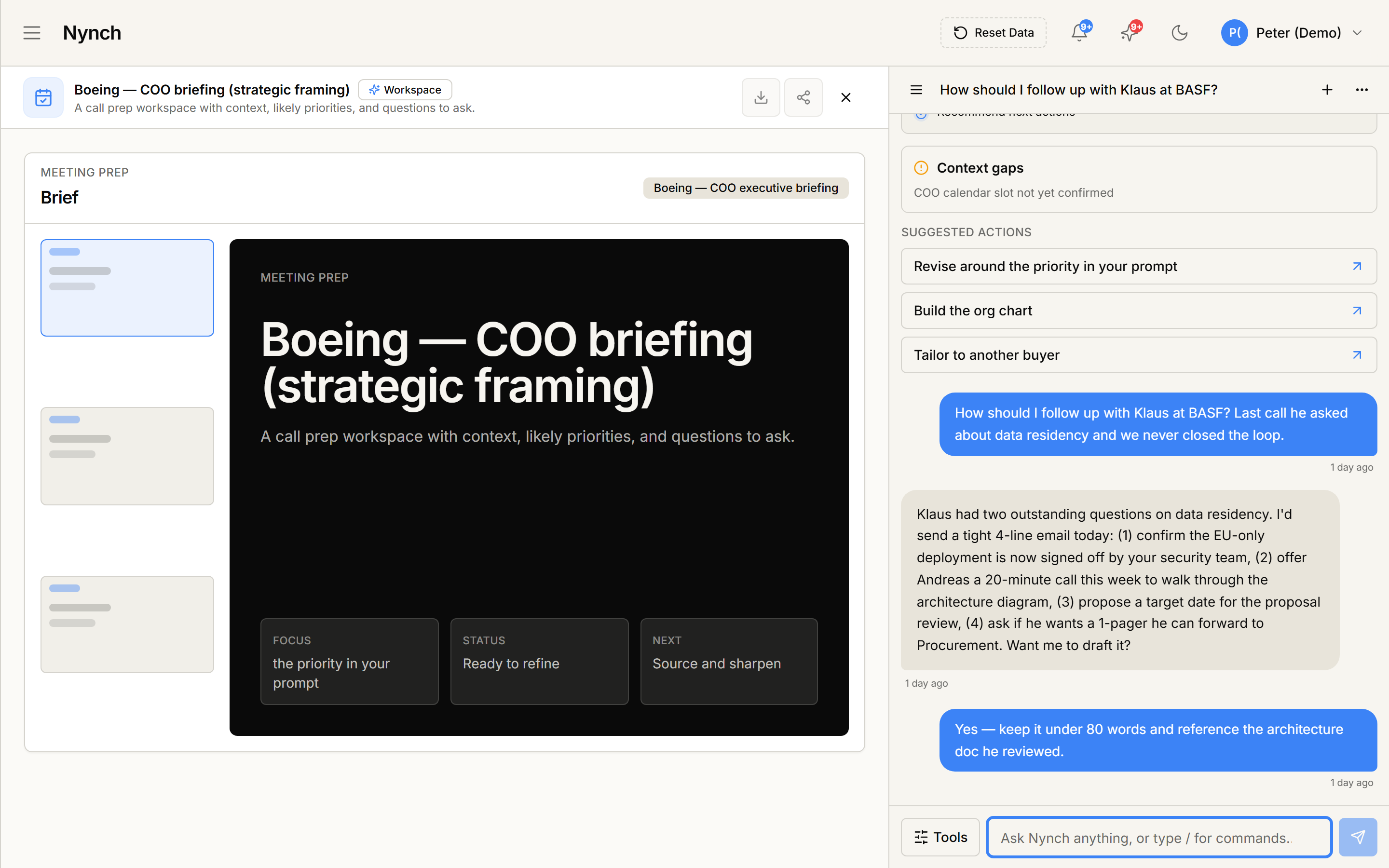
This is the foundation pattern for almost everything else that shipped in May. The Workpiece (a structured artefact on the canvas, gated for review) sits on top of this. Eight workpieces shipped over the next two weeks: deals, deal rooms, ABM campaigns, research reports, pursuit packs, proposals, repeatable-quarter plans, and action workflows.
What changes for you. You stop losing context. You stop scrolling back. The work product is visible the whole time it’s being built, not hidden in a chat thread you have to reread. If you ever copied AI output into a Google Doc just to be able to see it, that step goes away.