The useful change is not always in a press release. A company adds a customer story, changes its leadership page or updates the part of its website that explains where it is investing.
You could keep checking those pages yourself. Across a focused target list, that quickly becomes another job you rarely finish.
The change
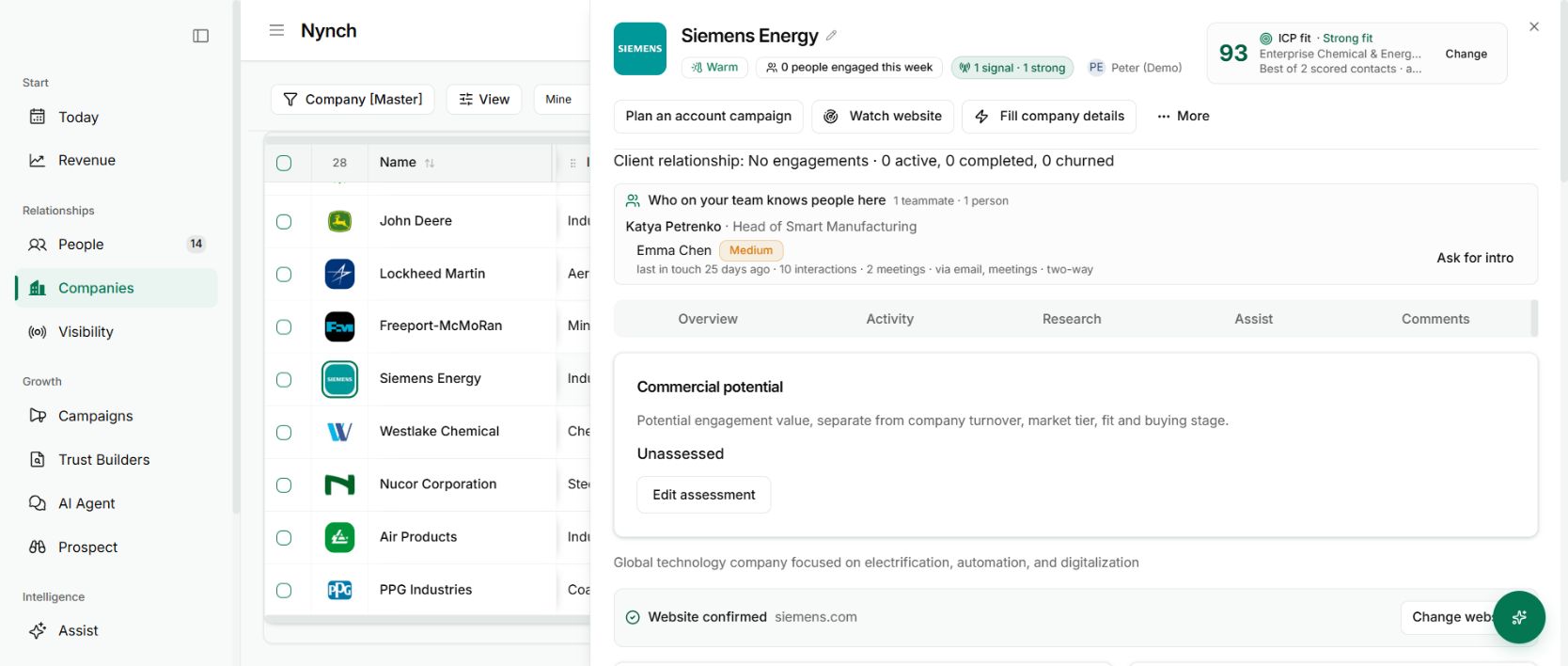
Watch website on a company record monitors selected pages from that company’s site. The workflow looks for relevant places such as news, customer and leadership pages rather than treating the homepage as the whole business.
It maps relevant pages and checks them for changes. Coverage depends on the site’s structure, accessible content and the monitoring available to your workspace. This is regular monitoring, not an instant or complete record of every change a company makes.
Start with companies where a change would matter
Open the company and check its website address. You need the right domain and permission to edit the record. Enable Watch website for an account where a meaningful change could alter your approach.
For a consultant, a new customer story might suggest a market direction worth understanding. A leadership change might make an old assumption about the buying group outdated. Neither automatically means an opportunity exists.
When a change is surfaced, read the source page. Compare it with what you already know about the company and the people involved. Then decide whether it creates a useful reason to speak.
Turn the update into a better question
“I saw your new customer example. Does that change the priority we discussed?” is more useful than congratulating someone on a change you have not understood.
The monitoring reduces the repeated checking. Your judgment connects the evidence to the relationship.
Why it is useful
You can stay aware of a selected account without making manual website visits part of every morning. It is especially useful for longer sales cycles, where the right moment may arrive well after the first conversation.
Use it alongside the Signals panel and your saved conversation history. A source-backed change gives you context. A relevant question gives the other person a reason to respond.
Turn a changed page into a better question
A new service page can justify asking how the company is approaching that work. It does not prove that a budget has been assigned or that the person you know owns the decision.
Read the changed page, compare it with the existing company context and decide whether the change is relevant to your relationship. A useful message names the observation and asks the question it raises. Evidence boundaries matter here because an interpretation is not a confirmed buying signal.