The useful case study is in a folder. Your methodology is in a document. The video you want to send is in another tab.
Finding the material takes longer than deciding what the buyer needs.
The change
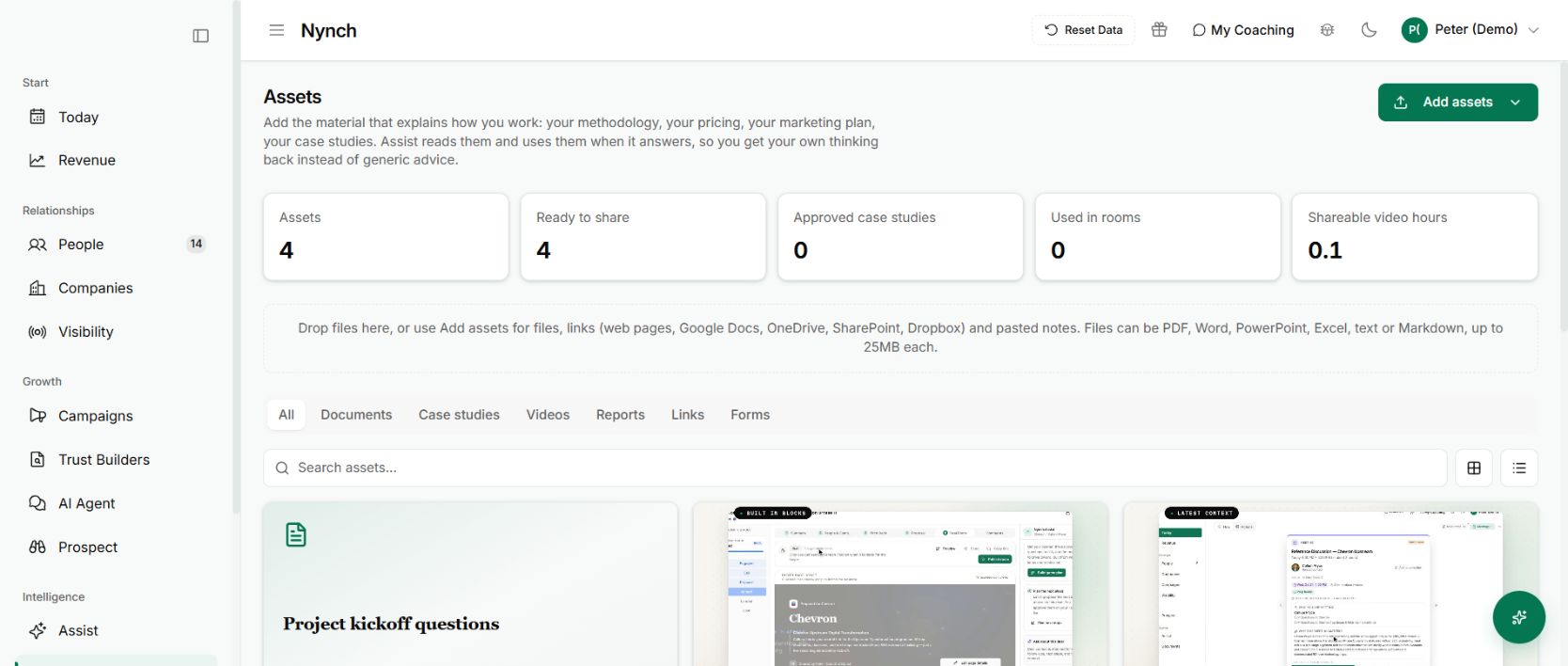
Assets gives that work a shared home. Documents, case studies, videos, reports, links and forms sit in one library, with category filters, search and a choice of card or list views.
The overview separates what exists from what is ready to share, approved as a case study or used in a room. Having a file is not the same as having material you want a buyer to see.
Start with the material you explain twice a week
Add your methodology, pricing approach and one useful piece of proof. Use Add assets for files, links and pasted notes. The library also offers whole-site imports and hosted video management.
Give each item a title another person can recognise. Check its content and sharing status before putting it into a buyer conversation.
Material you add can also provide context for Assist. Your own approach becomes available where you prepare work, instead of living in a folder the assistant has never seen.
Why it is useful
You stop rebuilding the same explanation for every opportunity. You can find the relevant material, check it and reuse it while the buyer’s question is still in front of you.
Start small. Three clear, current assets are more useful than a hundred documents nobody can confidently share.
For the video workflow, see add a video once, use it in the next buyer conversation.
Take one asset all the way into a buyer conversation
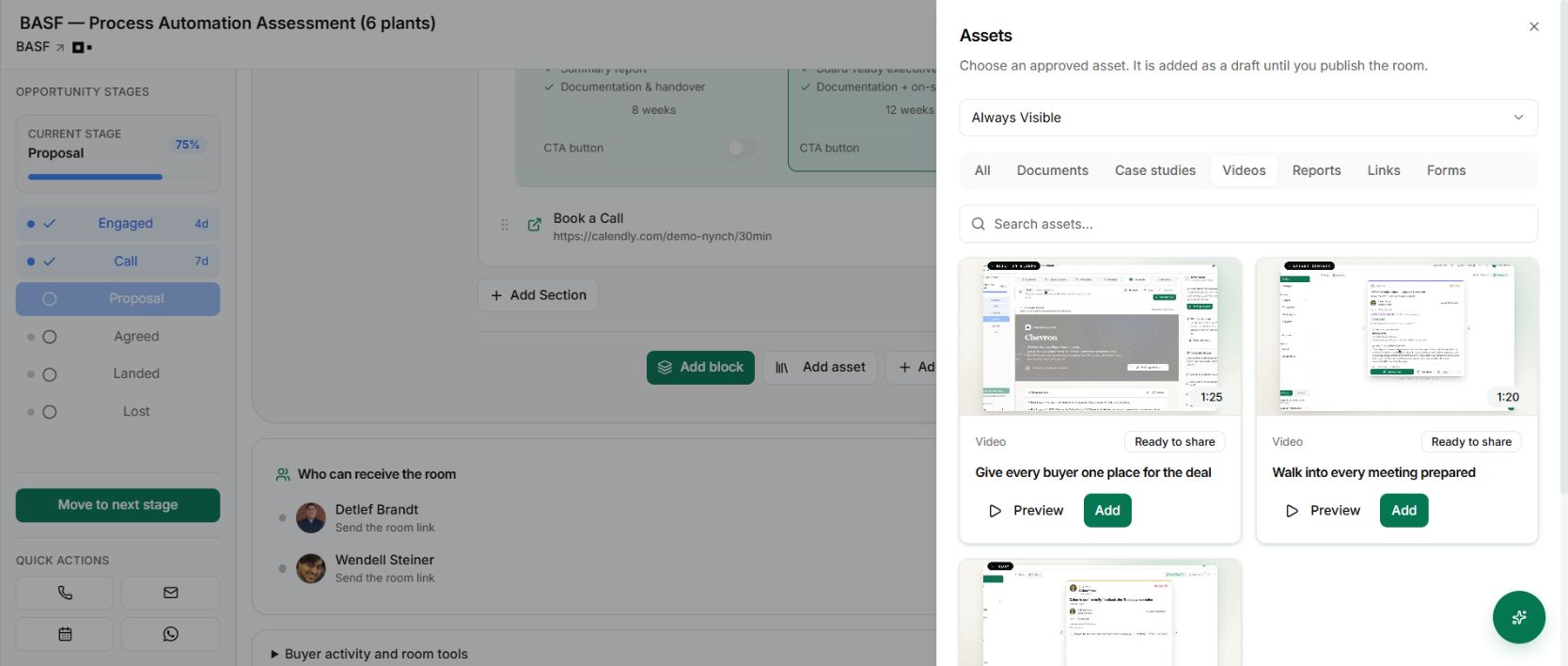
Choose a useful explanation, such as the short video that answers a recurring question about your method. Add it to the library, check the preview, then select it from the room’s asset picker.
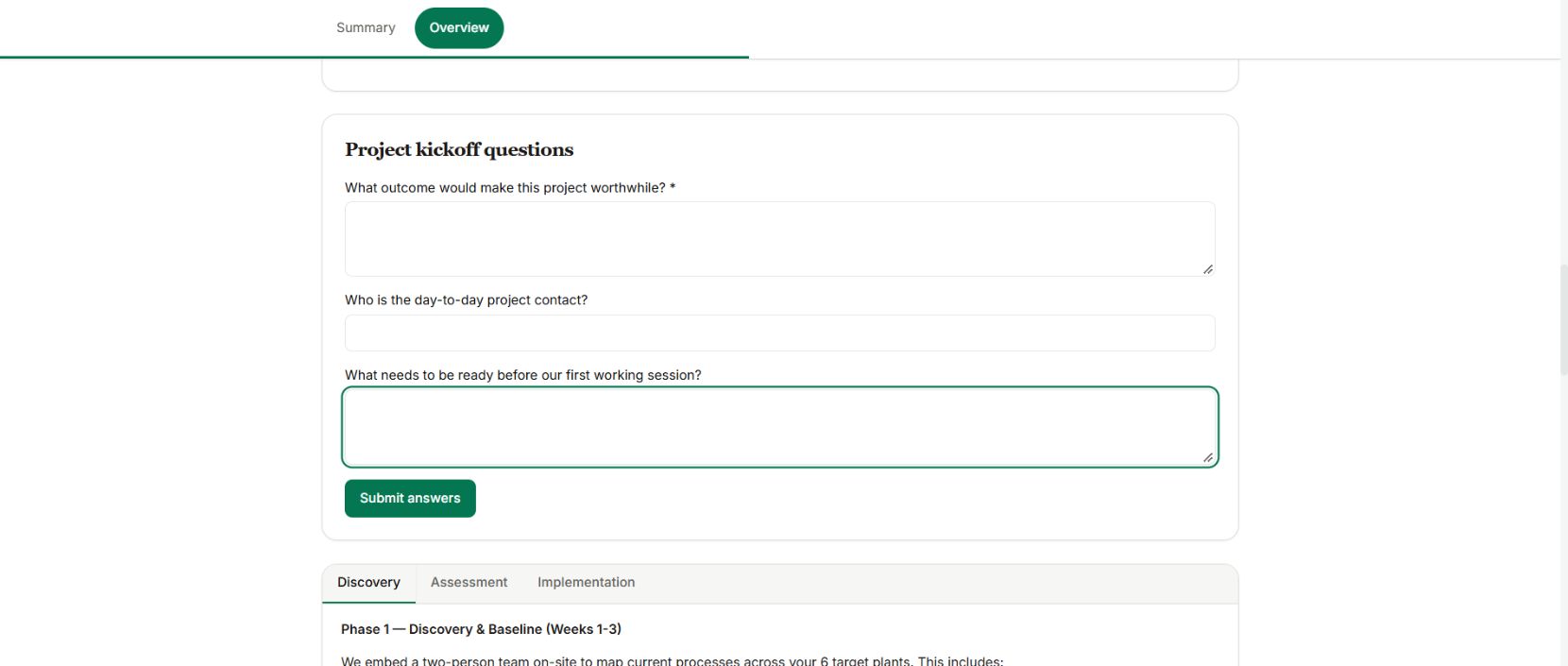
The same pattern applies to a reusable kickoff form. Create it once, approve it for rooms and add it to the engagement where the answers will be useful. Room approval and campaign-content approval are different decisions.
Check what the buyer will actually receive
Adding an asset creates draft room content. Review its visibility, preview the page and publish the intended version. Then give the buyer a clear reason to use it.
“Watch this before the call” is weaker than “This explains the assessment sequence, so we can spend the call choosing the sites.” The asset should make the next conversation easier.