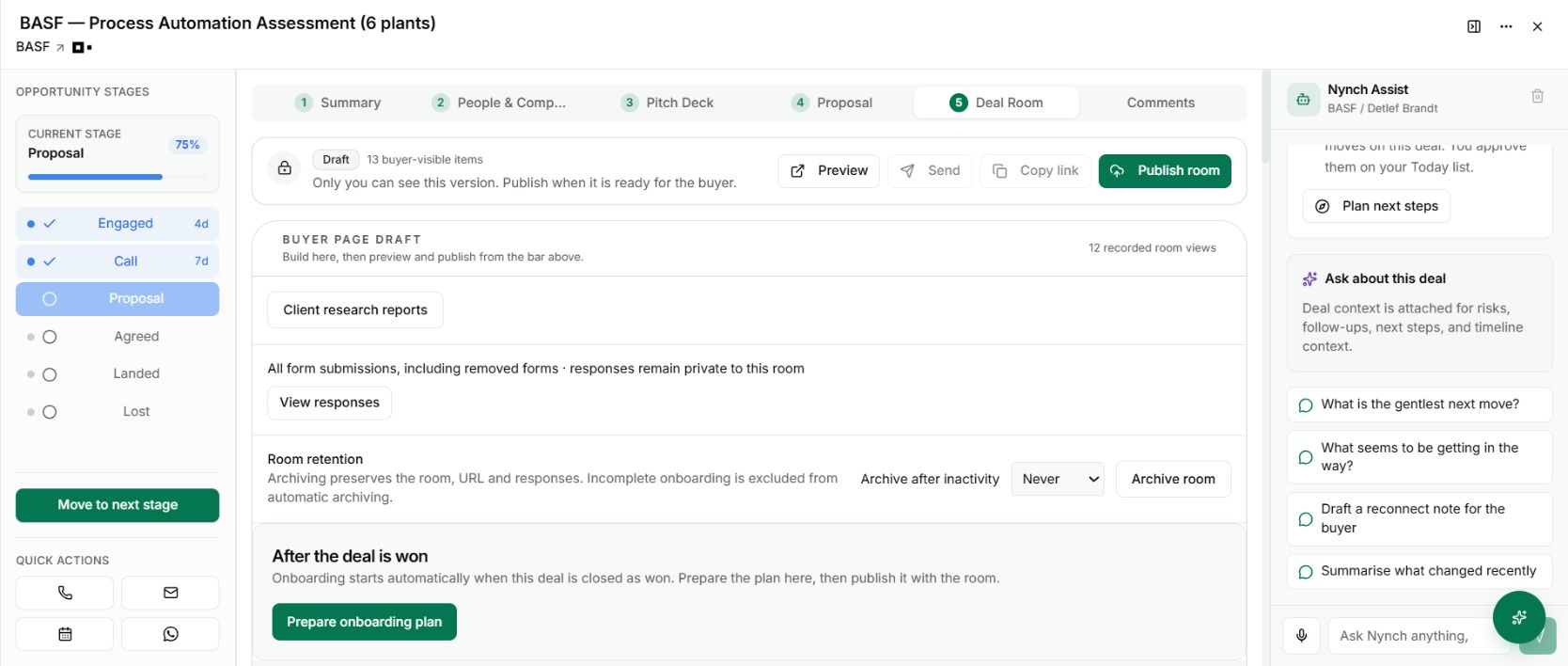
An opportunity has finished. You no longer want its buyer room active, but the proposal, questions and decisions still matter. Deleting the room is too final. Leaving every room open forever creates a different problem.
The change
Room archiving pauses client access while preserving the room, its URL and its responses. You can restore the room when it is needed again.
The room also offers an inactivity policy: never archive automatically, or archive after 90 or 180 days. Incomplete onboarding is excluded from automatic archiving.
Close the loop deliberately
Open the opportunity’s Deal Room and find Room retention. Before archiving, check whether anyone still needs the room for an agreed next step or active work.
Use Archive room when access should pause. If the engagement returns, use Restore room instead of reconstructing the material and sending everyone to a different place.
For rooms that regularly become inactive, choose the retention policy that matches how you work. A longer consulting decision cycle may justify a different policy from a short, completed assessment.
Why it is useful
You can tidy the active experience while keeping the commercial history. An old conversation can be resumed with its context intact, rather than rebuilt from a folder of exports.
Archiving is not erasure. Use it when you want a recoverable pause, and treat any separate deletion decision on its own terms.
For engagements that have just been won, start with client onboarding. A room still supporting required onboarding work should continue helping the client move forward.
Check the room before using its link again
After restoring a room, review the agreement, supporting material and next actions before bringing it back into a client conversation. Preserving the URL and history does not make an old proposal current.
Check any reused video or asset is still available. Review onboarding status separately, particularly if the commercial outcome has changed. The useful result is a recoverable record you can inspect, rather than a fresh room that has lost the context of the original work.