Skip to content
Product overview
Explore all 15 product areas1. Services and Offer2. Ideal Client Profile3. Find Prospects4. LinkedIn Network5. Relationship Management6. Relationship Intelligence7. Value Audits8. Personalised Outreach9. Authority and Content10. Meeting Intelligence11. Pipeline and Opportunities12. Proposals13. Deal Rooms14. Client Management15. Grow Existing Accounts
Today and AssistSell your business
Use cases Pricing In Person Workshop Resources Sign in Book a call
← Back to changelog
New

Long Strategy work can outlive the browser tab

Supported Strategy generations run as saved background jobs, so navigating away does not have to mean abandoning the work.

Release note added 30 October 2026. Screenshots show the current demo app.

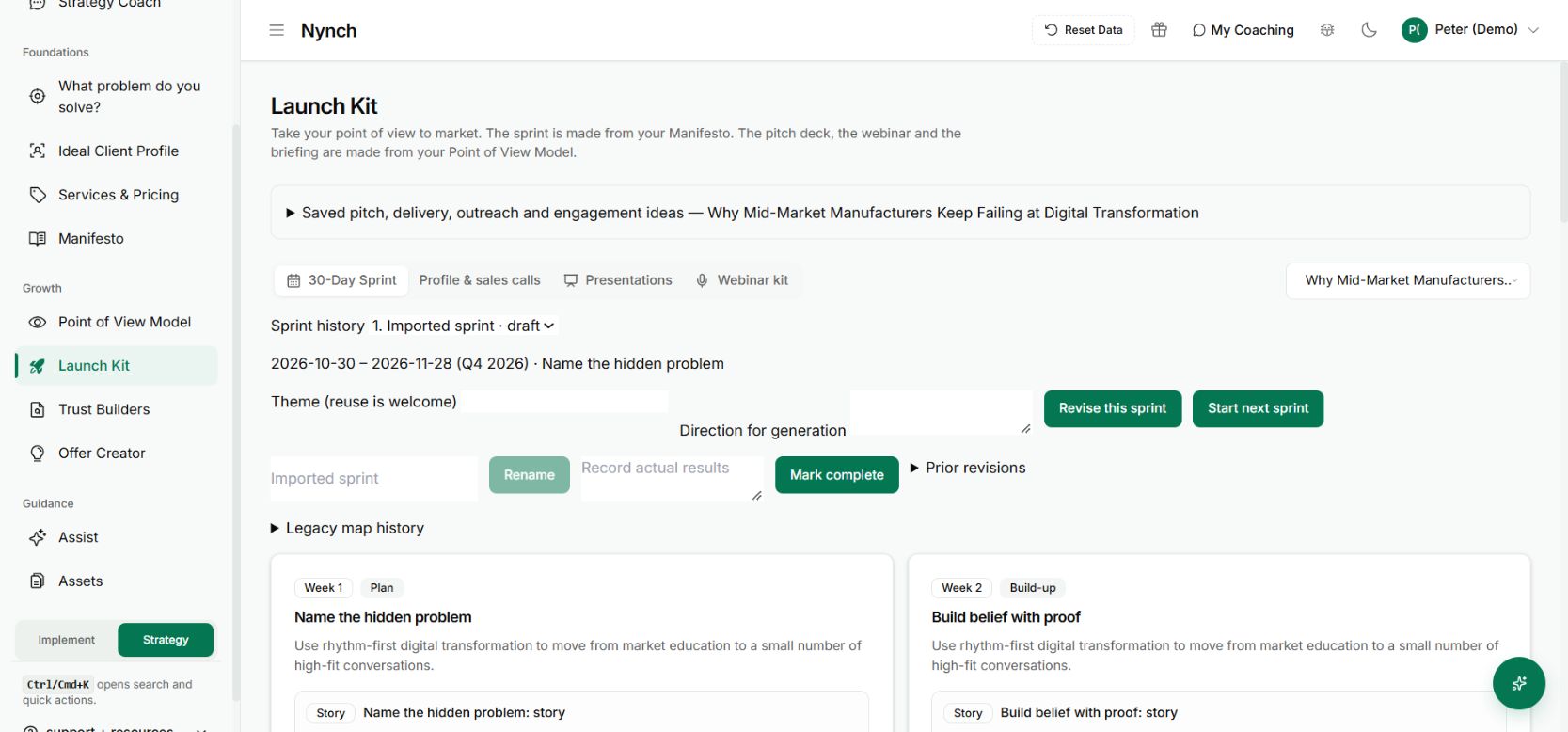
Launch Kit holds saved strategy outputs that can be revisited and edited.
Launch Kit holds saved strategy outputs that can be revisited and edited. Demo workspace with illustrative data. Open the image to see it full size.

You start a substantial piece of Strategy work. Then another call needs your attention. The browser tab should not be the only thing keeping that work alive.

Supported long Strategy generations now use saved background jobs. The screen starts the work and follows its progress, while the job and its results have a life beyond that open view.

Start the work with the right inputs

Review the saved strategy, selected model and instructions before starting a generation. A background job makes the process more durable. It does not make missing inputs more accurate.

Let the app show that the job has started. You can then return to the relevant Strategy screen to check progress and the saved output rather than starting another copy simply because you navigated away.

Return to the saved result

When the work completes, inspect the generated asset and edit it in its proper context. Saved versions are useful when a substantial document needs more than one review session.
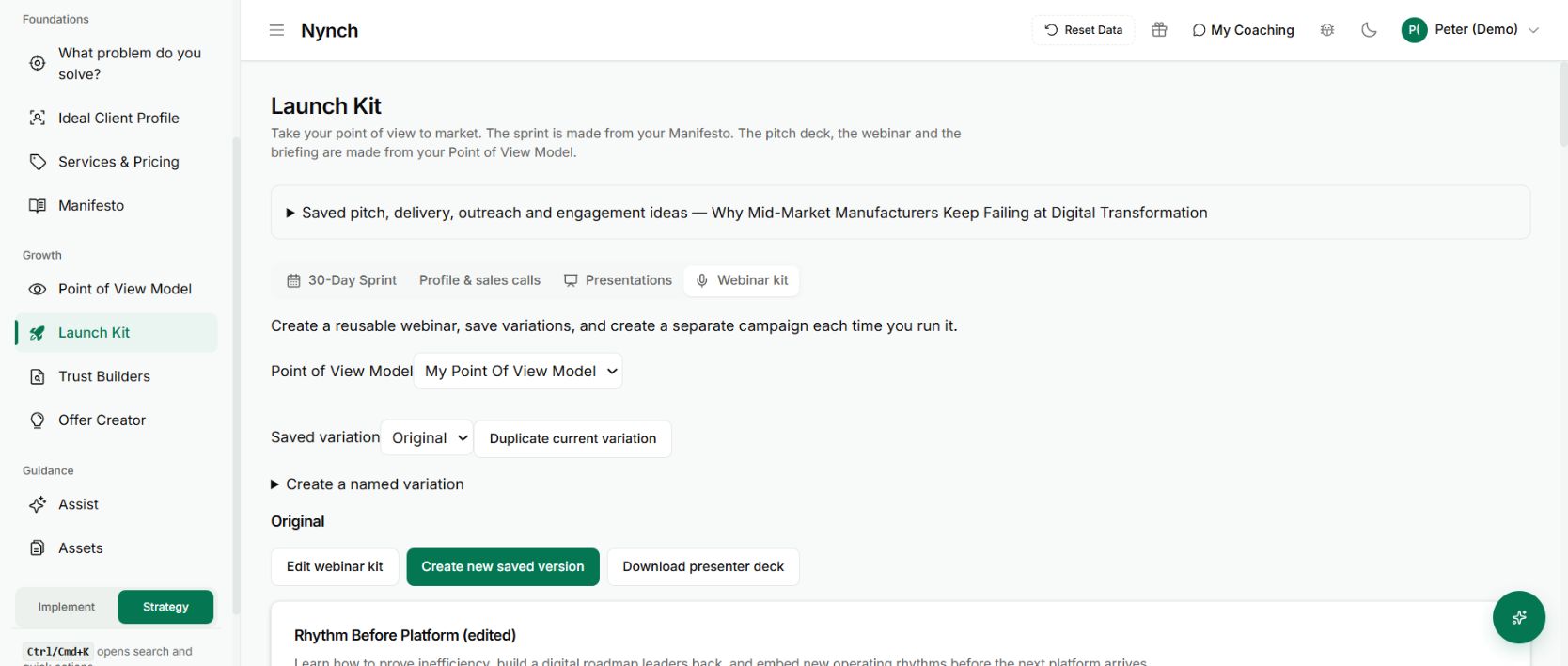
A saved webinar kit that can be reopened for review
The useful destination is a saved, editable asset. This is not a screenshot of a running job. Demo workspace with illustrative data. Open the image to see it full size.

If the job fails, use the status and recovery path presented by the app. Closing a browser tab and a failed generation are different events. Neither should be interpreted as confirmation that a finished result exists.

Why this infrastructure is worth a release note

The customer benefit is continuity. You can work on something else while a supported job runs, and come back to the work that was saved.

This applies to the Strategy workflows using the job system. It is not a blanket promise that every chat, upload or unsaved edit survives closing the browser. Check that the particular action has been saved or accepted before leaving it.

See it for yourself

See Nynch from start to finish

The complete walkthrough: 28 minutes, every screen. Or pick the part you need.

Choose where to start

Chapters Jump to any partHide chapters
  1. Why relationships win the work
  2. A memory that thinks
  3. Every contact arrives already researched
  4. Your inbox, with intelligence
  5. Arrive prepared, every time
  6. A network that never goes cold
  7. Personal outreach, at scale
  8. Campaigns, run with AI agents
  9. Turn conversations into signed work
  10. The procrastination beater
  11. Your AI partner, on every screen
  12. Build the network you do not have yet
  13. Part two: build the foundations
  14. Name the problem, and prove it
  15. Know exactly who you serve
  16. Sell outcomes, not hours
  17. Stand for something
  18. Get the right clients coming to you
  19. Now watch it all work

See this working for your business

Bring a real relationship or opportunity. We will show you where Nynch can help.

Book a call

30 minutes. On your real data. Not generic slides.