Skip to content
Product overview
Explore all 15 product areas1. Services and Offer2. Ideal Client Profile3. Find Prospects4. LinkedIn Network5. Relationship Management6. Relationship Intelligence7. Value Audits8. Personalised Outreach9. Authority and Content10. Meeting Intelligence11. Pipeline and Opportunities12. Proposals13. Deal Rooms14. Client Management15. Grow Existing Accounts
Today and AssistSell your business
Use cases Pricing In Person Workshop Resources Sign in Book a call
← Back to changelog
New

Teach the draft what “more like me” actually means

Choose whether feedback should change one email or become a remembered writing preference, with an explicit way to learn from your edits.

Release note added 30 October 2026. Screenshots show the current demo app.

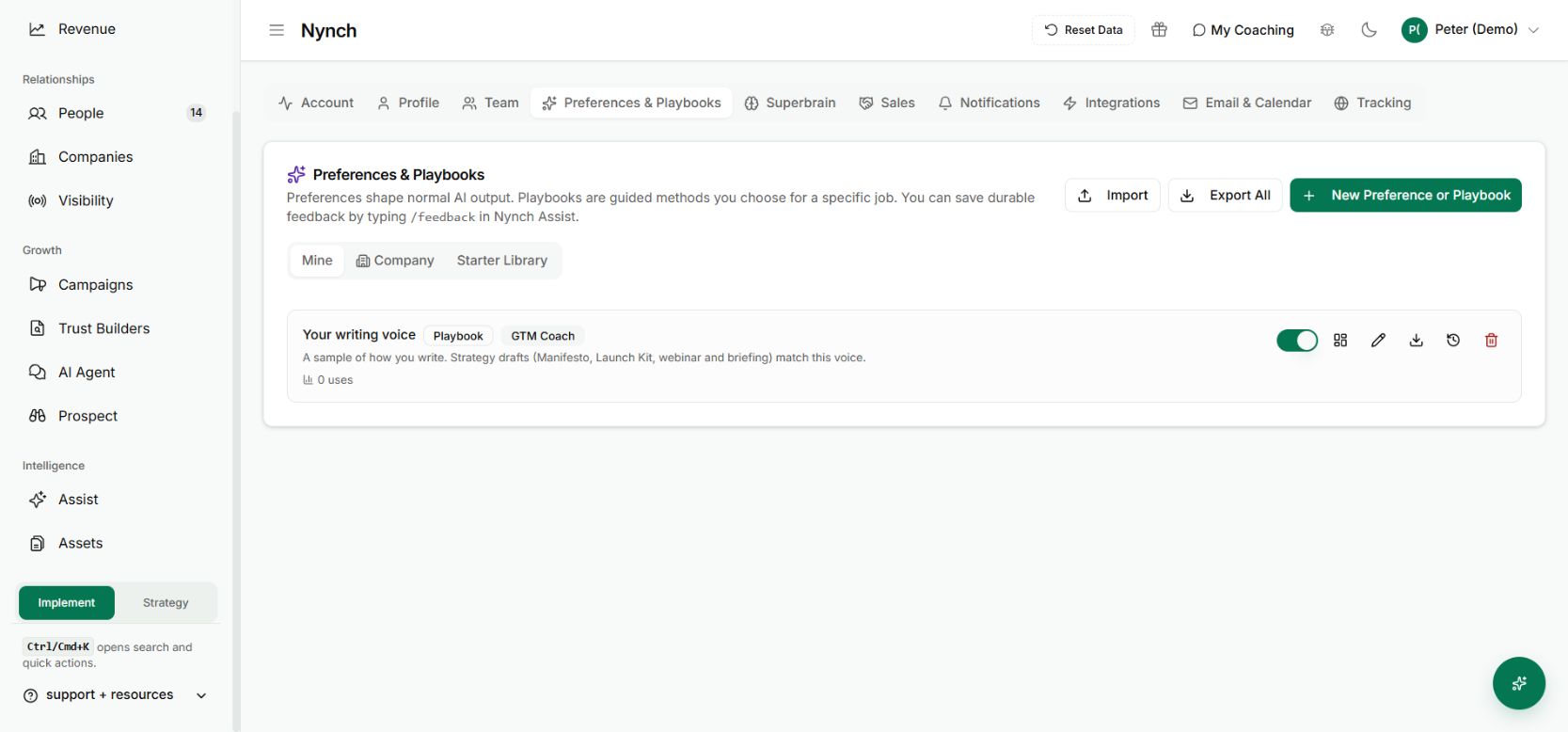
Preferences and Playbooks hold the context that guides prepared work.
Preferences and Playbooks hold the context that guides prepared work. Demo workspace with illustrative data. Open the image to see it full size.

“Make it better” is a weak instruction. “Keep the opening, remove the sales language and ask one clear question” gives the writer something useful to change.

Nynch’s email draft feedback separates a one-off correction from a preference you want remembered. That gives you control over what the system learns from the way you edit.

Choose the right kind of feedback

Open Improve draft on a supported email draft. Explain the change in plain language.

  • Update this draft revises the current message.
  • Update & remember also saves the explicit writing feedback for future work.
  • Learn from my edits is available when you have changed an AI draft and want those edits to inform the writing style.

Keep reusable preferences distinct from facts about one recipient. “Use British spelling” can apply broadly. “This buyer needs the contract by Friday” belongs to that conversation.

Review the result before sending

Compare the revised message with your intent. Check names, links, promises and the actual ask. Learning your preferred wording does not remove the need to verify the content.

The interface also provides Undo writing-style change for a saved style update. If a remembered rule was too broad, correct it rather than compensating in every later prompt.

The value compounds through explicit choices

You spend less time repeating the same editorial instruction, while keeping the decision to remember it visible. Merely opening, reading or sending a draft is not the same as explicitly teaching a writing preference.

The screenshot shows the saved-preference area, not a completed feedback event. For broader reusable instructions, see Preferences and Playbooks. Learning here means saved guidance used by the writing workflow, not private retraining of the underlying AI model.

See it for yourself

See Nynch from start to finish

The complete walkthrough: 28 minutes, every screen. Or pick the part you need.

Choose where to start

Chapters Jump to any partHide chapters
  1. Why relationships win the work
  2. A memory that thinks
  3. Every contact arrives already researched
  4. Your inbox, with intelligence
  5. Arrive prepared, every time
  6. A network that never goes cold
  7. Personal outreach, at scale
  8. Campaigns, run with AI agents
  9. Turn conversations into signed work
  10. The procrastination beater
  11. Your AI partner, on every screen
  12. Build the network you do not have yet
  13. Part two: build the foundations
  14. Name the problem, and prove it
  15. Know exactly who you serve
  16. Sell outcomes, not hours
  17. Stand for something
  18. Get the right clients coming to you
  19. Now watch it all work

See this working for your business

Bring a real relationship or opportunity. We will show you where Nynch can help.

Book a call

30 minutes. On your real data. Not generic slides.