Skip to content
Product overview
Explore all 15 product areas1. Services and Offer2. Ideal Client Profile3. Find Prospects4. LinkedIn Network5. Relationship Management6. Relationship Intelligence7. Value Audits8. Personalised Outreach9. Authority and Content10. Meeting Intelligence11. Pipeline and Opportunities12. Proposals13. Deal Rooms14. Client Management15. Grow Existing Accounts
Today and AssistSell your business
Use cases Pricing In Person Workshop Resources Sign in Book a call
← Back to changelog
New

Tell Today what the card is missing

Save a correction or useful detail from a Today card as record context, so the next preparation does not have to begin with the same misunderstanding.

Release note added 30 October 2026. Screenshots show the current demo app.

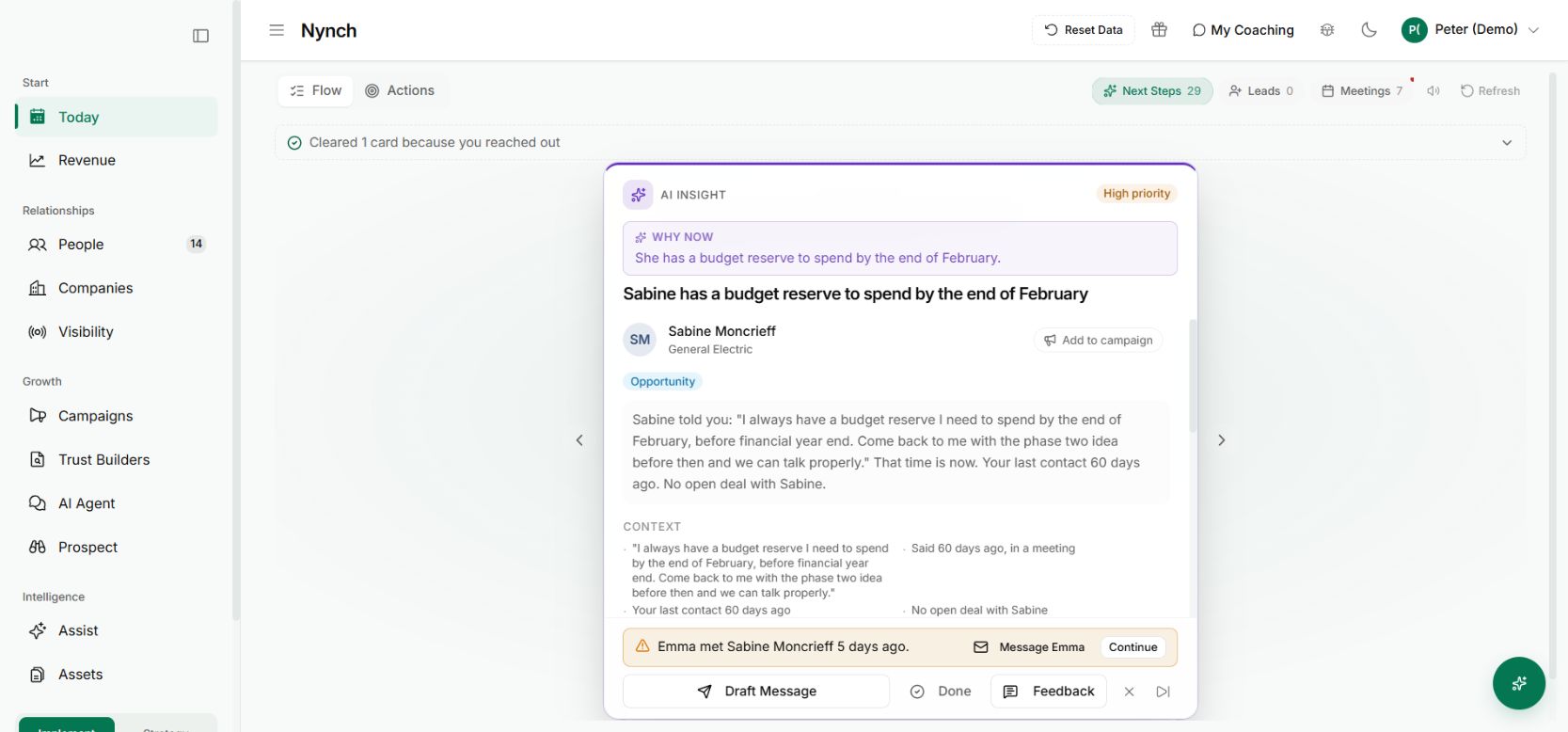
Today presents a prepared action with the relationship context behind it.
Today presents a prepared action with the relationship context behind it. Demo workspace with illustrative data. Open the image to see it full size.

The card is nearly right. It has the meeting and the person, but it misses the fact that you agreed to wait until the board discussion.

Dismissing the card removes the immediate interruption. Explaining the missing context gives future preparation something better to work from.

Put the correction beside the recommendation

Today feedback lets you add a plain-language explanation from a supported contact card. The feedback is saved as a note linked to that contact before subsequent processing tries to use it.

Be specific. “We agreed to speak after Tuesday’s board meeting” is more useful than “Bad suggestion”. Include the relevant date or condition when it changes what should happen next.

Separate saving from refreshing

For supported meeting cards, you can also request an updated brief. Saving the feedback and rebuilding the brief are separate steps. If the rebuild fails, the saved note remains and the app can offer a retry.

That distinction matters: you should not have to repeat your explanation because a later AI step did not finish.
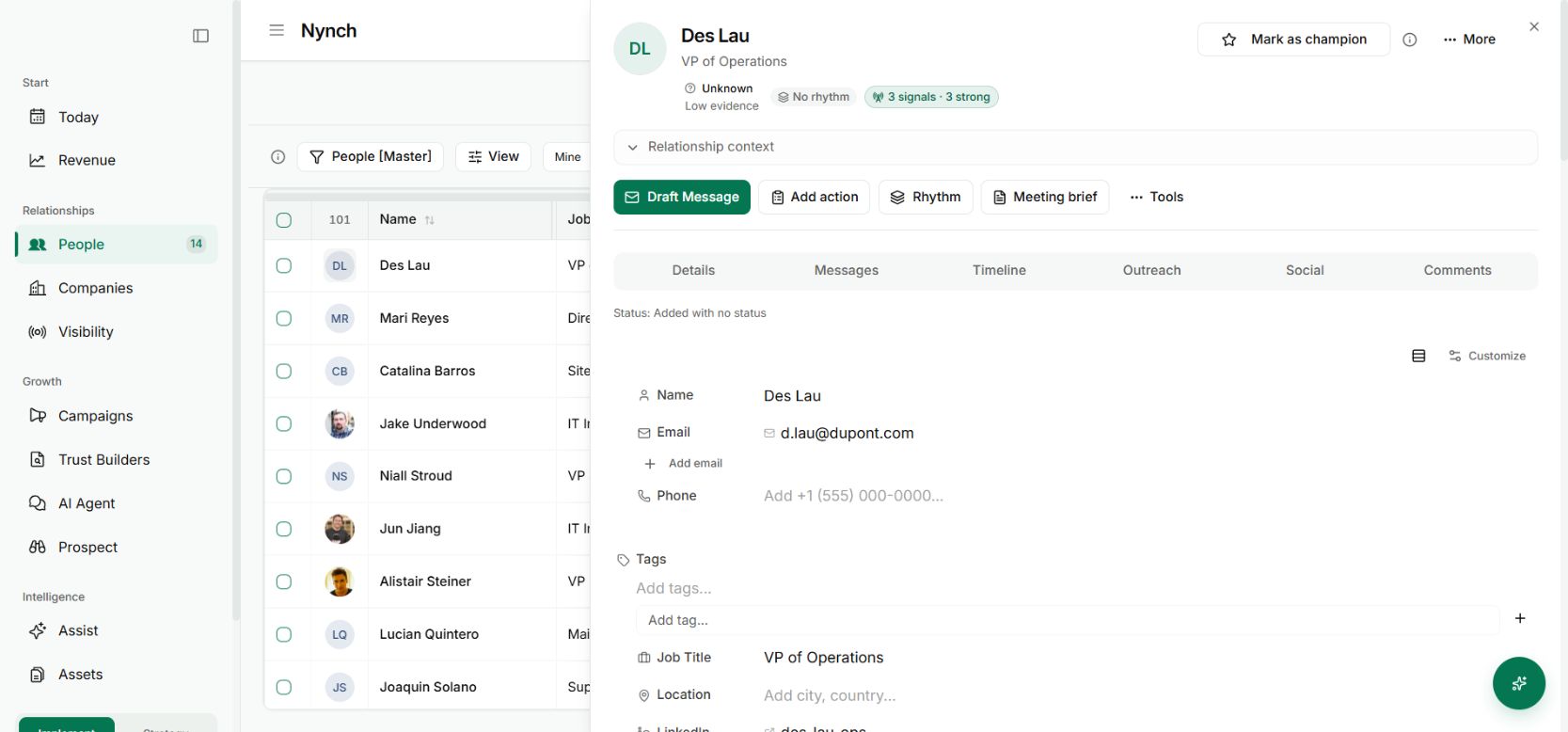
A contact record containing relationship context and preparation actions
The correction belongs with the person, where later preparation can use the saved context. Demo workspace with illustrative data. Open the image to see it full size.

Check the next piece of work

Read the refreshed brief or later recommendation to see whether the correction has been applied appropriately. A note about one meeting should not become a permanent rule that the person never wants contact.

The benefit is a shorter loop between your judgement and the system’s preparation. You can correct the context where you encounter the mistake, while retaining the original words as a record.

This is saved relationship feedback. It does not establish that every later answer will be correct, or that an AI-generated interpretation should outrank what you actually recorded.

See it for yourself

See Nynch from start to finish

The complete walkthrough: 28 minutes, every screen. Or pick the part you need.

Choose where to start

Chapters Jump to any partHide chapters
  1. Why relationships win the work
  2. A memory that thinks
  3. Every contact arrives already researched
  4. Your inbox, with intelligence
  5. Arrive prepared, every time
  6. A network that never goes cold
  7. Personal outreach, at scale
  8. Campaigns, run with AI agents
  9. Turn conversations into signed work
  10. The procrastination beater
  11. Your AI partner, on every screen
  12. Build the network you do not have yet
  13. Part two: build the foundations
  14. Name the problem, and prove it
  15. Know exactly who you serve
  16. Sell outcomes, not hours
  17. Stand for something
  18. Get the right clients coming to you
  19. Now watch it all work

See this working for your business

Bring a real relationship or opportunity. We will show you where Nynch can help.

Book a call

30 minutes. On your real data. Not generic slides.