Skip to content
Product overview
Explore all 15 product areas1. Services and Offer2. Ideal Client Profile3. Find Prospects4. LinkedIn Network5. Relationship Management6. Relationship Intelligence7. Value Audits8. Personalised Outreach9. Authority and Content10. Meeting Intelligence11. Pipeline and Opportunities12. Proposals13. Deal Rooms14. Client Management15. Grow Existing Accounts
Today and AssistSell your business
Use cases Pricing In Person Workshop Resources Sign in Book a call
← Back to changelog
New

Finish the engagement without losing the client relationship

Record that a piece of client work has ended while keeping the wider company relationship and future opportunities distinct.

Release note added 30 October 2026. Screenshots show the current demo app.

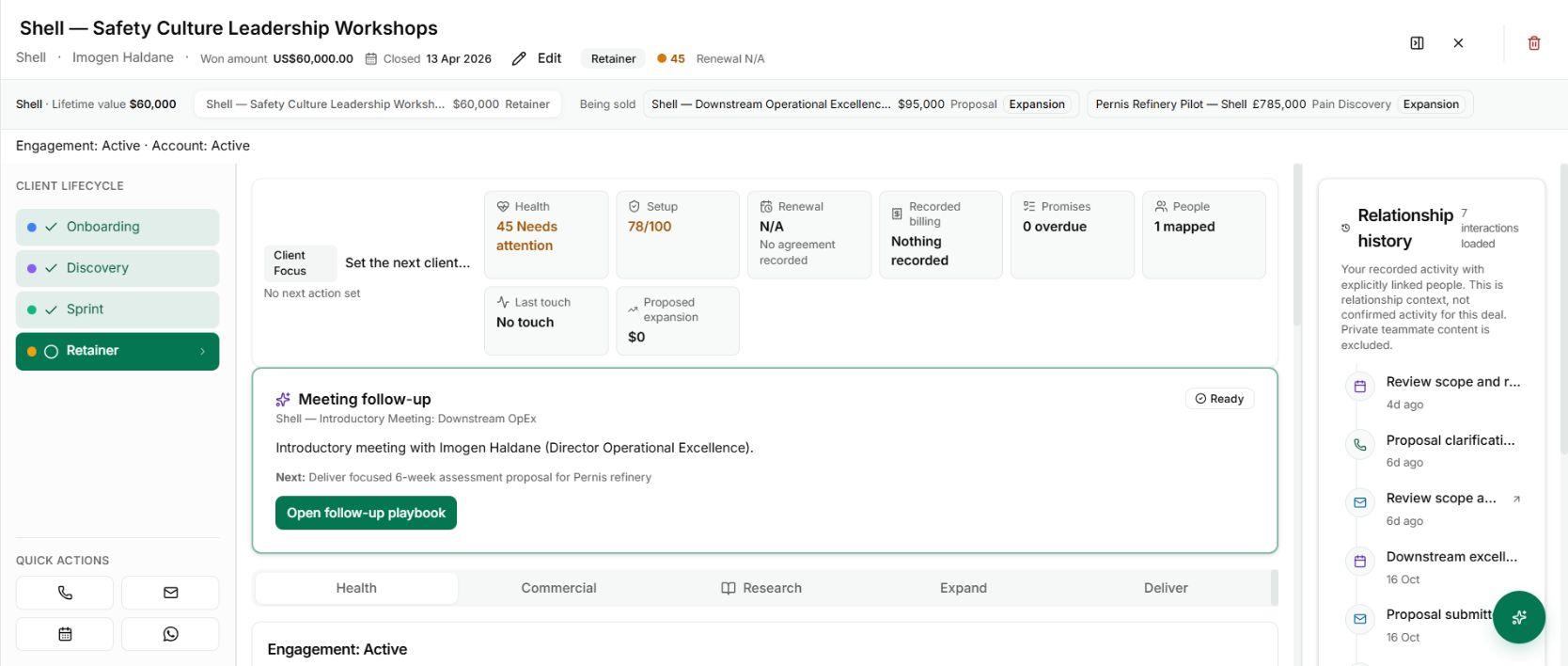
The client record distinguishes the active engagement from other work being sold to the same company.
The client record distinguishes the active engagement from other work being sold to the same company. Demo workspace with illustrative data. Open the image to see it full size.

A project finishing successfully should not look like a lost sale. Nor should an old engagement remain active forever because you want to keep the client relationship open.

The client workflow separates the engagement’s state from the account relationship. You can record that the work has ended while retaining the context for renewals, follow-on work and future conversations.

Close the work you actually completed

Open the client record and inspect the current engagement. Check that you are acting on the right project, particularly where the company has several pieces of work.

Use the engagement-ending action that matches what happened. Do not turn a completed delivery into a lost commercial outcome just to remove it from an active view.

Keep the next conversation separate

An expansion opportunity is new work being sold. It should have its own scope, stage and decision rather than silently extending the value of the completed engagement.

The demo shows this distinction: the won workshop engagement remains identifiable while other opportunities at the same company sit under Being sold.
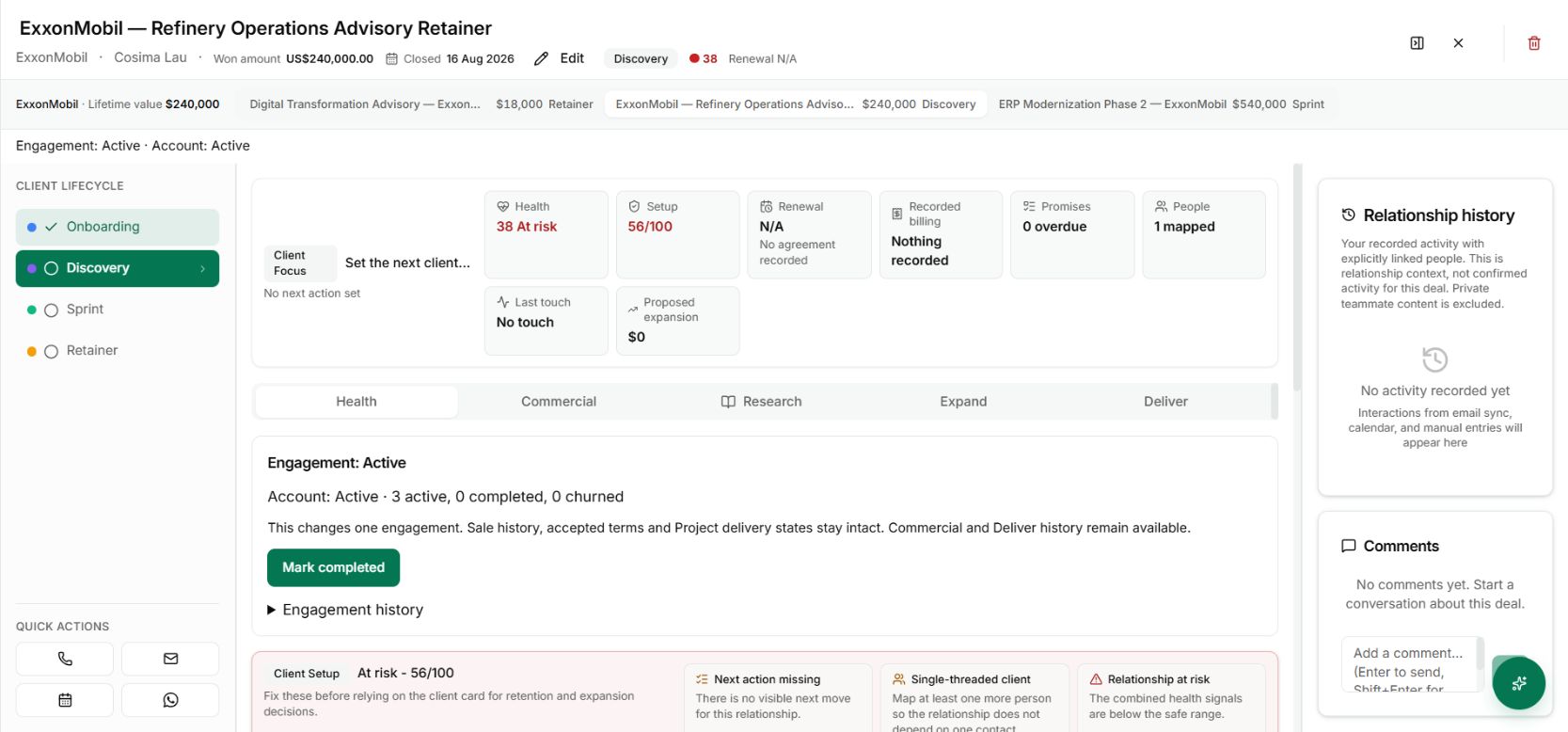
Project tabs inside a client company record
Project tabs help you choose the piece of work you are reviewing before changing its state. Demo workspace with illustrative data. Open the image to see it full size.

Use completion as a handover point

Before ending the engagement, review commitments, deliverables and the next agreed contact. A completed project can still leave useful relationship work, such as a results discussion or a separately agreed next phase.

The value is a cleaner view of delivery and a more accurate account history. You can see what was won, what was completed and what is still only an opportunity, without collapsing those different facts into one status.

See it for yourself

See Nynch from start to finish

The complete walkthrough: 28 minutes, every screen. Or pick the part you need.

Choose where to start

Chapters Jump to any partHide chapters
  1. Why relationships win the work
  2. A memory that thinks
  3. Every contact arrives already researched
  4. Your inbox, with intelligence
  5. Arrive prepared, every time
  6. A network that never goes cold
  7. Personal outreach, at scale
  8. Campaigns, run with AI agents
  9. Turn conversations into signed work
  10. The procrastination beater
  11. Your AI partner, on every screen
  12. Build the network you do not have yet
  13. Part two: build the foundations
  14. Name the problem, and prove it
  15. Know exactly who you serve
  16. Sell outcomes, not hours
  17. Stand for something
  18. Get the right clients coming to you
  19. Now watch it all work

See this working for your business

Bring a real relationship or opportunity. We will show you where Nynch can help.

Book a call

30 minutes. On your real data. Not generic slides.