The best CRM for consultants,
compared like an adult.
Full disclosure before anything else: we make Nynch, one of the seven tools below. So instead of a rigged scorecard, you get our actual reasoning, verified August 2026 pricing, and a straight account of where each tool, ours included, falls short. Judge the logic, not the badge.
What a Consultant Actually Needs From a CRM
A consultant is not a sales team. No inbound lead volume, no SDRs, no funnel to administrate. Revenue comes from relationships that warm and cool over years. So the yardstick for every tool below is the same four questions:
- Who feeds it? Manual entry fails exactly when you get busy, which is when relationships go quiet.
- What does it remember? Client promises, timelines and budget mentions are the raw material of the next engagement.
- Does it watch for timing? Job changes, cooling relationships, buying signals.
- Does it tell you what to do today? A database you must interrogate is homework. A briefing is help.
Ranked for the Expert Who Is the Business
Nynch
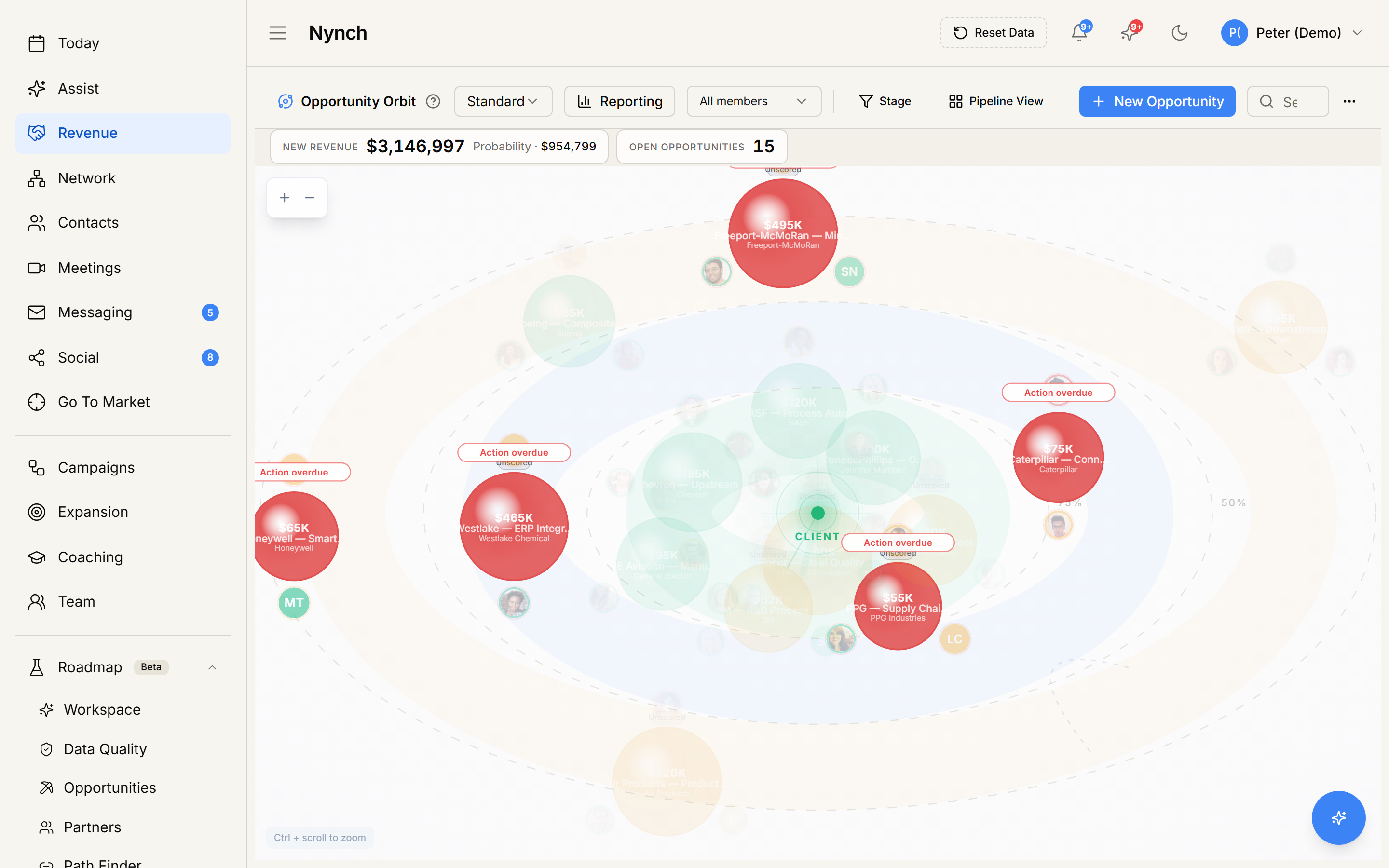
The case: Nynch is the only tool on this list built specifically for the consultant who is the business, and the only one that answers all four yardstick questions. It builds and updates the record from Gmail or Outlook, calendar and LinkedIn. It holds both sides of every relationship, what you said and what they said: the promises, the timelines, the October line about year-end budget. It watches for job changes and cooling relationships. And each morning it tells you who to contact, why today, and what to say.
Where it falls short: It is annual only, there is no free tier, and if what you want is a customisable database with your own fields and views, Nynch is deliberately not that. Team buyers apply through a conversation rather than a checkout. And obviously: we built it, so audit this entry hardest.
Copper
The case: Copper lives inside Gmail and Calendar, captures contacts and threads with little friction, and feels like part of Workspace because it effectively is. For a consultant whose whole practice runs on Google, it is the lowest-friction traditional CRM available.
Where it falls short: It relieves data entry without replacing judgment: it shows what happened in your inbox but does not watch LinkedIn, learn relationship rhythms, or tell you who matters today. The Basic tier is capped, and the useful tiers climb toward team pricing.
Capsule
The case: Capsule is a tidy, well-mannered CRM: contacts, pipelines, tasks, sensible AI summaries on the growth tiers. It is easy to like and easy to run, and the free tier is a real trial rather than a teaser.
Where it falls short: It is a filing cabinet with good drawers. Everything depends on you filing, and nothing warns you what you have stopped filing. Fine at 30 relationships. At 300, the gaps are where your next engagement was.
Less Annoying CRM
The case: Exactly what the name promises: one price, no tiers, no bloat, famously humane support. As a manual system it is the least annoying way to keep a client notebook, and for many one-person businesses that is genuinely enough.
Where it falls short: It is proudly manual, no signal detection, no relationship intelligence, no AI. It stays out of your way, which also means it never taps you on the shoulder. You are the engine, it is the paper.
folk
The case: folk is the nicest-feeling of the modern lightweight CRMs: fast, pretty, Chrome extension for LinkedIn capture, light enrichment, pipelines that do not fight you. Agencies and founders shortlist it for good reason.
Where it falls short: It is a better-looking container, not an analyst. Capture is easier than in the incumbents, but memory, timing and the daily who-to-contact judgment stay your job, on a per-seat meter with AI credits.
Pipedrive
The case: If your consulting practice genuinely runs as deals through stages, proposals out, decisions pending, Pipedrive does that one job with the least ceremony in the industry, at fair prices.
Where it falls short: Pipedrive was built for sales teams, and it shows in the worldview: everything is a deal. The between-engagement months where consultant revenue is actually decided, dormant clients, referrers, warming relationships, have no home on a pipeline board.
HubSpot Free
The case: The free CRM is a genuinely useful shared rolodex and the fastest zero-cost start on this list. If you later grow a marketing engine, the platform above it is the industry standard for that different job.
Where it falls short: HubSpot was built for marketers, and the free tier is the top of their funnel. The capabilities consultants imagine live in Professional, priced with a mandatory onboarding fee for the team buyer it was designed for. As a solo expert you would be operating heavy machinery built for someone else.
The difference between a container and an analyst: Nynch arrives already knowing your network and what to do about it.
All Seven on the Consultant Yardstick
| Tool | Who feeds it | Relationship memory | Timing signals | Tells you who to contact today | Solo price |
|---|---|---|---|---|---|
| Nynch | Builds the record from email, calendar and LinkedIn | Both sides, surfaced when it matters | Yes: job changes, cooling, buying signals | Yes, morning briefing with reasoning | $950 a year flat |
| Copper | Auto-captures Gmail, rest is you | Your notes and threads | No | No | from $23 per seat per month |
| Capsule | You | Your notes | No | No | free, then from $18 |
| Less Annoying CRM | You | Your notes | No | No | $15 per month |
| folk | You, with easier capture | Your notes, light enrichment | No | No | from $24 per seat per month |
| Pipedrive | You | Deal history | Deal-stage nudges only | No | from $14 per seat per month |
| HubSpot Free | You | Contact records | No | No | free, real tiers cost team money |
Pricing from each vendor's published pricing page, checked 14 August 2026. DIY routes (Notion, Airtable) reviewed separately, linked below.
Best CRM for Consultants, Answered
For the consultant who wins work through relationships and referrals, Nynch, and we say that as its makers with the reasoning on the table: it is the only tool on this list that produces its own data (from email, calendar and LinkedIn), remembers what both sides of every relationship said, and tells you daily who to contact and why. If you mainly want a tidy manual notebook, Less Annoying CRM at $15 is the honest budget pick. If you live in Google Workspace and want a sidebar CRM, Copper.
Not the sales-team kind. A consultant needs three things no spreadsheet delivers: memory (what every client and prospect said, promised and mentioned), timing (who is warming, who is going quiet, whose budget reopens), and a next action (who to contact today and what to say). Any tool that delivers those three is doing the job, whatever its category label. Most CRMs deliver storage instead, which is why most consultants abandon them.
Machinery built for teams: per-seat tiers that assume headcount, lead scoring for inbound volume you do not have, marketing suites, mandatory onboarding fees. HubSpot Professional at $90 per seat plus a $1,500 onboarding fee is superb value for a marketing team and poor value for one expert. Price the job, not the brand.
HubSpot’s free tier and a disciplined spreadsheet both work as a first rolodex. The cost is invisible: everything depends on you typing it, so the record quietly stops being true the month you get busy, and no free tool will tell you a relationship is going cold. Free storage is genuinely free. Memory and timing are what you end up paying for.
Every other tool here is a container you maintain: better or worse designed, cheaper or dearer, but fed by hand. Nynch is an intelligence layer: it connects Gmail or Outlook, calendar and LinkedIn, builds the relationship record itself, learns each relationship’s rhythm, and briefs you each morning with the reasoning. One plan, $79 per month billed annually at $950, AI usage and onboarding included.
Storage is everywhere.
Memory and timing are rare.
Nynch is the CRM that does the data entry for you, remembers what every relationship said, and briefs you each morning on who to contact and why. Built for the consultant who is the business.