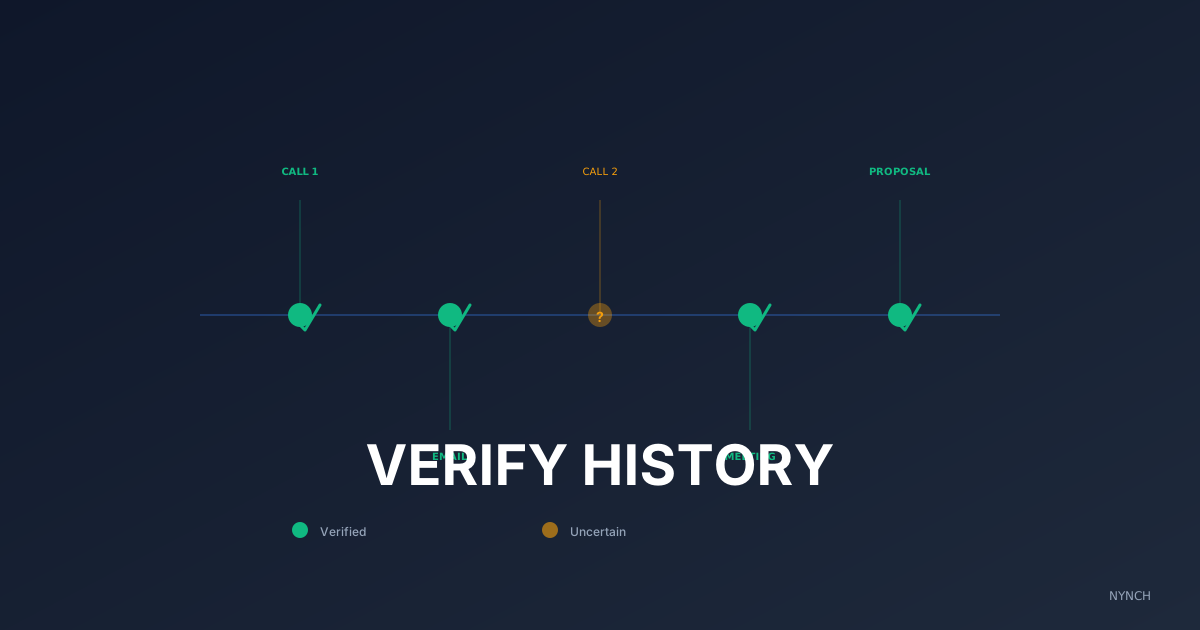
Repeating yourself in outreach is one of the fastest ways to look careless. The fix is a short pre-send habit: check every channel for recent contact, confirm whether your last message was opened, and change the content format each time. Consultants who do this consistently look like people who pay attention, which is what clients hire.
I have done the embarrassing version myself. You are working through morning follow-ups. You spot a warm contact. You think you should send them that case study. You draft a clean email, attach the PDF and hit send. Five minutes later you open the history and see you sent the same email ten days ago. They did not reply then. They will not reply now. You look like a spam bot. You look disorganised.
If you repeat yourself, you signal autopilot. Pair verification with retrieving relationship history instantly for full context. You also tell the client they are a row on a spreadsheet. That erodes the trusted advisor status you spent years building.
You do not need a perfect memory. You need a fail-safe check so every message is a logical continuation of the last one, not a second copy of it.
1. The “Universal Sent” audit to check all channels
The problem is rarely that you forgot you emailed them. The problem is you forgot you messaged them on LinkedIn. Channels feel like separate worlds. You check Outlook, see nothing and assume you are clear. If you DM’d them on Tuesday and email the same pitch on Thursday, it is awkward.
A universal sent audit means checking every outbox before you type. It sounds tedious. It protects your reputation. You need the last touch, regardless of platform. When you know it, you can write a straightforward continuation instead of a duplicate:
“Following up on my LinkedIn note…”
That line alone makes you look organised.
Example:
“As I mentioned on LinkedIn…”
What to do: Before emailing a contact, open their LinkedIn profile and click Message. Check the last message. Was it recent? If yes, acknowledge it in your email.
2. The “Open” check to see if they read it
Did they ignore you, or did they never see it? If you sent a proposal and they never opened it, sending it again with a light nudge is fine. If they opened it five times and still did not reply, sending the same attachment again is annoying.
Checking whether the last message was opened changes your next move. Unopened: bump it. Opened: ask a question. You are responding to their behaviour, not only to the date on the calendar.
Example:
“I saw you took a look at the proposal. Was there anything in the pricing that stuck out?”
What to do: Look at your tracking pixel or email tool. Did they open the last mail? If yes, write a feedback email. If no, write a short bump.
3. The “Team” check to avoid crossing wires
If you work with partners or an assistant, the risk doubles. You might email the client without knowing your partner called them yesterday. Now they are annoyed because you do not talk to each other.
A team check means looking at account history, not only your history. Has anyone else from your domain contacted them? When the answer is yes, you show up as a unified front rather than two people competing for the same inbox.
“My partner mentioned you spoke yesterday…”
Example:
“I know John spoke to you on Tuesday, but I wanted to add…”
What to do: Ask your partner or assistant, “Have you touched base with [Client] this week?” before you reach out.
4. The “Content” check to ensure variety
Even if you avoid repeating the exact email, you can still repeat the type of value. If you sent a podcast link last week, do not send another podcast link this week. It still feels repetitive.
A content check is a quick look at format, not only date. Vary the diet: podcast, then article, then case study, then a direct question. You stay interesting because the next touch is not a clone of the last one.
Example: Last week a PDF. This week a short video.
What to do: Look at the last attachment you sent. Send something in a completely different format today.
How Nynch Helps You With This
Checking three outboxes and asking your partner what they did takes time. On a busy morning you will skip it and make a mistake.
Nynch is an AI CRM that keeps the interaction record in one place.
One timeline: Nynch pulls emails and LinkedIn DMs into a single view per contact, so a previous touchpoint is hard to miss.
Open status: You can see whether the last message was read and match the tone of the follow-up to that reality.
Collision warning: If a partner emailed the client yesterday, Nynch can surface recent activity from that person so you do not double up.
Run the manual checks first. They teach you the habit. The product only matters when the number of relationships makes hand-checking every outbox unrealistic.
Read next
- The intent radar, exactly who to call today, read buying signals so your pipeline runs on intent, not guesswork.
- Unforgettable Lessons After Losing £50k Engagements To “The Drift”, Opportunities don’t always explode because sometimes they just drift away.
- The client command centre, the dashboard consultants actually open every morning to spot risk and expansion early.
Frequently Asked Questions
How do I track all my sales touchpoints across different platforms?
The only reliable method is a single unified timeline that pulls in emails, LinkedIn messages, calls, and notes from all channels. Checking each platform individually before every outreach is too slow to sustain. A growth platform that aggregates all interactions into one view per contact is the practical solution.
What should I check before sending a follow-up email to a contact?
Before sending, check when you last contacted them, on which platform, whether they opened or read it, and whether anyone else on your team has reached out recently. Missing any of these checks risks sending a duplicate message or following up with the wrong tone.
How do I avoid sending the same pitch twice to the same contact?
Keep a log of the content type you have sent, not just the date. If you sent a case study PDF last week, your next touchpoint should be a video, question, or article - a different format signals that you are engaged and thoughtful rather than running an automated sequence.
Why does repeating yourself in sales outreach hurt your credibility?
Repeating yourself signals that the contact is just a row on a spreadsheet rather than a relationship you are actively managing. It undermines the ‘Trusted Advisor’ positioning that consultants depend on and tells the contact that your process is automated and impersonal, which is the opposite of the impression that wins premium work.