Walking into a client call prepared is not about having a perfect memory. It is about having a reliable system that surfaces the right information in two minutes rather than twenty. Clients notice when you remember the details they shared. They notice even more when you clearly do not.
It is 1:59pm. You have a call at 2:00 with a contact you have not spoken to in four months. You know the notes exist somewhere. You search email, a notebook and desktop folders. You find nothing useful. You join blind, force a generic “So, catch me up…” and spend the first five minutes recovering credibility you should not have lost.
If you bluff your way through meetings, you erode trust. Clients want to feel heard. If they have to repeat themselves, they assume you do not care. High-value consulting is built on deep memory. If yours is missing, your value drops. Pair this with AI summaries to recall what matters for complete context.
You do not need to hold every detail in your head. You need one place that serves the right detail when the calendar notification fires.
1. The “Timeline View” to unify the fragmented story
The reason you cannot find the history is that it lives in three places: Outlook, LinkedIn and your notebook. When you search, you are searching silos. That fragmentation creates anxiety because you are never sure you have the full picture.
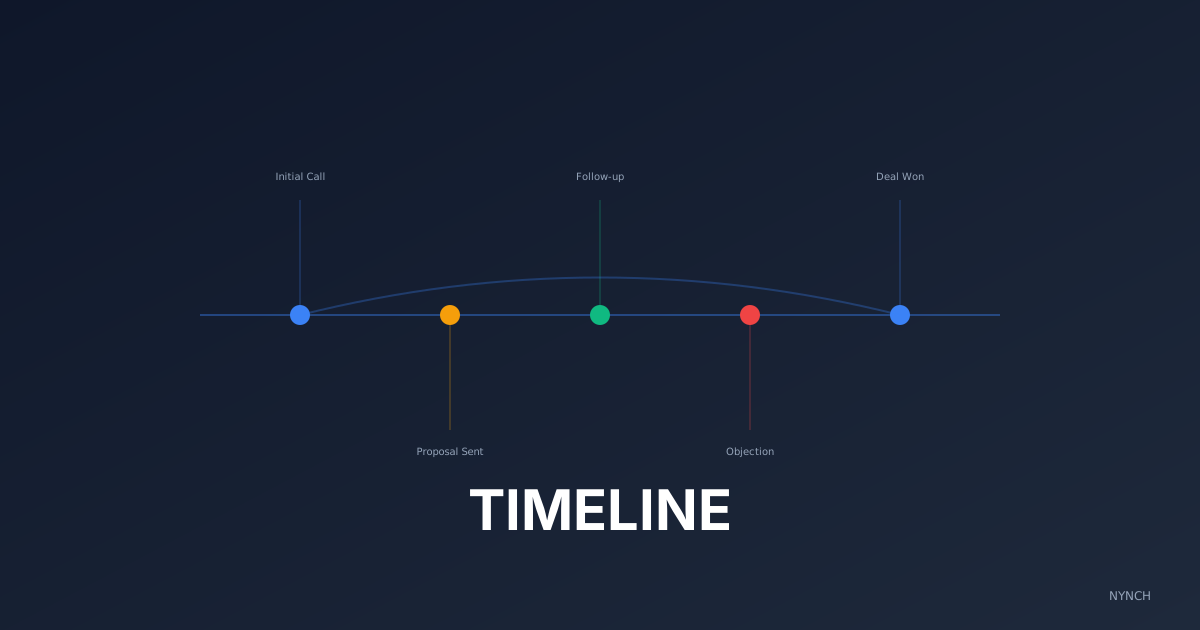
A timeline view is simply one chronological list of interactions. Whether you use software or a plain document, you need one place where every meaningful touch is logged by date. Before a call, you scroll. You see the email from March, the LinkedIn message from April and the call note from May.
The payoff is confidence. When you can say, “I was looking at the email you sent on March 12th about the budget issue,” you sound prepared. You signal that you are on top of the detail without pretending you memorised it.
Example: You are about to call a CEO. Your timeline shows they mentioned a board meeting last Tuesday. You open with that, not with small talk about the weather.
What to do: Open a Google Doc or note for your top client. Copy and paste the last three emails and the last LinkedIn DM into it now. That is your source of truth for the next call.
2. The “Personal Hook” retrieval to deepen rapport
Business details matter. Personal details are what make the relationship feel human. Clients expect you to know project status. They are surprised when you remember their holiday plans or their kid’s graduation.
Retrieving a personal hook means scanning your notes for non-business data on purpose. Did they mention a marathon? A sick pet? A renovation? Starting the call with that detail shifts the dynamic from vendor to person they trust. People work with people they like. If you remember their life, they like you more.
Example:
“How did the half-marathon go? Did you beat your time?”
What to do: Search your notes from the last call. Find one non-work noun (Spain, dog, golf). Write it on a post-it. Stick it to your monitor. Ask about it in the first two minutes.
3. The “Decision Log” check to prevent circular conversations
Consultants often waste time re-litigating decisions that were already made.
“Did we decide to go with Option A or B?”
That question makes you look disorganised.
A decision log is a simple tag or highlight for agreements, actions and commitments. Before the call, scan only those lines. Then open the meeting by stating what is already settled:
“Last time, we agreed to proceed with Option A. Today is about how we execute that.”
The payoff is speed. You stop spinning and move the project forward.
Example:
“I have us down as signing off the budget on the 14th. Is that still the case?”
What to do: Go to your last meeting minutes. Highlight any sentence that starts with Agreed, Decided or Action. Read only those highlighted sentences before you dial in.
How Nynch Helps You With This
You do not have time to build a manual dossier on every client before every call. You need the context in one place, quickly.
Nynch is an AI CRM that acts as a memory extension for relationship work.
One stream: Nynch pulls emails, calendar events and notes into a single scrollable timeline so you see the whole story in one glance.
Personal details: The AI can surface personal topics (holidays, family, hobbies) from your notes so you do not hunt for an icebreaker two minutes before the call.
Decisions tagged: Nynch can identify action items and decisions in meeting notes, giving you a short decision log to review in seconds.
This still depends on you. The system surfaces. You show up prepared and do the human work on the call.
Read next
- The intent radar, exactly who to call today, read buying signals so your pipeline runs on intent, not guesswork.
- 4 Ways To Verify Previous Touchpoints To Avoid The Embarrassment Of Repeating Yourself, Nothing kills credibility like sending the same email twice.
- The client command centre, the dashboard consultants actually open every morning to spot risk and expansion early.
Frequently Asked Questions
How do I prepare for a client call when I can’t remember the context?
Before the call, scan a single consolidated timeline of your interactions - emails, notes, and calendar events in chronological order. You are looking for three things: the last business decision made, any personal detail they shared, and any promise or next step you agreed. Five minutes of focused scanning beats 30 minutes of inbox archaeology.
What is the best way to track relationship history with consulting clients?
Keep a single source of truth for each contact - one document or contact record where every significant interaction is logged. Fragmented notes across email, LinkedIn, and notebooks create the illusion of having context while making it impossible to retrieve quickly before a call.
How do I use personal details to build rapport with clients?
Log non-business information - a holiday destination mentioned in passing, a sporting achievement, a family milestone - at the time of the conversation, not before the next call. When you reference this detail at the start of a meeting, it signals that you listened properly and that they are more than a billing code to you.
How do I avoid re-litigating decisions with consulting clients?
Maintain a simple decision log that records every agreement, action, and commitment with a date. Before any meeting, review only the decisions made since the last session. Starting a call with ‘last time we agreed to proceed with option A - today is about execution’ signals organisation and prevents the circular conversations that waste billable time.