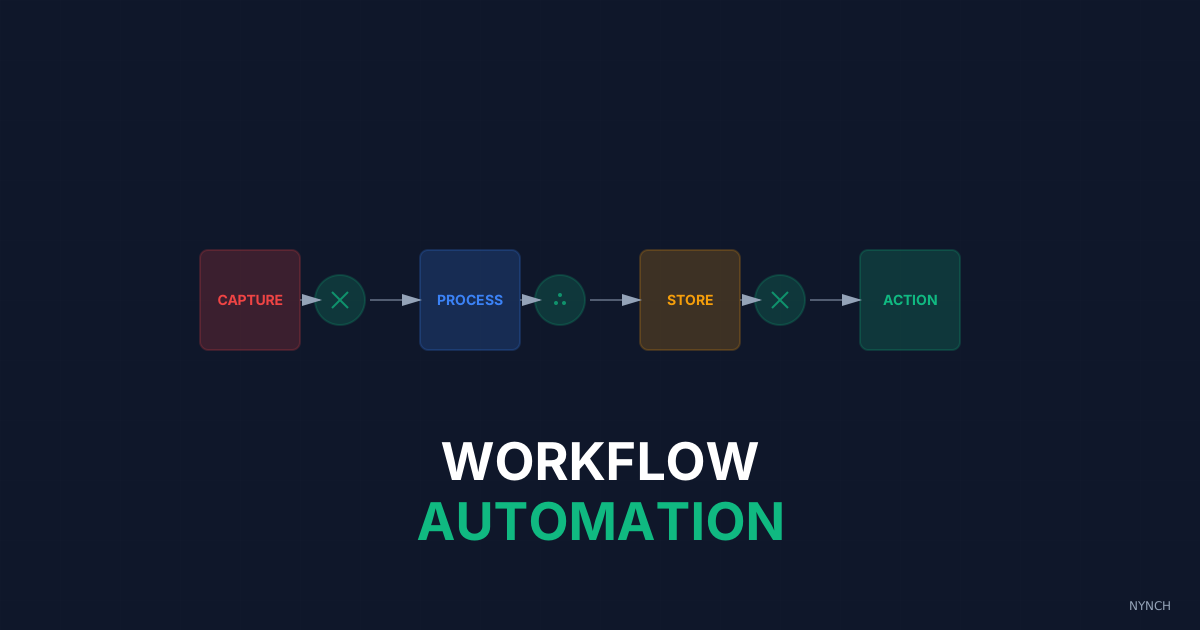
The weekend data entry shift exists because your systems are not capturing data when it is generated. Four automations eliminate it: a one-click browser extension for LinkedIn profiles, an event attendee scrape that builds enriched lists between your reviews, a job-change monitor that updates records automatically, and a calendar sync that logs meetings the moment they end.
Sunday night, laptop open, glass of wine, two hours of copying names from a notebook into software. You call it preparation. It is not. You had a full week and never updated your contacts, so the backlog waits until the one evening you should be recovering.
That is theft. You steal recovery time from yourself and start Monday already tired because capture never happened when the data was fresh. You should not need a catch-up shift. The record should write itself when the event happens.
Here are four workflows that remove that Sunday shift.
1. The “Profile to Platform” Zap
You are looking at someone useful on LinkedIn and you want them in your list.
By hand that means a new tab, copy the name, paste, copy the URL, paste again. Slow, and easy to abandon when the next call starts.
With a browser extension it is one click. The tool reads the page for name, company and profile URL, creates the contact in your platform, and tags them as new. About a second. Done while the profile is still open.
2. The “Event Attendee” Scrape
You join a webinar or open a LinkedIn event with fifty people who look like potential clients.
By hand you scribble the names that catch your eye and hope you type them up later. Most of those notes never leave the pad.
With an export of the attendee list, a workflow can filter by job title (for example CEO), enrich the rows with emails, and drop them into an outreach list. By the time you next open your CRM, the list is already built and enriched. You did not spend an evening typing.
3. The “Job Change” Updater
Your best client leaves for a new company.
By hand you often miss it for months. You email the old address, it bounces, and you look careless at the exact moment they are deciding who comes with them.
With a monitor on LinkedIn, a change to current employer updates the contact record and creates a task:
“Congratulate Sarah on new role at [New Company].”
You send a short, warm note. You often open a new account at the new firm because you showed up early and without awkwardness.
4. The “Meeting Log” Sync
The Zoom call ends.
By hand you open the platform and type “Met with Mike,” if you remember at all. Often you do not, and Sunday becomes archaeology.
With calendar connected to the CRM, the system logs that the meeting happened on Mike’s record as soon as it ends. It can prompt you for a quick voice note while the conversation is still in your head. The admin is finished before you close the Zoom window.
How Nynch Helps You With This
You do not want to wire Zapier trees for every capture point. You want the boring work gone.
Nynch has these patterns built in.
Browser extension: Sidekick sits in the browser. One click adds a LinkedIn profile to Nynch.
Calendar sync: Diary events match to contacts. Meetings log themselves when they finish.
Job-change monitoring: Contact records update in the background when someone moves employer, so Sunday night is for rest, not for Nynch.
Read next
- AI for consultants, what actually helps, the parts of AI that move revenue, and the parts that just make the dashboard prettier.
- 3 Ways To Use AI To Scan Your Old Proposals And Find The £50k You Left On The Table, Your Google Drive is full of lost revenue.
- Your CRM should not do more, it should pay attention, why most CRMs fail consultants and what relationship-led growth replaces them with.
Frequently Asked Questions
What are the best automated workflows for consultants to replace manual data entry?
The four highest-impact automations are: a one-click browser extension that adds a LinkedIn profile to your platform instantly, an event attendee scrape that builds and enriches a contact list between your reviews, a job-change monitor that updates contact records when someone moves employer, and a calendar sync that logs meetings automatically when they end.
How do consultants stop working weekends on CRM admin?
Weekend admin exists because data capture is being deferred during the week. The fix is automating each capture point - profiles, meeting logs, job changes - so the platform updates itself in real time rather than accumulating a backlog that demands a Sunday evening catch-up session.
What is the ROI of automating CRM data entry for a consultant?
The ROI of automating data entry is the hours of manual entry time converted to billable or rest time. For most active consultants this means two to four hours per week reclaimed. Beyond time, the quality of the data improves because automated capture does not rely on memory or a notebook that might not get transcribed for days.
Can a consultant automate tracking when contacts change jobs?
Yes - the job-change updater is one of the most valuable automations available. The workflow monitors LinkedIn for changes to a contact’s current employer and updates the contact record automatically, then creates a task to congratulate them on the new role. This turns a passive event into a warm outreach trigger without any manual monitoring.