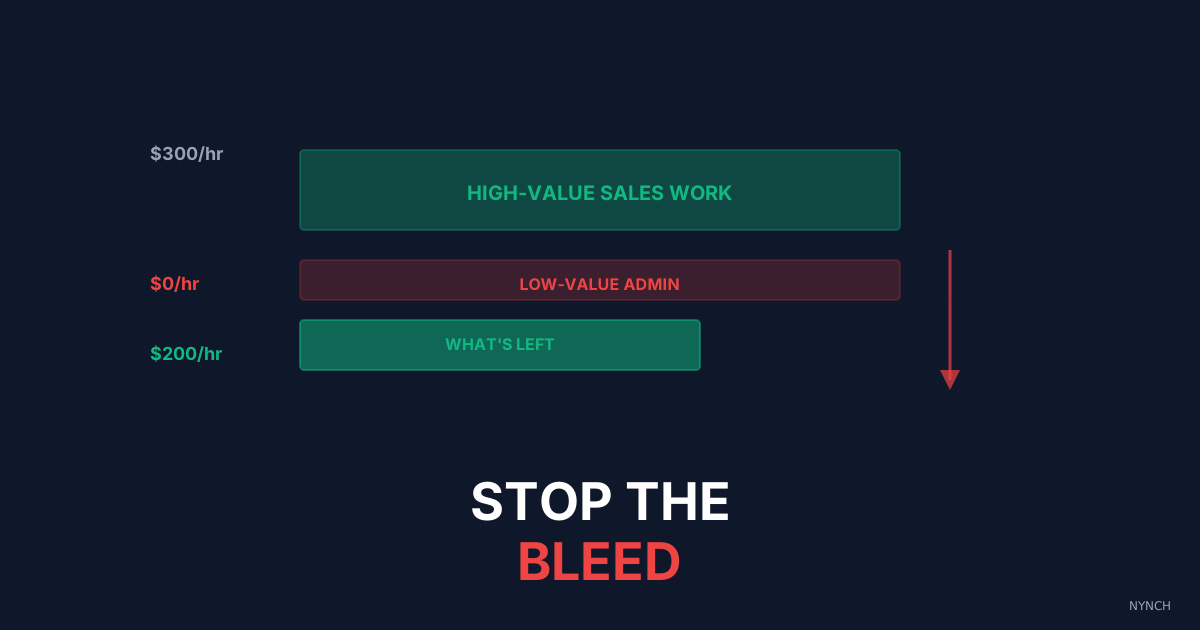
High-billing consultants destroy their own hourly rate every time they do manual data entry. The three mistakes are believing that one contact “only takes a minute” (and ignoring what that does to your focus), using a free spreadsheet that needs constant maintenance instead of a tool that updates itself, and insisting on personal control of data capture even though software is usually more accurate. All three have the same fix: automate the filing and protect the hunting loop.
You charge £500 an hour. Then you find a useful contact on LinkedIn, open a spreadsheet or CRM, and start tabbing. Copy name. Paste name. Copy job title. Paste job title. Copy URL. Paste URL. You do that twenty times and tell yourself you are building a network. You are not. You are burning the only inventory you have to sell. Every minute spent typing is a minute you cannot bill.
If you are still doing your own data entry, you are undercutting the rate you ask clients to pay. You also train yourself that your time is not really that valuable. The admin drains energy you need for the strategy work that actually pays the mortgage. Fire yourself from the clerk role.
Here is what those three mistakes look like in practice, and how to stop each one.
1. The “It Only Takes A Minute” Fallacy
The biggest mistake is believing that typing one contact is cheap because it is fast.
“It only takes a minute to add John to the spreadsheet.”
On a stopwatch that might be true. Psychologically it is not. The cost is not the minute of typing. The cost is the context switch. You stop looking for people, act like a clerk, then try to climb back into the work of finding the next contact.
That friction breaks flow. If you find ten contacts and file each one as you go, you break your focus ten times. One minute of typing can cost you fifteen minutes of lost concentration. You finish exhausted not because you worked hard, but because you switched tasks too often.
The Fix: Separate finding from filing. If you still do it by hand, batch it. Find fifty contacts and save only their URLs. Then hire a virtual assistant or use software to do the typing later. Never break the hunting loop mid-session.
2. The “Free Spreadsheet” Trap
You use a spreadsheet because it costs nothing. Proper software has a monthly fee, so the sheet looks like thrift.
That is false economy. A spreadsheet does not update itself. It does not enrich data. It does not remind you to follow up. Someone has to maintain it, and that someone is usually you. If you value your time at £500 an hour and you spend two hours a week fixing the sheet, that free tool costs about £1,000 a week in lost billing capacity.
The Fix: Pay for a tool that does the maintenance. Fifty pounds a month that saves you ten hours is one of the highest-return investments you can make as a solo consultant. Stop saving pennies while you lose pounds.
3. The “Accuracy” Control Freak
“I have to do it myself so I know it is right.”
This is a trust issue dressed up as quality control. You assume software or an assistant will make mistakes, so you keep the work. You are human. You get tired. You mistype. You paste the email into the phone column.
Manual entry is often less accurate than automated entry because people fatigue. Software does not get bored. It pulls the same text every time. Clinging to control introduces more error, not less.
The Fix: Trust the scrape. Modern tools pull data from the LinkedIn page or HTML and get the fields right far more often than tired eyes do. Let the machine do the machine’s work.
How Nynch Helps You With This
You need to stop typing and get back to winning work.
Nynch removes the keyboard from the capture step.
The One-Click Capture: You are on a LinkedIn profile. You click the Nynch button. It pulls the name, company, job title, email and photo in one go. No copying. No pasting.
The Auto-Enrichment: It does not only take what sits on the page. It searches for their business email and phone number and fills blanks you would otherwise leave empty.
The Flow Protection: You never leave LinkedIn. You stay in the finding loop, adding contact after contact, while Nynch handles the filing in the background.
Read next
- Build a £500k consulting practice on relationship capital, the operational rhythm that turns a roster of contacts into a compounding business.
- 5 Ways to Structure Your Week to Engage 5 New contacts, Consultants do not need more contacts, they need structure.
- Wake up your dormant network, fill your week with warm conversations from people you already know.
Frequently Asked Questions
Why do high-billing consultants keep doing their own data entry?
The most common reasons are the belief that it “only takes a minute,” a reluctance to pay for software when a spreadsheet is free, and a control habit rooted in distrust of automated accuracy. All three beliefs are false economies - each hour spent on data entry is an hour that cannot be billed, and the cognitive cost of context-switching makes the problem significantly worse than the raw time lost.
What is the real cost of using a free spreadsheet as a consultant’s CRM?
A spreadsheet is not free once you account for the time required to maintain it. Because it cannot self-update, enrich contacts, or trigger follow-up reminders, every hour it saves in subscription cost is more than offset by the hours of manual maintenance it demands. For a consultant billing at a high rate, those maintenance hours represent significant lost revenue.
How should consultants separate outreach from data entry to protect their focus?
Keep the hunting loop unbroken by saving only a URL or a name during the outreach session. Do not switch to filing mode mid-hunt. Batch the data capture afterward using software or a virtual assistant so you never break the flow state that makes outreach productive.
Is automated data capture less accurate than manual data entry?
No - automated data capture is generally more accurate than manual entry because software pulls exactly what is on a page without fatigue, boredom, or the typos that come from copying and pasting. The control instinct that contacts consultants to do their own data entry actually introduces more errors, not fewer.