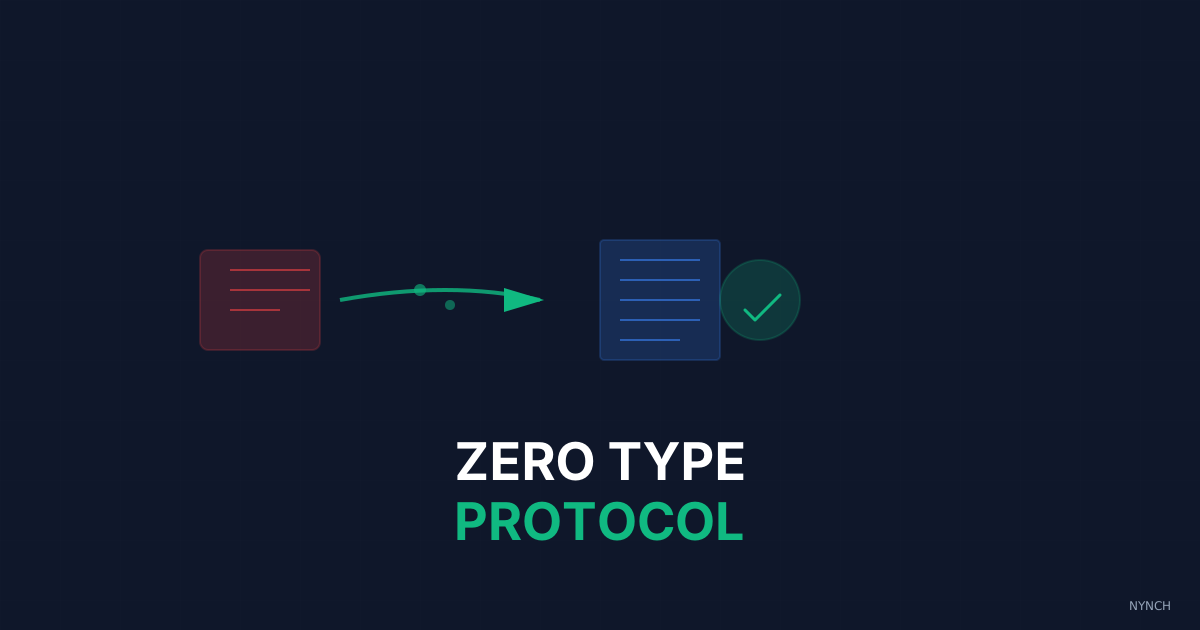
Building a clean contact database does not require hours of typing. A zero-type protocol replaces data entry with three steps: capture raw data as photos or screenshots in one second, let automation turn them into contact records in the background, then spend a few minutes each week reviewing rather than writing. Your job becomes editor, not clerk.
Most consultants I work with do not avoid the database because they are lazy. They avoid it because the work feels like punishment. You know you should add twenty new contacts this week. Instead you clean the desk, make coffee, and do anything that is not another round of copy and paste. The friction of the process kills the outcome before the outcome has a chance.
You will never build a dependable network if adding to it feels like admin for its own sake. The fix is not motivation. The fix is a workflow where capture costs almost nothing and typing is not part of the deal. You decide. The software does the keystrokes.
Here is the three-step protocol.
Step 1: The “Screenshot” Capture
Stop trying to transcribe business cards or profiles in the moment.
If you are at an event, take a photo of the business card. If you are on your phone, take a screenshot of the LinkedIn profile. That takes about a second. It captures the data with almost no effort. You have secured the record. You can go back to the conversation.
Over a week you end up with a folder of raw photos and screenshots on your phone. That is fine. You are collecting the material now and processing it later, which is the whole point.
Step 2: The “Background” Sync
You need a tool that turns images into text.
Most modern phones and apps have OCR (optical character recognition). You upload the batch of screenshots or photos. The tool reads the text, picks out the name and number, and creates the contact record.
That can run between reviews, or on the train home. You have split capture from processing, so neither one blocks the other.
Step 3: The “Review Only” Habit
Your job is now editor, not writer.
Once a week you open the system. You see a batch of new contacts created from your screenshots. You scan them.
“Correct. Correct. Correct.”
You hit approve.
Checking work is much faster and less draining than doing the work from scratch. You feel like someone reviewing a short list rather than a clerk typing it. That shift matters. When you know the downstream work is almost zero, you capture more contacts in the moment, which is how the database actually stays current.
I will concede the weak point: this still needs a weekly habit. Capture without review becomes a pile of unread photos. The protocol only works if the review is short enough that you do not skip it, which is why the capture step has to stay near zero effort.
How Nynch Helps You With This
You do not want to stitch this together with three different apps.
Nynch is built around that zero-type idea.
The Visual Scanner: Point the Nynch camera at a business card or a conference badge. The data is extracted on the spot.
The Screenshot Import: Upload a screenshot of a LinkedIn profile. Nynch finds the profile online and syncs the data.
The Background Agent: Enrichment runs quietly. When you open the app the email address is often already there. You did not type it. The system found it.
Read next
- Build a £500k consulting practice on relationship capital, the operational rhythm that turns a roster of contacts into a compounding business.
- Why Automating Data Entry Is The Single Biggest Lever For Increasing Your Hourly Rate, You want to earn more? Stop working more.
- Wake up your dormant network, fill your week with warm conversations from people you already know.
Frequently Asked Questions
How do consultants build a contact database without spending hours on data entry?
Use a zero-type protocol: photograph business cards or screenshot LinkedIn profiles in the moment, let an OCR or AI tool process the images into contact records in the background, then spend a few minutes each week reviewing and approving rather than typing. The work shifts from data entry to editorial review, which is far faster.
What is the best way to capture contacts at a networking event without losing momentum?
Take a one-second photo of each business card or a screenshot of each LinkedIn profile as you go. Do not try to type anything during the event itself. Batch-process the images afterward using a tool with optical character recognition so the data entry happens automatically while you focus on conversations.
Why do consultants avoid updating their contacts and how do you fix it?
Database avoidance is almost always caused by the friction of manual data entry - the copy-paste drudgery that feels like punishment. The fix is removing keystrokes from the capture step entirely. When adding a contact takes one second (a photo or screenshot), the psychological barrier disappears and the database stays current.
What is a zero-type workflow for a consultant’s network?
A zero-type workflow means capturing raw contact data with zero typing - photos, screenshots, or clipboard imports - then letting automation process it into structured records. Your only active role is reviewing the result and approving it, which takes a fraction of the time and effort of typing everything manually.