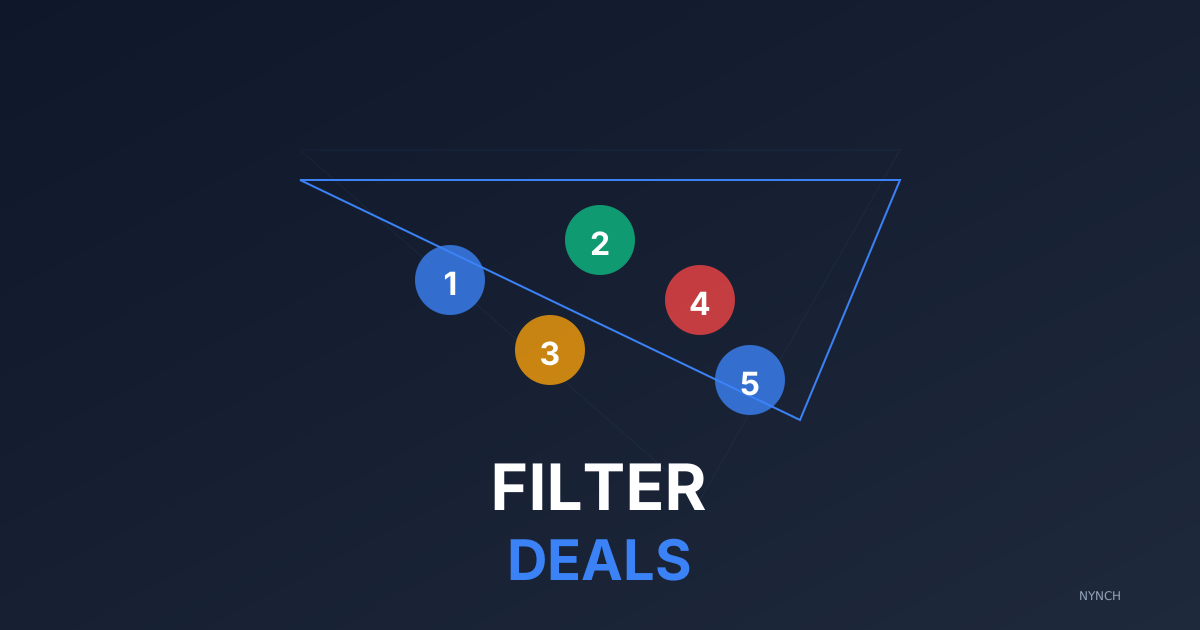
A bloated network is as dangerous as an empty one. It creates false confidence and spreads your attention across opportunities that have no real chance of landing. The discipline is to filter hard: drop any opportunity without two-way conversation, any opportunity with no defined next step, and any opportunity your gut tells you is going nowhere. What remains is your real network, and that is where all your energy should go.
Your engagement board can look impressive on paper and empty in the bank.
You have twenty opportunities listed as Active. It looks like a huge month is coming. Look closer. Opportunity 1 has not replied in six weeks. Opportunity 2 said “maybe next year.” Opportunity 3 is waiting on a budget approval that never arrives. You are lying to yourself. You are spreading mental energy across twenty maybes instead of focusing on the three that might actually land. Learn how to prioritise high-value tasks so the real work gets the real attention.
If you treat every contact as active, you miss the real signals. You waste time chasing ghosts while your best contact drifts because you did not give them enough attention.
You do not need a vanity board. You need a filtered view that only shows the truth.
1. The “Two-Way” filter to ignore monologues
An opportunity is only active if there is a two-way conversation. If you have sent three emails and they have not replied, that is not an opportunity. That is a hope.
This filter removes any opportunity where the last activity was you. You only want to see opportunities where they are engaging. It forces you to confront the reality of your network instead of polishing a list that makes you feel busy.
The payoff is honest forecasting. You stop counting money that is not there.
Concrete Example: Opportunity A: you emailed Tuesday, they replied Wednesday. Active. Opportunity B: you emailed Tuesday, then Thursday, then Friday. Inactive.
Action Step:
Look at your engagement board. If the last interaction was more than 7 days ago and it was sent by you, move the opportunity to Stalled.
2. The “Date-Stamp” rule to kill stale contacts
Time kills opportunities. The longer one sits in a stage, the less likely it is to land. A proposal sent yesterday is hot. A proposal sent 30 days ago is cold.
This filter highlights any opportunity that has not moved stage in 14 days. Those are stalled. You either revive them today or let them go.
The payoff is speed. You force a yes or no rather than letting the thing drag on for another month while you pretend it is still alive.
Concrete Example: An opportunity has been in Negotiation for 6 weeks. It is not negotiating. It is dead.
Action Step:
Sort your opportunities by last stage change. If anything is older than 3 weeks, send a break-up email today. Either they re-engage, or you free the slot.
3. The “Next Step” binary to force decision
An active opportunity must have a defined next step with a date. “Call them soon” is not a next step.
“Call Mike on Tuesday at 2 PM” is.
This filter hides any opportunity that does not have a future task attached to it. If there is no task, you are not working on it. If you are not working on it, it is not active.
The payoff is accountability. You cannot leave an opportunity sitting there doing nothing while you call it active on the board.
Concrete Example: Opportunity C has no task. Opportunity D has “Follow up Oct 12.” Focus on D.
Action Step:
Review your top 5 opportunities. Do they all have a specific date for the next action? If not, add one now or archive the opportunity.
4. The “Value” threshold to prioritise revenue
Not all opportunities are worth your stress. A £50k project deserves more attention than a £2k audit.
This filter hides anything below your minimum threshold. You do not delete the small ones. You remove them from your focus view. Deal with the small stuff on Fridays. Deal with the big stuff every morning.
The payoff is return on your time. You spend your best energy on your biggest cheques.
Concrete Example: You have 10 opportunities. 2 are for £20k. 8 are for £1k. Hide the 8.
Action Step:
Sort your engagement board by engagement value, high to low. Draw a line under the top 3. Commit to calling only those 3 today.
5. The “Gut Check” override to trust intuition
Data is useful, but your gut often knows first. Sometimes an opportunity ticks every box and you still know they are not going to buy. They are difficult, they are slow, they are fishing for free ideas.
This is a manual filter. Add a tag called Real. Only tag the opportunities you truly believe in. Then filter by that tag.
The payoff is mental peace. You stop pretending the board is healthier than it is.
Concrete Example: Client X is asking for the fifth revision of the proposal. Your gut says they are wasting your time. Remove the tag.
Action Step: Look at your engagement board. Ask:
“If I had to bet my own money, which of these will sign?” Tag them. Focus only on them.
How Nynch Helps You With This
Staring at a spreadsheet trying to guess which rows are real is exhausting. You need a system that highlights the truth without a weekly forensic exercise.
Nynch filters the noise.
Score the engagement: Nynch analyses the speed and sentiment of client replies and gives each opportunity a temperature reading. You see which opportunities are hot and which are going cold.
Hide the stale: Nynch moves opportunities to a Dormant view if there has been no activity in 30 days, so your main board stays uncluttered.
Prompt the decision: If an opportunity has been stuck in Proposal Sent for too long, Nynch prompts you to send a follow-up or a break-up email that forces a decision.
Stop managing a fantasy. Work the opportunities that are actually in motion.
Read next
- The intent radar, exactly who to call today, read buying signals so your pipeline runs on intent, not guesswork.
- 4 Ways To Prioritise High-Value Tasks To Reach One Key Decision-Maker Before Lunch, Not all sales tasks are equal.
- The client command centre, the dashboard consultants actually open every morning to spot risk and expansion early.
Frequently Asked Questions
How do I know which opportunities in my network are actually likely to land?
an opportunity is genuinely active only if it has two-way conversation, a defined next step with a date, and recent engagement within the last two weeks. Any opportunity where the last communication was sent by you with no reply, or where there is no future task booked, should be moved to a stalled or dormant view immediately.
How many active opportunities should a consultant focus on at any one time?
For most solo consultants or small practices, focusing on three to five high-probability opportunities at any given time produces better results than managing twenty. Spreading attention across a large network of low-confidence opportunities means your best contacts receive less attention at exactly the moment they need it most.
What is a network ‘health check’ and how often should I do it?
A network health check is a weekly review where you apply objective filters - recency of engagement, existence of a next step, engagement value, and your own gut assessment of likelihood - to remove false positives. Running this every Monday morning takes under 15 minutes and ensures your focus stays on revenue that is genuinely in motion.
When should I send a break-up email to a stalled opportunity?
If an opportunity has had no movement for three weeks or more, send a break-up email that wins the file unless they respond. This forces a decision and frequently generates a reply because withdrawal triggers urgency. It also clears your network of false hope and frees your energy for contacts who are actually engaging.