Your tools shape your habits, and your habits shape your revenue. If opening your CRM triggers a stress response, you will find reasons not to open it, and the habits that keep a network healthy will quietly collapse. Avoidance is always the symptom. A hostile interface is often the cause.
You know you need to update your network. The thought of opening that tab still makes you tired.
You open the enterprise software. It is grey. It has hundreds of buttons. The font is tiny. It looks like a spreadsheet from 1998 left out in the rain. You feel a small hit of stress before you have done any work. You stare at the cluttered dashboard, feel overwhelmed, and close it. You tell yourself you will do it later. Later rarely arrives.
Design is not about making things pretty for a portfolio. It is about whether you will use the thing. Poor tools also contribute to your data becoming a liability over time, because the records only stay current if someone is willing to live in the system. If the tool is ugly, cluttered, and hostile, it creates cognitive load. Your brain spends energy parsing the screen before it can do the actual job. That friction turns into avoidance. You stop logging conversations and reviewing relationships because looking at the tool hurts. You are fighting your own infrastructure.
I am not arguing that software should feel like a toy. Some complexity is real. The test is simpler: does the interface add weight to every click, or get out of the way? The four signs below are how that weight shows up in the body and in the calendar.
1. You Squint at a Screen Packed With Data
If you squint when you look at your dashboard, that is not a vision problem alone. It is often a design problem.
A lot of legacy software was built to pack every possible data point above the fold. Rows of numbers, fourteen columns, six navigation bars, a dozen bright notification badges. The theory is that more information on screen means more control. In practice your eye has nowhere to rest.
That is visual noise. When everything competes for attention, your brain tries to process it all at once and fails. Five minutes of admin and you are leaning in, squinting, or feeling a headache start. Good design uses whitespace to point you at the one thing that matters next. Bad design yells from every corner of the layout.
The honest limit: some roles need dense screens. A solo consultant reviewing a network does not need the same cockpit as an operations team of fifty. If the product was built for that larger team, density is not a feature for you. It is leftover furniture you trip over every morning.
Action Step:
Open your current tool. Count how many clickable buttons or links are on the screen right now. If it is more than about ten, you are paying a density tax. Hide or collapse sidebars if you can. If you cannot, treat that as evidence the tool is draining energy you need for client work.
2. You Are Afraid to Click Anything in Case You Break It
Complex tools make competent people feel stupid. Hidden menus, icons that mean nothing without a legend, settings that change something global with no undo. You start to worry that the wrong click will delete an opportunity, send mail to the wrong person, or scramble a forecast you cannot rebuild.
That anxiety slows you down. You tread carefully instead of moving at normal speed. You double-check every click. You hover. A tool should feel like an extension of your hand. If it makes you feel clumsy, the design has failed, not you. You cannot think clearly about a client conversation while you are half-terrified of your own keyboard.
I have sat with consultants who know their craft cold and still freeze in front of a CRM screen. The freeze is not laziness. It is the cost of software that punishes exploration. If learning the interface requires a training course, it will never become a daily habit for someone whose real job is delivery.
Action Step:
Next time you use the tool, watch yourself. Do you hover for a second before you click? Do you read the tooltip twice to make sure you are doing the right thing? That hesitation is friction. It is also the habit-killer: enough tiny pauses and you will put the work off until Friday, then until never.
3. You Only Open the Tab When You Absolutely Must
You keep apps you like open. Spotify stays open. Slack stays open. A news site you enjoy stays open. If you treat your business tools like a dentist appointment (necessary, unpleasant, endured only when mandatory) you will never build a daily rhythm around your network.
Avoidance is the strongest signal of subconscious stress. Your brain is protecting you from an experience it has already filed as unpleasant. If you have to force yourself to log in, the battle is already lost on the emotional level, even if you tick the box once a week. Consistency beats sophistication. A simple tool you open every day will outperform a powerful system you open under protest.
The weak point is real: busy delivery weeks make any admin feel optional. That is exactly when the network goes quiet and the feast-or-famine cycle starts. The interface either lowers the cost of a two-minute check-in or it does not. Willpower is a bad long-term substitute for a calmer screen.
Action Step:
Check your browser history. How many times did you visit your CRM or growth tool yesterday? If the answer is zero or one, you are avoiding it. A healthy relationship rhythm usually needs a few short check-ins a day, not a heroic session once the guilt piles up.
4. Closing the App Feels Like Relief, Not Satisfaction
How do you feel when you finally close the app?
If you feel a wave of physical relief, like taking off a pair of shoes that were too tight, the tool is a stressor. Relief means pain has stopped. Satisfaction means work got done. Those are different body states. You should not feel better primarily because the software is gone. If using your business tools causes pain, you are trying to run with a heavy pack on.
Tools work best when they go quiet. You form an intent, you act, you move on. If you are constantly conscious of the interface, the interface has failed. The goal is not delight for its own sake. It is the absence of dread so the habits that feed revenue can happen without a pep talk.
Action Step:
Watch your body language for a week. Do you sigh when you close the tab? Do your shoulders drop? That is your body reporting what your calendar already shows: this software is costing you more than it returns.
How Nynch Helps You With This
Business software should feel closer to a good consumer app than to a hangover from enterprise IT. That is a design choice, not a slogan. The manual test above still matters: if you never notice how a tool makes you feel, you will keep blaming yourself for “not being disciplined enough.”
Where the manual approach breaks is that swapping tools is expensive in time and habit, and most consultants will not do a full interface audit until the avoidance is already entrenched. You can still run the four checks this week on whatever you use now. They tell you whether the problem is you, or the screen.
Nynch is built to reduce that daily friction.
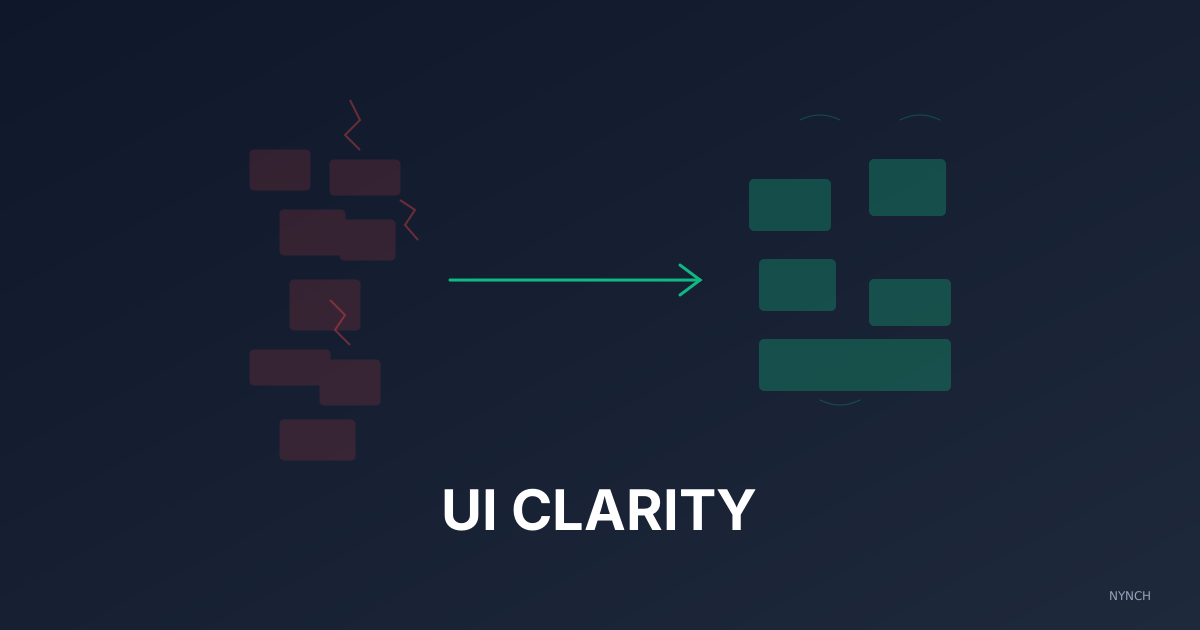
Whitespace: Data is not crammed edge to edge. Calm colours and readable type so a quick check-in does not feel like staring into a strobe light.
Less on screen at once: Only the controls for the task in front of you show up clearly. Secondary options stay out of the way until you need them, instead of lining up as a wall of buttons.
A calmer default: The aim is a tool you can leave open without your shoulders rising, more like a notebook you return to than a system you endure. If the tab stays open, the habits have a chance.
Stop fighting your screen. Choose software that does not make you pay a stress tax for staying organised.
Read next
- Build a £500k consulting practice on relationship capital, the operational rhythm that turns a roster of contacts into a compounding business.
- Why Automating Data Entry Is The Single Biggest Lever For Increasing Your Hourly Rate, You want to earn more? Stop working more.
- Wake up your dormant network, fill your week with warm conversations from people you already know.
Frequently Asked Questions
How does my CRM software affect my sales performance?
Software that creates cognitive load - through visual clutter, unintuitive navigation, or fear of making mistakes - causes you to avoid using it. A tool you avoid does not help you sell, regardless of its feature set. The emotional response your interface triggers directly impacts how consistently you maintain the habits that drive revenue.
What are the signs that my business software is hurting my productivity?
Four clear signs: you squint or feel eye strain when looking at the dashboard, you hesitate before clicking because you fear breaking something, you keep the tab won until you absolutely must open it, and you feel physical relief when you win it. These are stress responses, not preferences.
Should consultants use enterprise CRM software or simpler tools?
The right tool is the one you actually use every day. Enterprise systems built for sales teams of 50 routinely overwhelm solo consultants with irrelevant complexity. The daily consistency of logging interactions and reviewing your network matters more than the sophistication of the tool you use to do it.
How does information density in software cause stress?
When every pixel on screen contains actionable data, your brain cannot prioritise - it tries to process everything simultaneously and fails. This is visual noise, and it triggers an alert state that is fatiguing to sustain. Good interface design uses whitespace to guide attention. bad interface design competes for it.