Stage 01 / Map
Everyone, from every surface, not just LinkedIn. If a name only lives in one place, it is not in your system. It is in a drawer you will not open on a Tuesday.
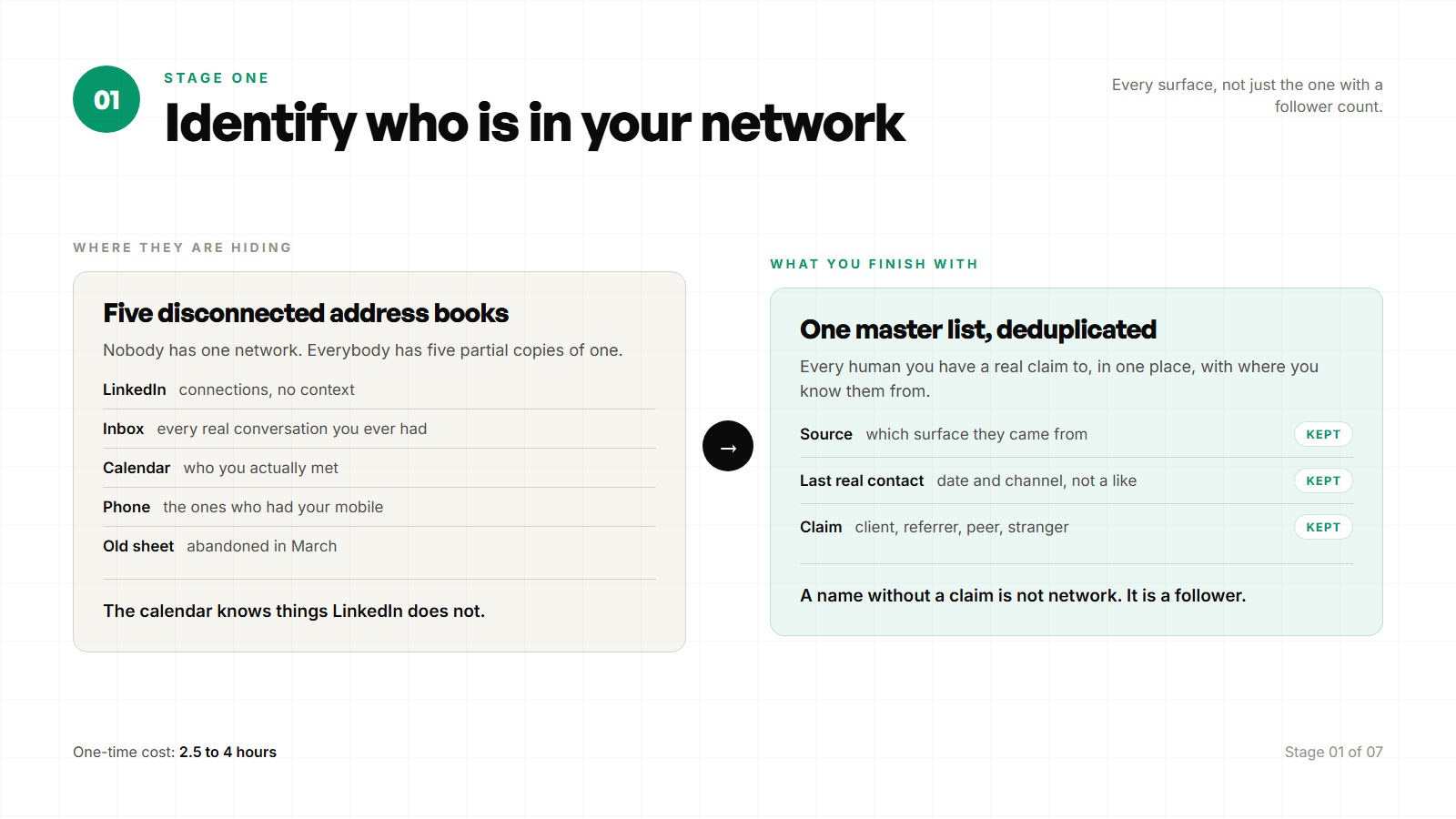
Stage 01 / every surface
| What you produce | One master list of people you already have a path to, with source surface and last-known company and title where available. |
| What you are not doing yet | Scoring fit, watching signals, or writing notes. Identification only. Mixing stages is how the afternoon dies. |
| Software you open | LinkedIn, Gmail or Outlook, Google Calendar or Outlook Calendar, your phone contacts, and any CRM or spreadsheet that already exists. |
| Time cost | 2.5–4 hours for a first full map on a mid-sized network. About 30 minutes a quarter to refresh sources. |
Why this stage exists
Most operators think their network is “LinkedIn connections.” That is one surface. The people who will hire you again, introduce you, or open a door this quarter also live in sent mail, calendar history, phone contacts, WhatsApp or iMessage threads you never exported, old proposal folders, and the half-dead CRM you swore you would maintain. If you only export LinkedIn, you will over-rank people you barely know and under-rank people who already paid you.
Five surfaces that hold network names
- LinkedIn: First-degree graph, titles, companies
- Email: Threads, proposals, intros
- Calendar: Meetings that prove contact was real
- Phone: Clients who never lived on LinkedIn
- CRM / sheet: Prior scoring, deals, notes
One master list. Five sources. Duplicates are expected. Merge later, do not filter during import.
How to run it
Step 01: Create the master sheet before you export anything.
Google Sheets or Excel. One tab named Network. Columns at minimum: Full name, Email, LinkedIn URL, Company (current), Title, Source surfaces (pipe-separated), Last real contact date, Last real contact channel, Notes, Fit score (blank for now), Relationship (blank), Watch (Y/N), Status. That is enough. Anything fancier is procrastination.
Step 02: Export LinkedIn connections.
Settings → Data privacy → Get a copy of your data → Connections. Wait up to 24 hours. Download the zip. Open Connections.csv. Import name, company, position, connected-on date, and profile URL if present. Mark Source as LinkedIn. Expect mess: missing titles, stale companies, people who changed seats two years ago. That mess is the map, not a reason to abandon the stage.
Step 03: Pull people from email history.
In Gmail: search from:me has:attachment filename:pdf for old proposals, then scan sent mail for domains that match clients and prospects. In Outlook: Sent Items, sorted by conversation, last 24 months. You are not reading every thread. You are harvesting names and addresses of humans you have actually written to about work. Add rows. If the person is already on the sheet, append Email to Source and fill the address. This is where past clients hide when their LinkedIn title has gone vague.
Step 04: Pull people from calendar history.
Google Calendar or Outlook Calendar, list view, last 18–24 months. Export or scan for external attendees. Skip internal standups and family. Add anyone you met for a discovery call, a delivery workshop, a board prep, or a referral chat. Calendar proves contact was real when LinkedIn only proves a connection request was accepted. Mark Source as Calendar. Fill Last real contact date from the most recent meeting.
Step 05: Pull phone contacts that are commercial.
iPhone Contacts or Google Contacts. Export vCard or CSV if you can. Manually, scan for people you would call about work. Add the ones who do not already appear. Phone is where older clients, operators who hate LinkedIn, and introducers live. Do not import every restaurant and school contact. Commercial judgement only.
Step 06: Import the CRM or spreadsheet that already exists.
HubSpot, Pipedrive, Salesforce, Attio, Notion, Airtable, or the Excel file you abandoned last year. Export contacts and deals. Map name, email, company, title, last activity. Prefer the CRM’s last activity date over your memory. If the CRM is a graveyard, still import it. You are identifying, not trusting its scores yet.
Step 07: Merge duplicates without “cleaning” the list into fiction.
Sort by email, then by name. Merge obvious doubles. Keep every source tag. Do not delete people because you “would never contact them.” That is Stage 02’s job. End of stage: you have one list, messy on purpose, complete enough that a name you care about is not sitting only in an old Sent folder.
Stage minutes
LinkedIn export and import: ~30 minutes once the file arrives. Email harvest: 45–75 minutes. Calendar: 30–45 minutes. Phone: 20–40 minutes. CRM or sheet import: 20–40 minutes. Merge: 20–30 minutes. First full map: roughly 2.5–4 hours. Quarterly refresh: about 30 minutes if you only re-export LinkedIn and scan last quarter’s calendar and sent mail.
How this stage fails
- You only export LinkedIn and call that the network.
- You “clean as you go” and drop past clients who look inactive on paper.
- You invent a perfect taxonomy of relationship types before the list exists.
- You never touch email or calendar because it feels invasive. Those are your highest-trust rows.
- You leave duplicates for later and later never comes, so the watch double-counts people.