Skip to content
Product overview
Explore all 15 product areas1. Services and Offer2. Ideal Client Profile3. Find Prospects4. LinkedIn Network5. Relationship Management6. Relationship Intelligence7. Value Audits8. Personalised Outreach9. Authority and Content10. Meeting Intelligence11. Pipeline and Opportunities12. Proposals13. Deal Rooms14. Client Management15. Grow Existing Accounts
Today and AssistSell your business
Use cases Pricing In Person Workshop Resources Sign in Book a call
Product / 13. Deal Rooms

Deal Rooms

Give your buyer a clear path to yes.

Put your proposal, pricing and agreed next steps in one shared room. Give your buyer everything they need to review the work, bring their colleagues in and make a decision.

Book a call

30 minutes. On your real data. Not generic slides.

B2B deal rooms and digital sales rooms, inside the complete Nynch business development platform.

See how it works
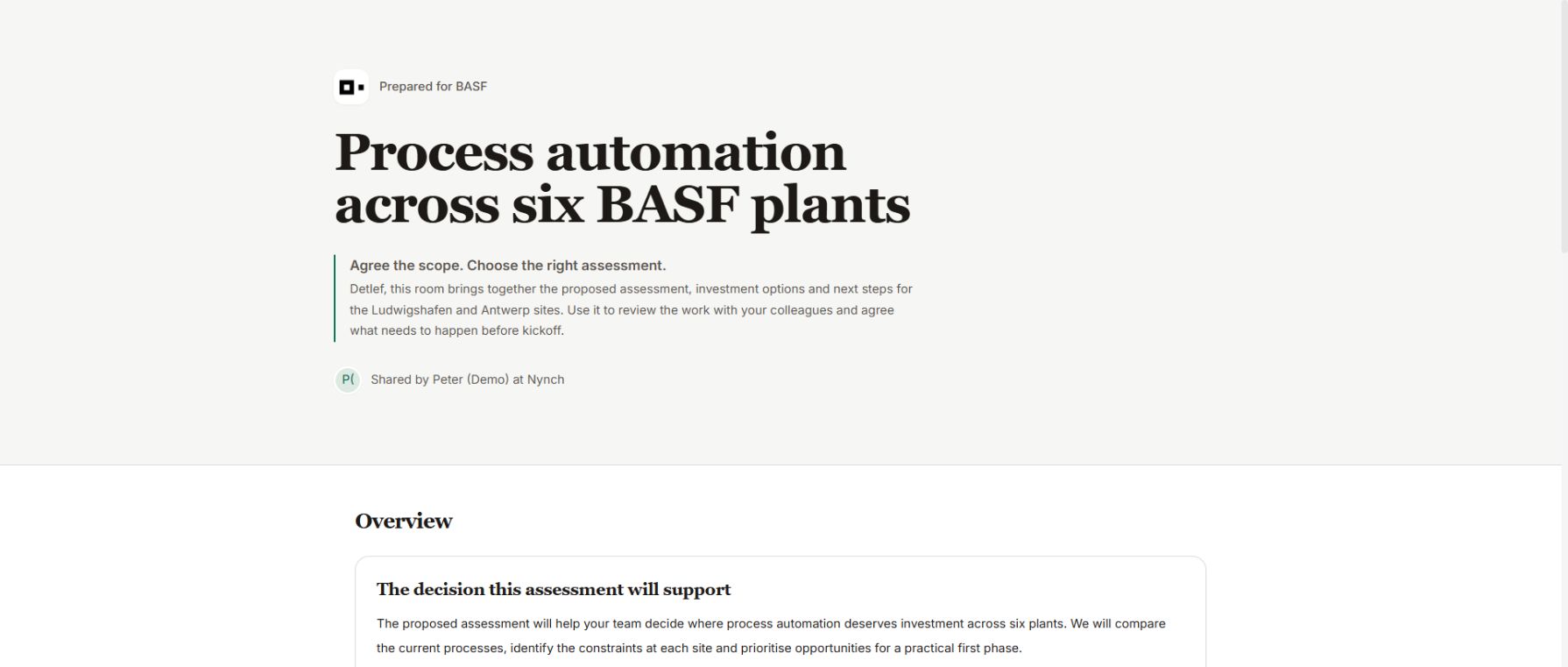
The published fictional BASF Deal Room with a clean title and a clear explanation of the decision the assessment supports.
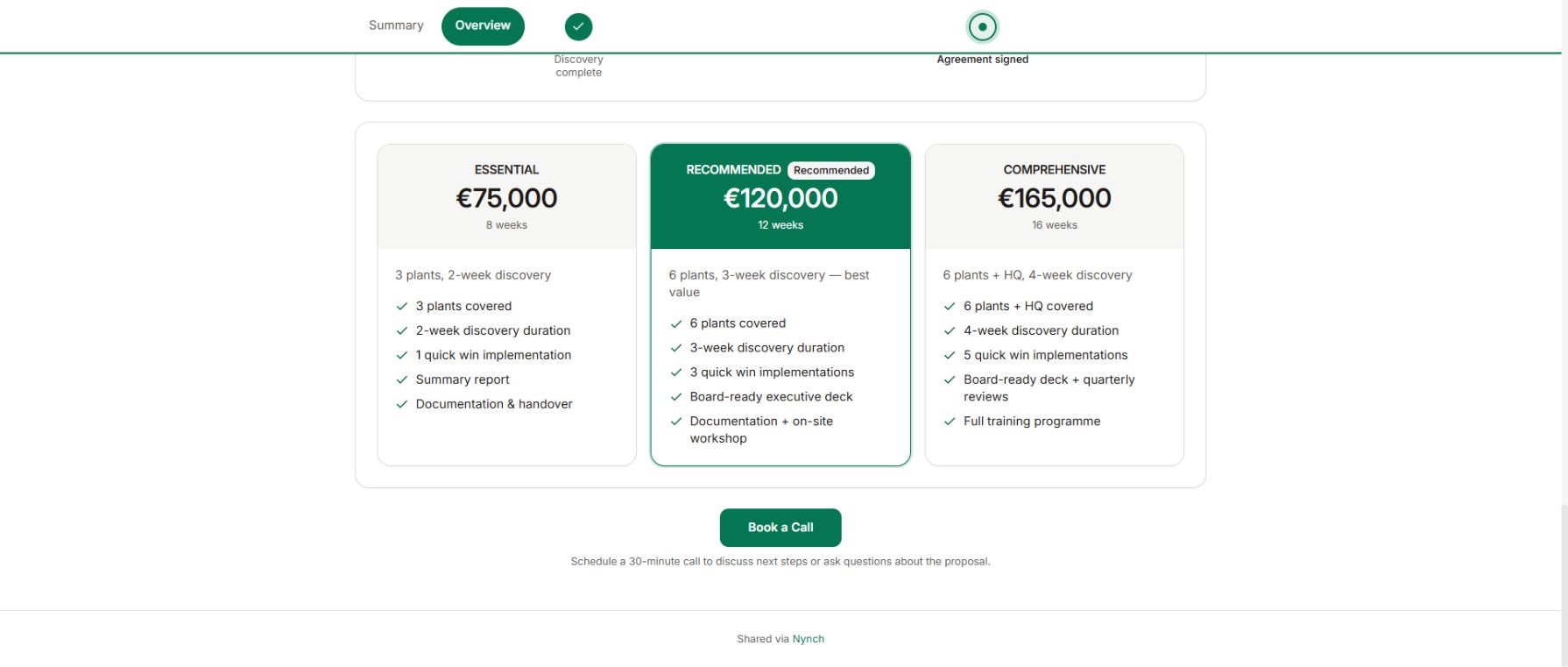
Three investment options in the same published Nynch demo Deal Room.
The proposal and the path forward, together. Fictional demo room shown.

What gets in the way

A good conversation still leaves your buyer with work to do.

After the call, your buyer has to compare the options, explain the work to colleagues and get a decision made. When the proposal, supporting material and next steps sit in separate emails, they have to piece it all together.

Your proposal travels without you.

Your contact forwards an attachment, but the next decision-maker misses the conversation that made the work worth doing.

“Next steps” stay in the email.

You leave the call with a plan, but neither side has a shared view of who needs to do what by when.

Every update starts another thread.

You revise the scope or pricing, then send another attachment and hope everyone is looking at the latest version.

From a good conversation to an agreed next step

Give the deal one place to move forward.

Build a room around the opportunity you are already working on. Keep the case for the work, the decision and the next actions together as the conversation develops.

01Proposal and resources

Put the whole case for the work in one place.

Bring your proposal, pricing options and supporting material into a room for this opportunity. Give your contact a clear explanation they can share with the people involved in the decision.

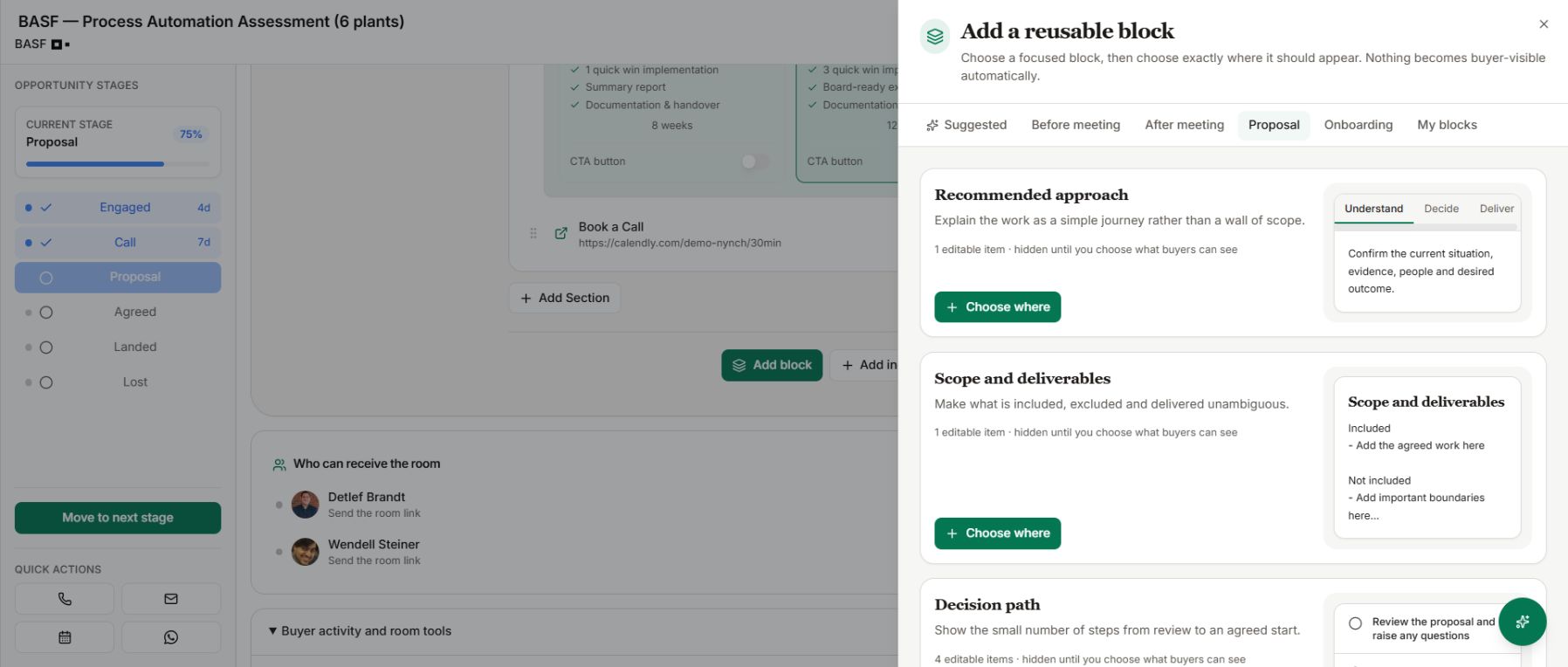
Start with a room template, then add blocks for your approach, scope, deliverables and decision path.

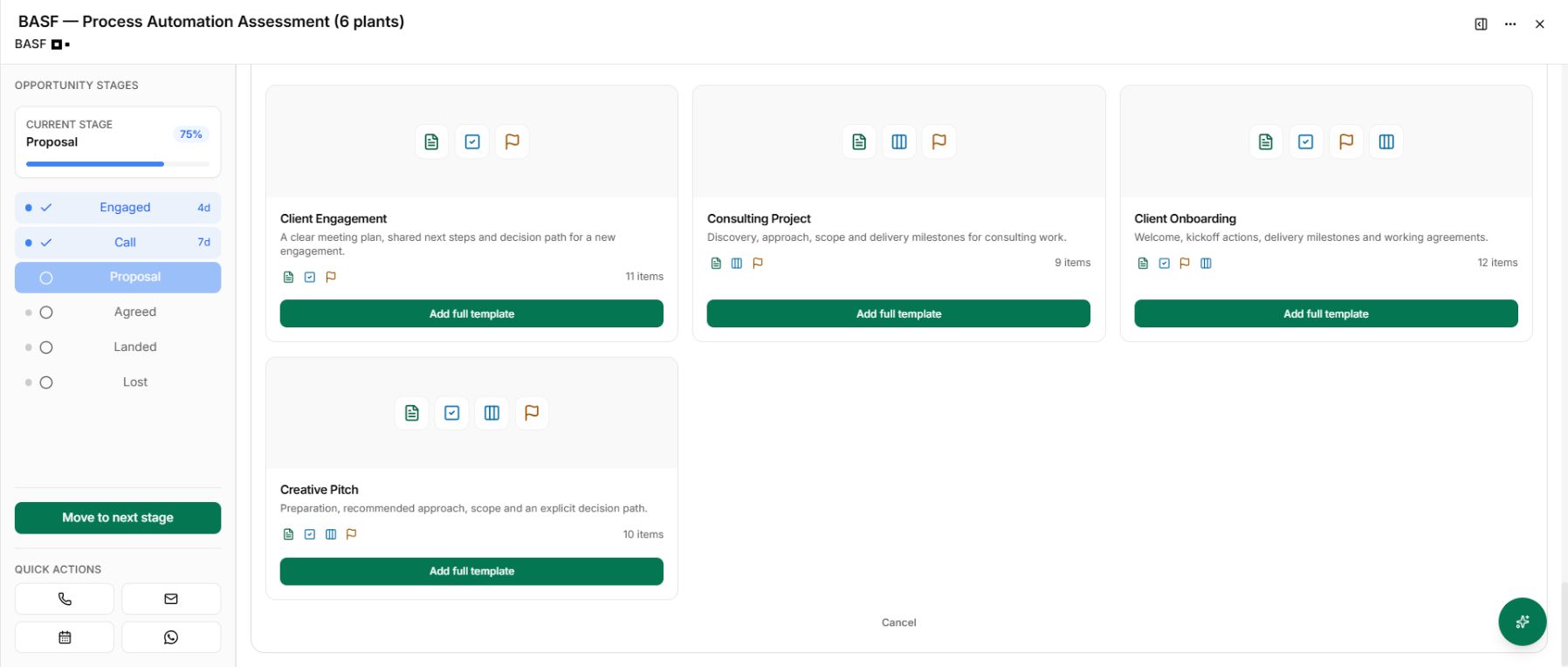
Real Nynch Deal Room templates for client engagement and consulting projects.
The actual Nynch block library with recommended approach and scope and deliverables blocks.
Start with a template, then choose the blocks this buyer needs.
02Shared action plan

Agree what happens next, and who owns it.

Turn the end of the call into actions with owners and dates. Put the proposal review, agreement and kickoff alongside the work being discussed, so both sides can see what is still needed.

Buyers can mark shared actions and milestones complete in the published room.

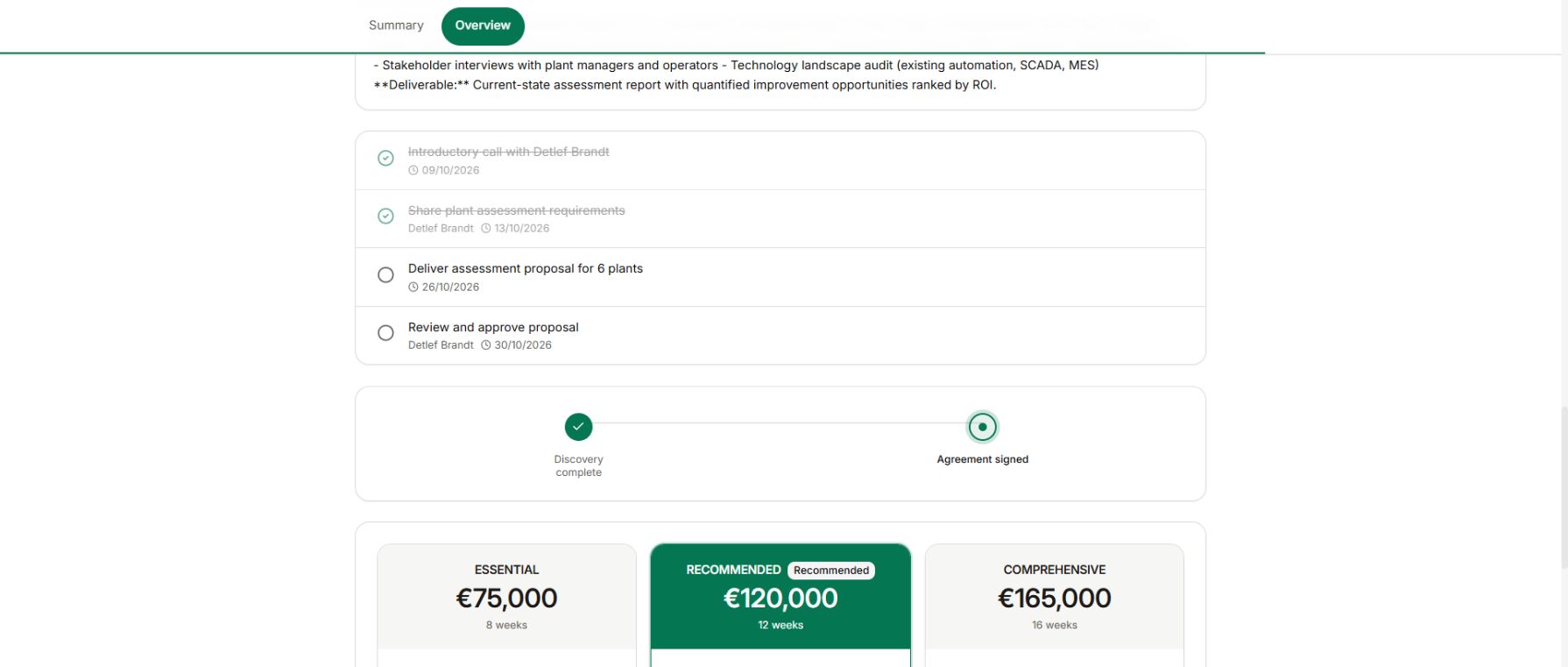
The actual published buyer page showing shared actions with dates and an owner, followed by discovery and agreement milestones.
Make the next step visible to both sides. Published demo room shown.
03Preview and publish

Share the version you want your buyer to see.

Choose the content to show, preview the buyer’s page and publish when it is ready. As the conversation changes, prepare your edits in draft and publish them to the same room.

Your buyer keeps seeing the previous published version until you publish your changes.

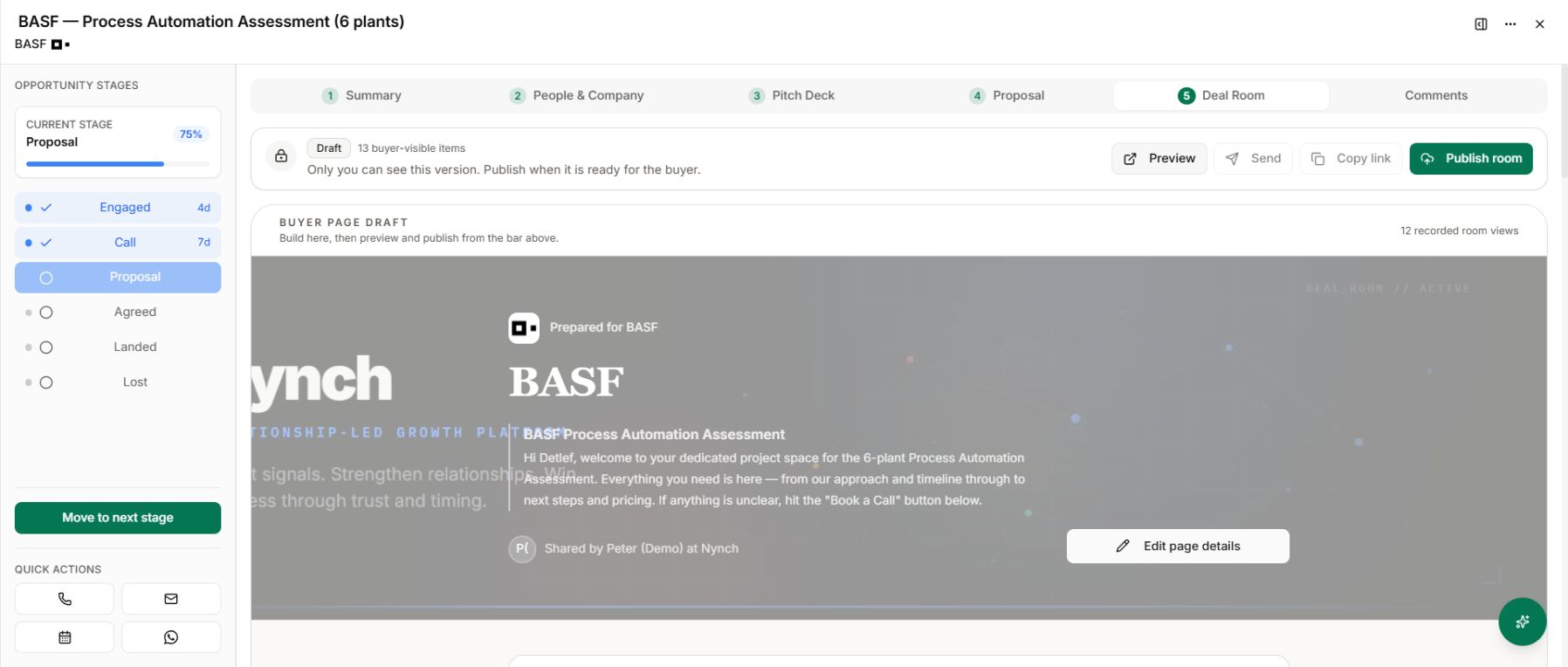
The real Nynch Deal Room editor inside an opportunity, with Draft status and Preview and Publish room controls.
The published buyer page showing the investment options prepared in the demo room.
Preview the buyer’s version before you publish it.
04Room activity

Bring more context to your next follow-up.

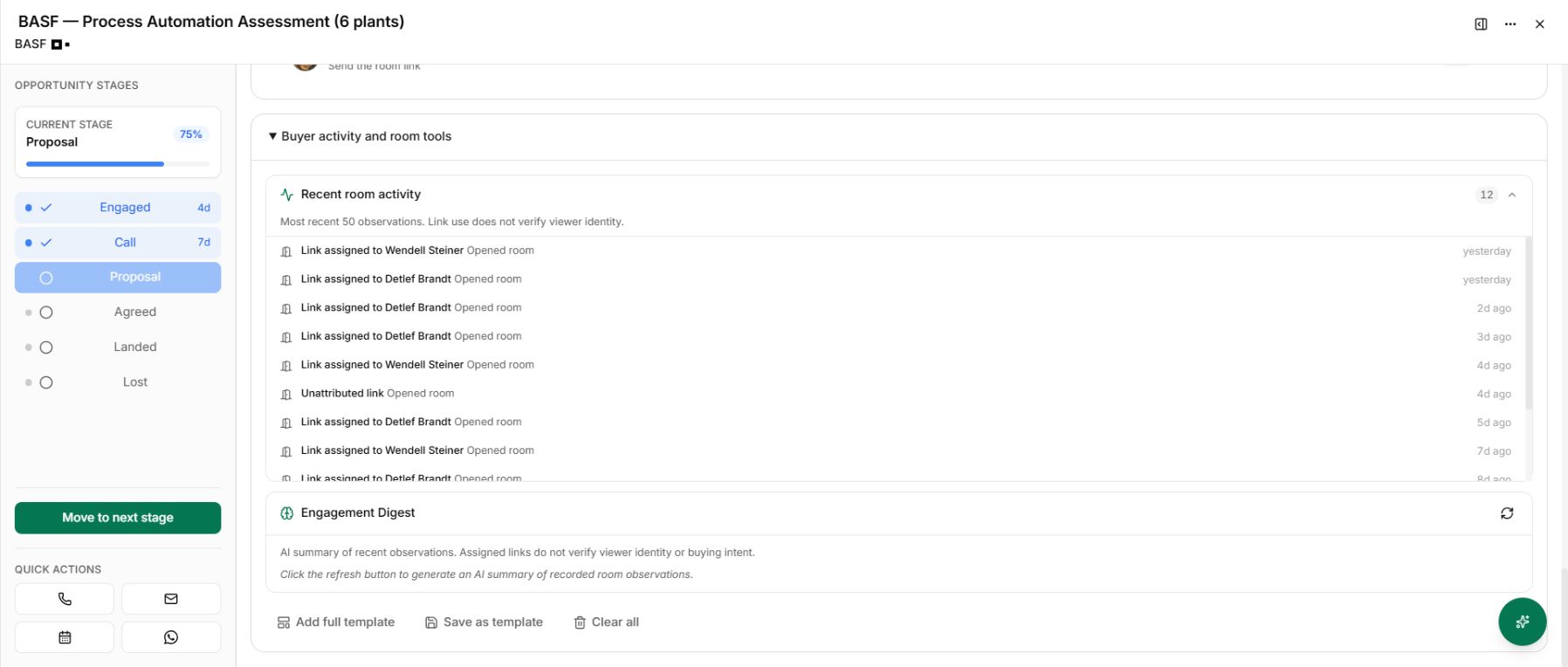
See recorded room opens and the assigned links used to access it. Bring that activity into your next conversation alongside the questions, commitments and dates you have already agreed.

An opened link is a useful clue. It does not confirm who read the room or whether they are ready to buy.

Real Nynch room activity showing recorded opens against assigned links and follow-up controls, with a notice that link use does not verify identity.
Use recorded activity as context for your next conversation. Demo data shown.

What Nynch decided, and why

What your buyer can see, change and sign.

A room is the buyer’s view of a deal. These are the rules about what goes live, who can open the link, what the buyer can tick off and how signing works, and why each is hard to keep by hand.

  1. The buyer sees only what you have published, and your edits wait until you publish again.

    The buyer’s page is built from the last published copy of the room. Changes you make stay in draft, so the buyer keeps seeing the previous version until you publish. That lets you rework the pricing in private without the buyer seeing half-finished work.

    Doing it yourself: You would have to keep a second copy of the buyer’s version and make sure nothing unfinished was pasted into it.

  2. Every room link can be revoked, given an expiry date or replaced.

    Revoking stops the link working straight away, and an expiry date closes it on a set day. Replacing the link issues a new one and the old one stops working, so a forwarded address does not stay open. These controls stop access through the link only, not material someone has already downloaded.

    Doing it yourself: You would have to remember every link you had sent, find each forwarded copy and close it, one deal at a time.

  3. Buyers can tick off published actions and milestones, and only the ones you have made visible.

    A buyer can mark an action or milestone complete from the room, but only one that is published to them. If the room requires a personal link, the tick has to come through that person’s link, so it is recorded against the right person.

    Doing it yourself: You would chase each buyer by email for every task and then update the plan yourself after every reply.

  4. A buyer can sign without an account, but each signer gets a token that works only for them.

    Signing happens from the link, with no account to create. Each signer receives a token, and the signing step accepts only the token issued for that person on that document. Every other e-signature action still needs you to be signed in.

    Doing it yourself: You would send a separate link to each signer, check each signature against the right person and chase anyone who could not get in.

One connected Nynch platform

From finding the right people to winning their next piece of work.

Prospecting, relationships, meetings, proposals, Deal Rooms and client growth work together in Nynch. Start with the job you need to do today. Keep the context as the relationship develops.

The room carries forward your opportunity and proposal. The same platform supports the client relationship and the next piece of work.

The details

Questions about
Deal Rooms.

What is a digital sales room?

A digital sales room is a shared online space for the materials and next steps behind a buying decision. Nynch Deal Rooms bring the proposal, investment options, resources and shared action plan together inside the opportunity workflow.

How is a Deal Room different from a proposal or a data room?

A proposal explains the recommended work and commercial offer. A Deal Room gives the buyer a shared place to review that proposal, involve colleagues and progress agreed actions. It is designed for a sales conversation, rather than an M&A due-diligence data-room process.

What can I put in a Deal Room?

You can include a proposal, pricing tables, files, text, videos, links, action items and milestones. Choose the materials that help this buyer understand the work and decide what to do next. The room sits inside the opportunity, so you build it alongside the rest of your deal work.

Does my buyer need a Nynch account?

No. Buyers open the published room through its shared link without signing in to Nynch. Treat that link as access to the materials in the room, because someone who receives a forwarded link can also open it while it is active.

Can my buyer see my private deal notes?

The public room shows the items you choose to make visible and publish. Your internal workspace is separate. Preview the buyer’s view before sharing, and only publish materials that belong in the buyer’s room.

Can buyers update the shared action plan?

Yes. Buyers can mark visible, published action items and milestones as complete from the room. Use owners and dates to make responsibilities clear, so both sides can see what remains to be done.

What happens when I edit a published room?

Content changes stay in draft until you publish them. Your buyer continues to see the previously published version in the meantime. Once you publish the changes, the same active link opens the updated room. Link access controls, such as expiry, take effect separately from content publishing.

Can I stop access to a room I have shared?

Yes. You can revoke the link or give it an expiry date. You can also replace the link, which invalidates the previous one. These controls stop access through the room link. They do not retrieve files someone has already downloaded or information they have copied.

Do I have to build every room from scratch?

No. Start with a Deal Room template, then adapt it for the opportunity. Choose the proposal, resources and shared steps that are relevant to this buyer, and preview the result before publishing.

What can room activity tell me about my buyer?

The activity feed shows recorded observations such as room opens and, where available, the link assigned to a recipient. A forwarded link may be opened by someone else, so an assigned link does not verify the viewer’s identity. An open also does not prove that someone read the proposal or intends to buy. Use the activity alongside your conversations and agreed next steps when deciding how to follow up.
Make the next decision easier for your buyer.

See how your proposal, pricing and shared next steps come together in a Nynch Deal Room.

Book a call

30 minutes. On your real data. Not generic slides.